¶ Create an NFT (ERC721) Shop - Community Admin
A Web3 shop featuring ERC721 NFTs offers a decentralized marketplace where users can buy unique digital assets securely on the blockchain. Each NFT represents provable ownership of a one-of-a-kind item, ensuring transparency, authenticity, and true digital ownership. For a community creator who owns the shop, it also provides a powerful monetization and fund-raising channel—every sale or royalty can directly support ongoing projects, events, and community growth.
¶ Prerequisites
- You must have already created and released a community.
- You should have an already created an additional collection besides the membership one. Or know the token contract address of an external collection whose cards you own and want to sell in the shop.
- Log in to the Community Admin interface of your community.
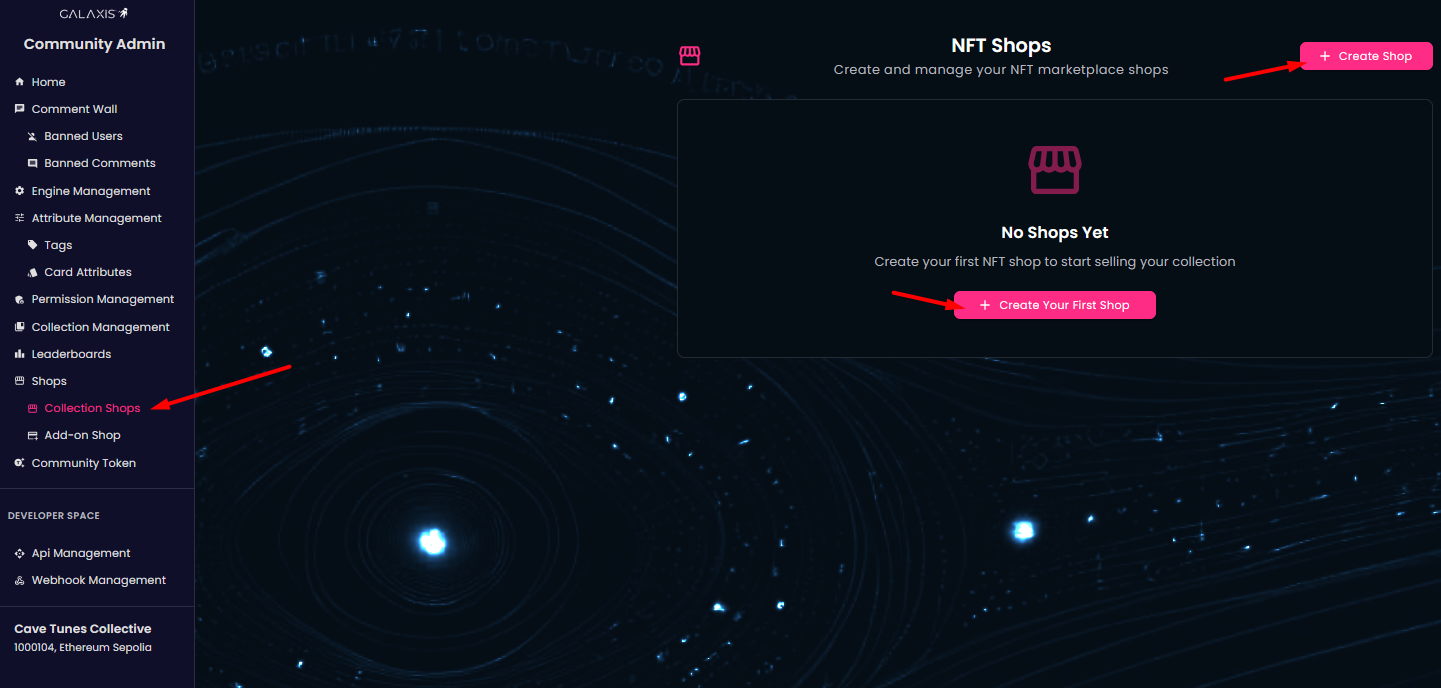
- From the left-side menu, choose Collection Shops.
¶ Create shop
-
On the Collection Shops page, you have two buttons Create Your First Shop or simply Create Shop. You can click any of it to begin creating your ERC721 shop.
-
In the first step out of the three you set and deploy the blockchain part of your new shop.
-
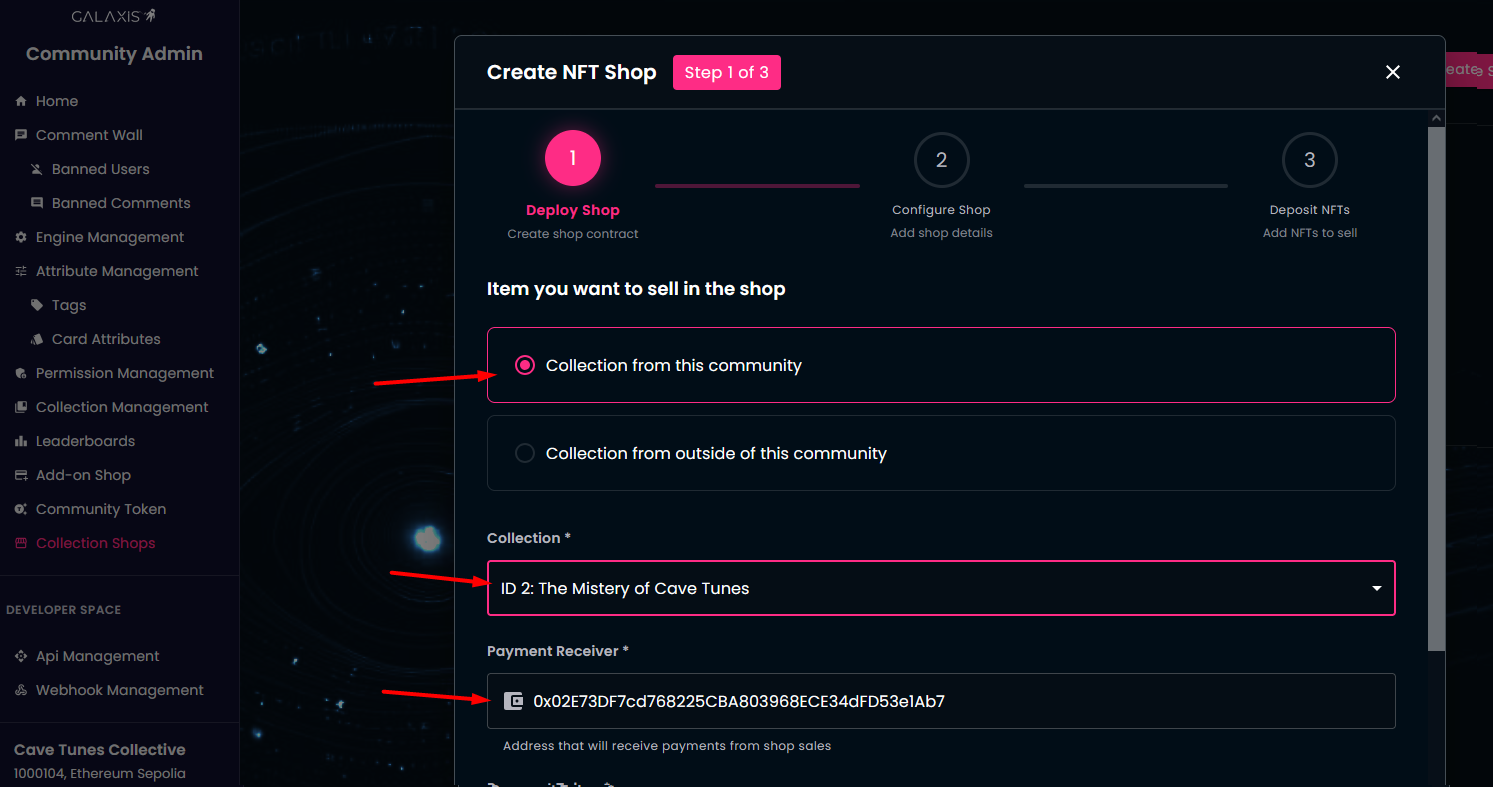
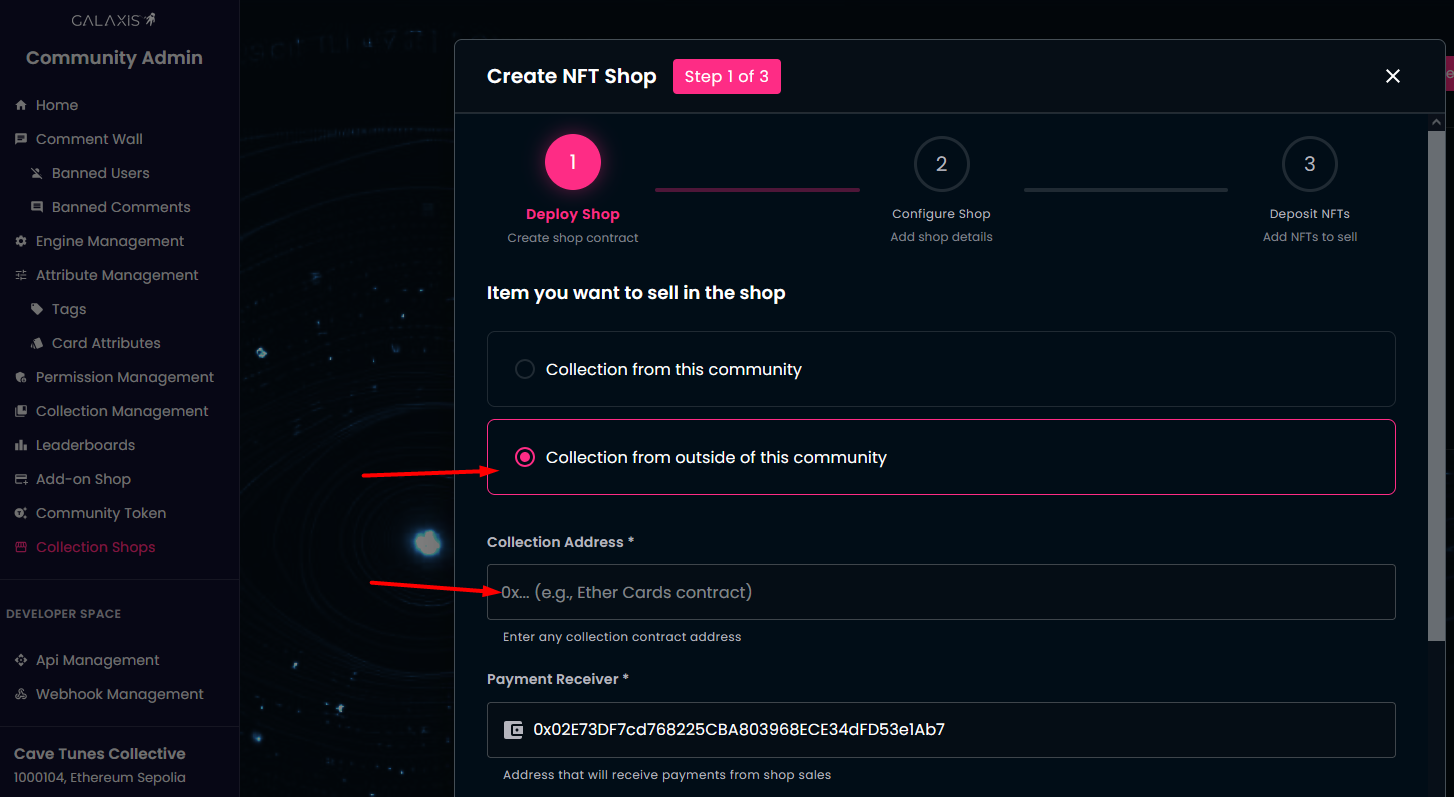
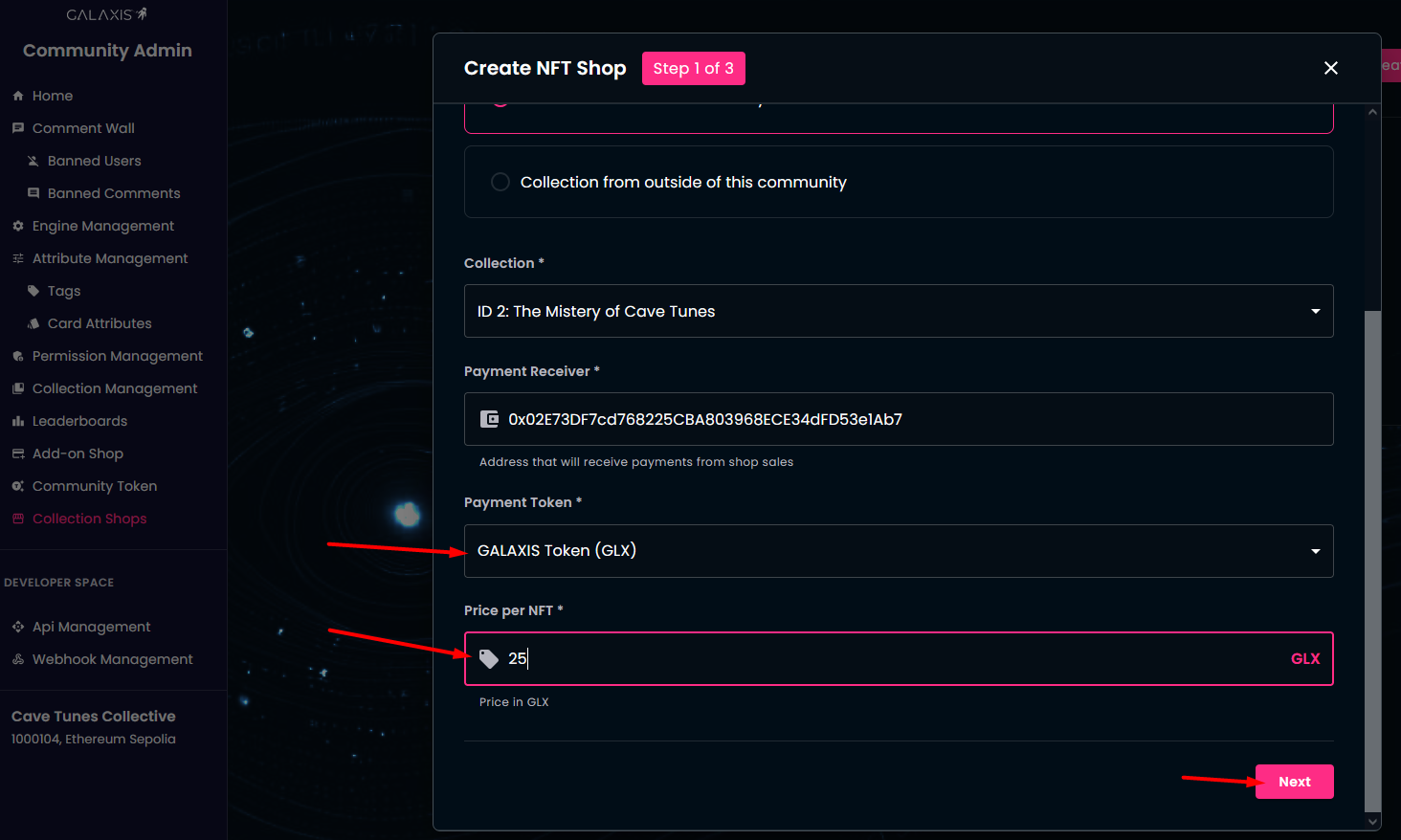
Select the collection of whose items you want to sell. This can be an additional collection from the actual community, or it can be an external collection.
-
If you opt for an additional collection you created for this community, then that collection will appear in the Collection dropdown.
-
You can also set the Payment Receiver's address. By default this is the community owner's wallet address.
-
If you choose an outside collection, then you will have to enter that collection's token contract address manually.
-
Select the Payment Token from the dropdown. This can be GALAXIS or USD.
-
Specify the price per card and click Next.
-
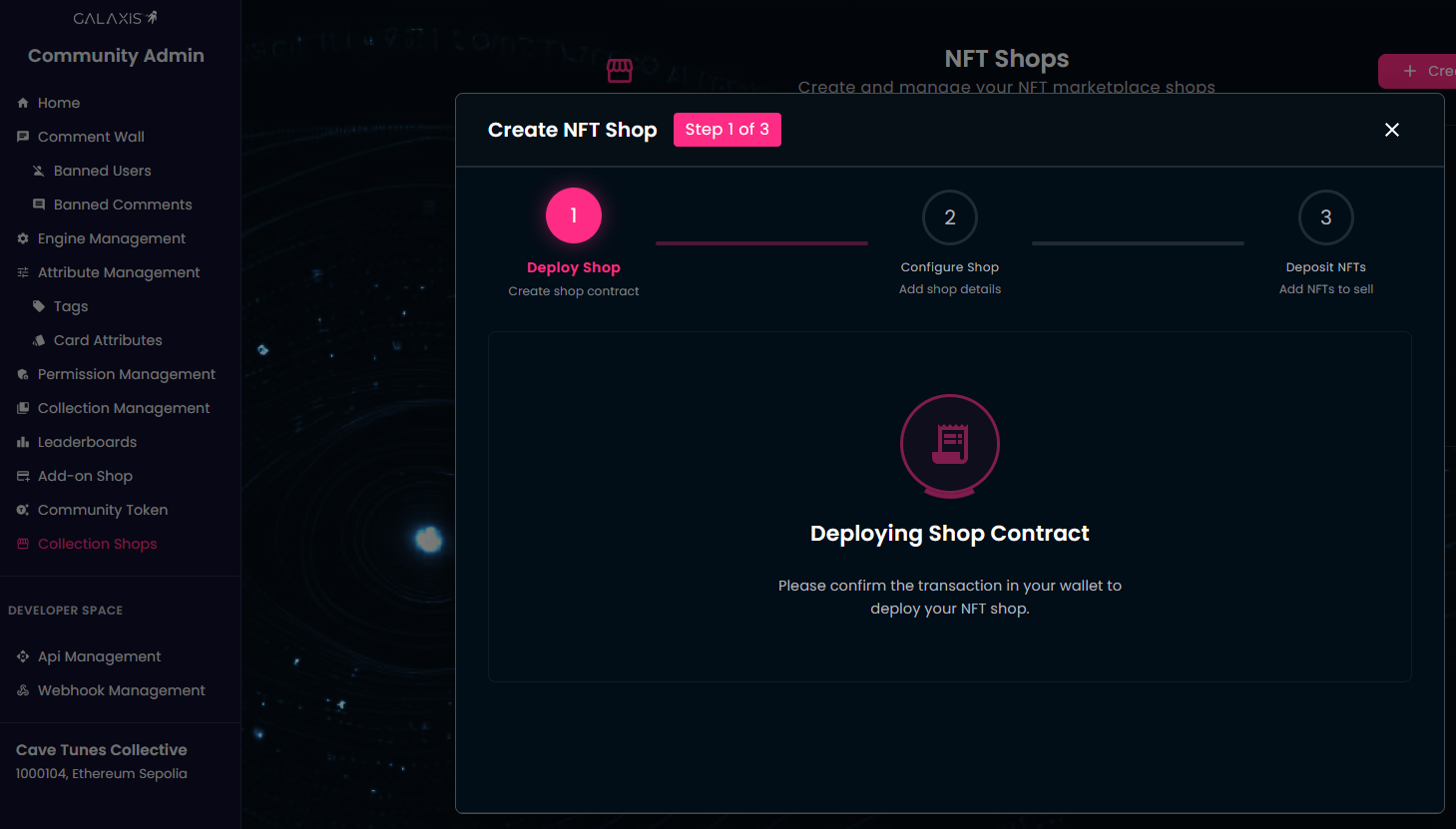
Approve the transaction in your wallet - this will deploy the shop contract.
-
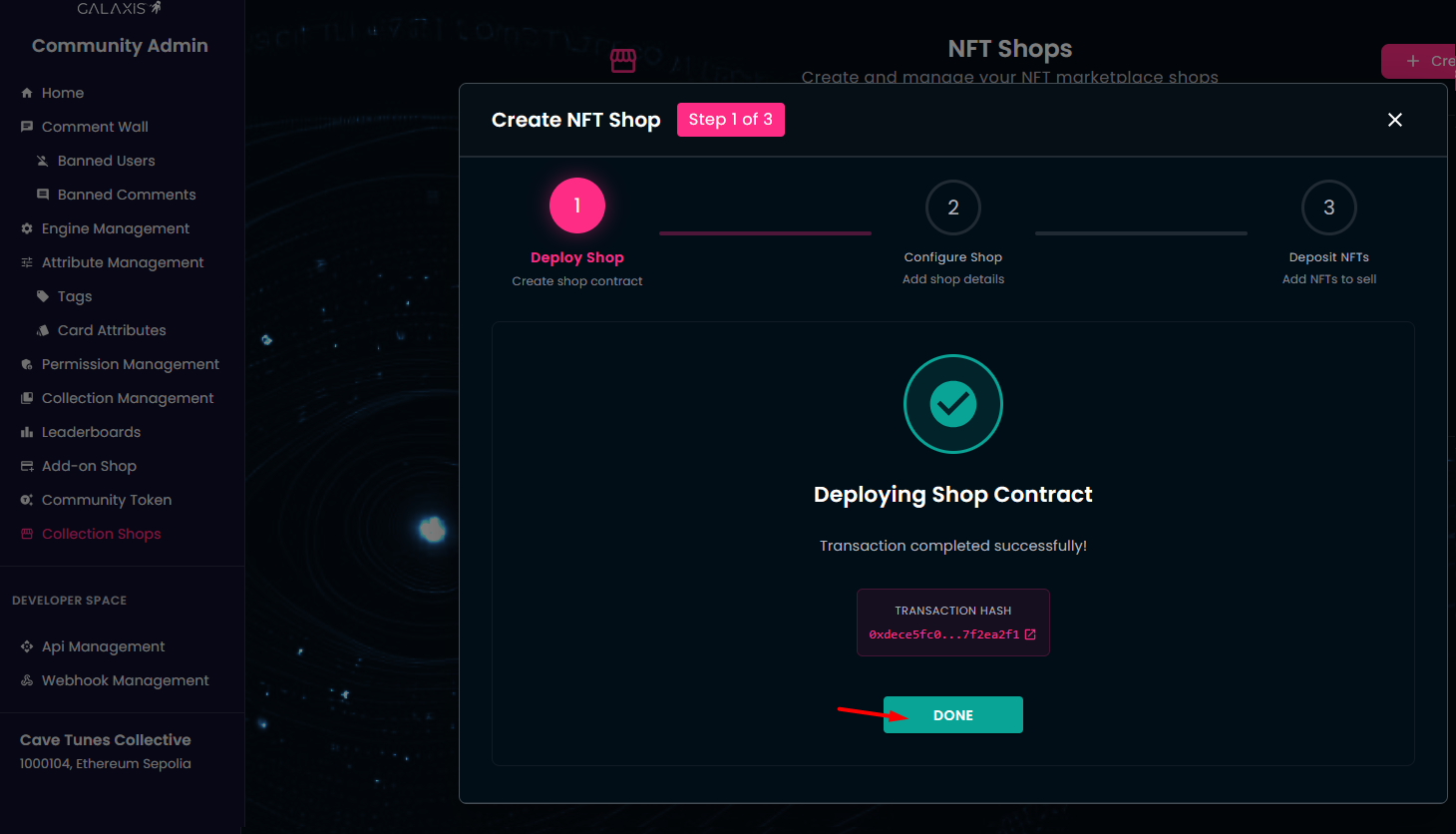
Click Done to proceed to the second step.
- Customize your shop
-
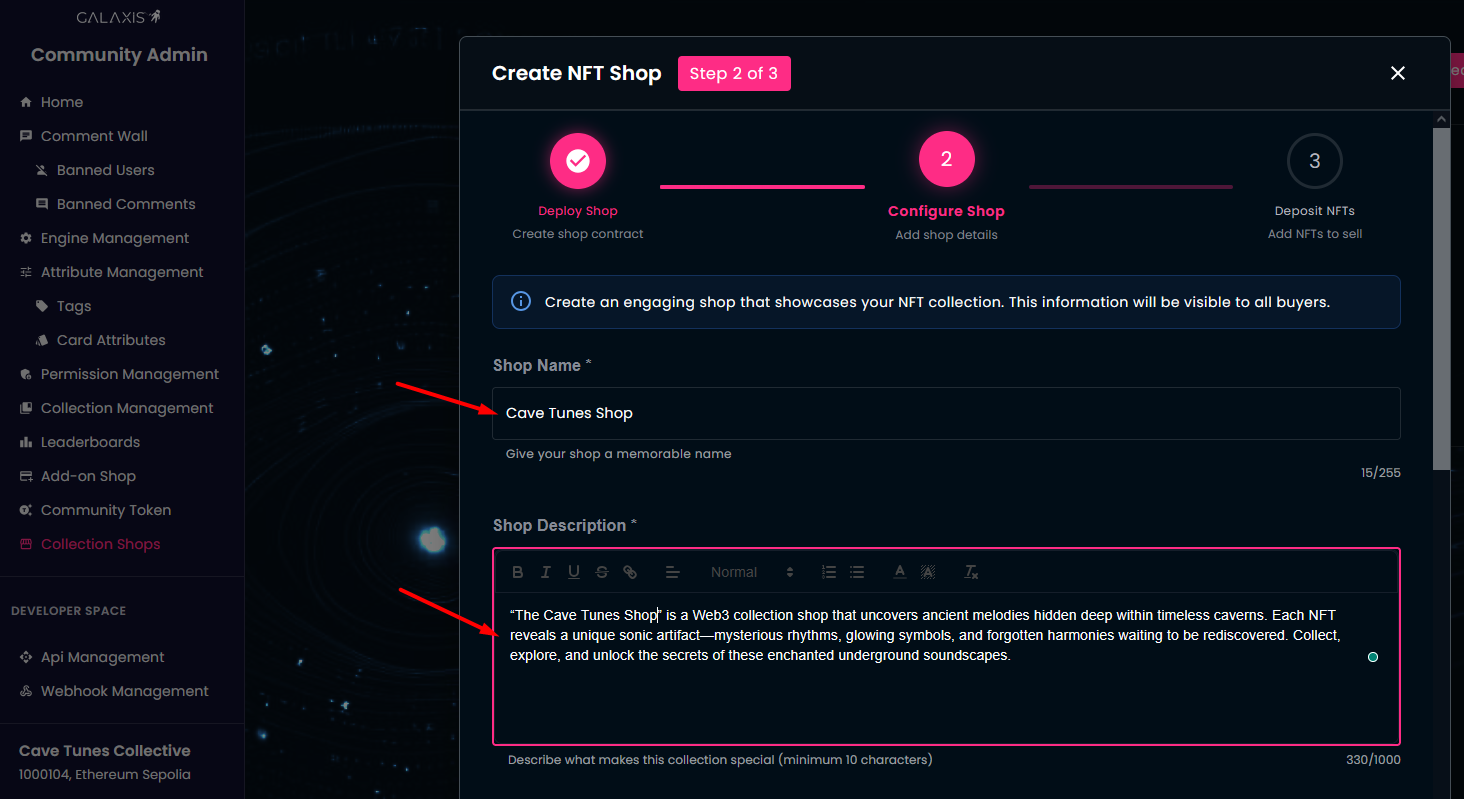
Give a captivating name to your shop.
-
Add a description explaining what the shop is about and what items you are selling.
-
Upload a banner image. Recommended size is 1400 x 900. TThis image will serve as visual representation of your shop.
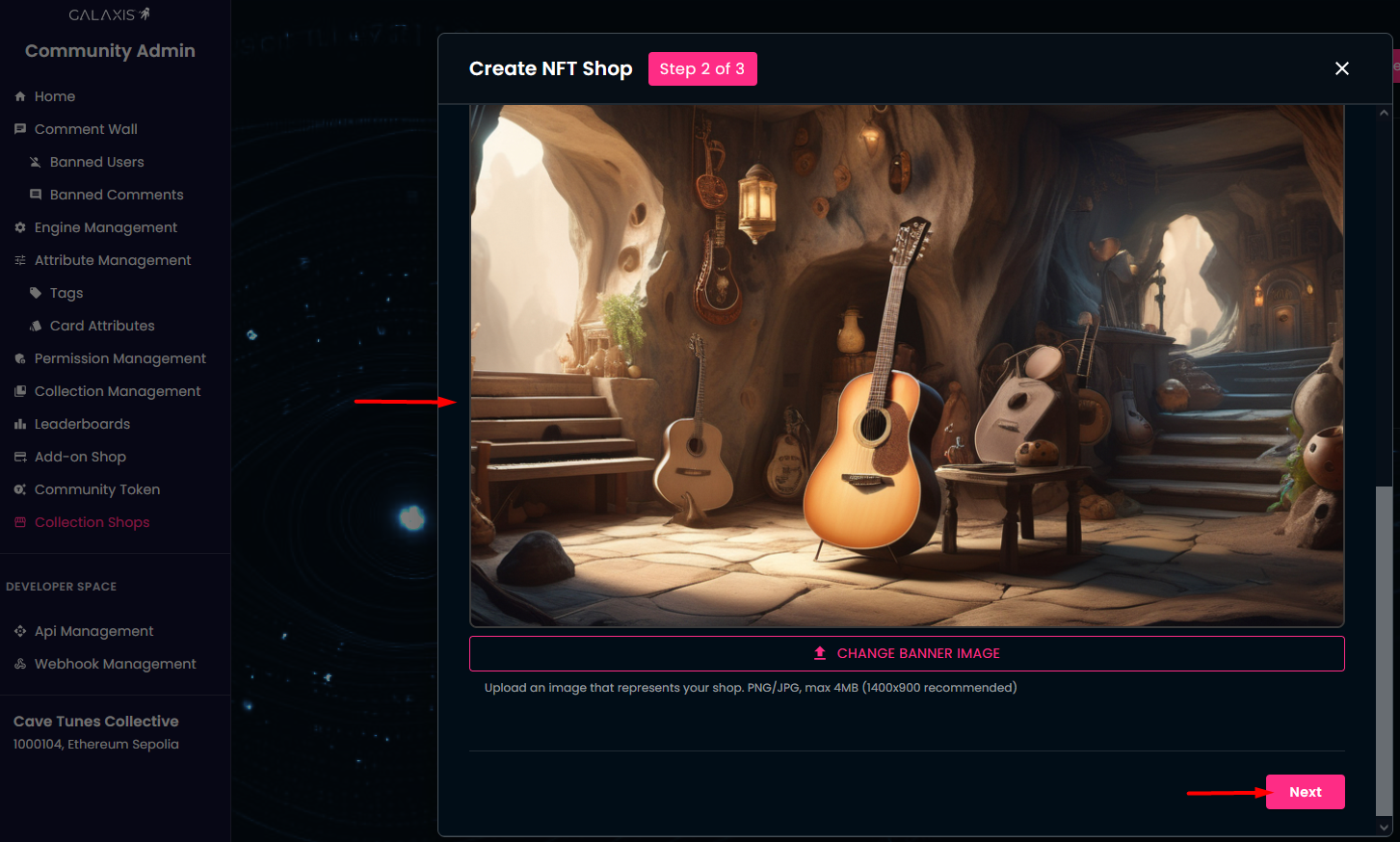
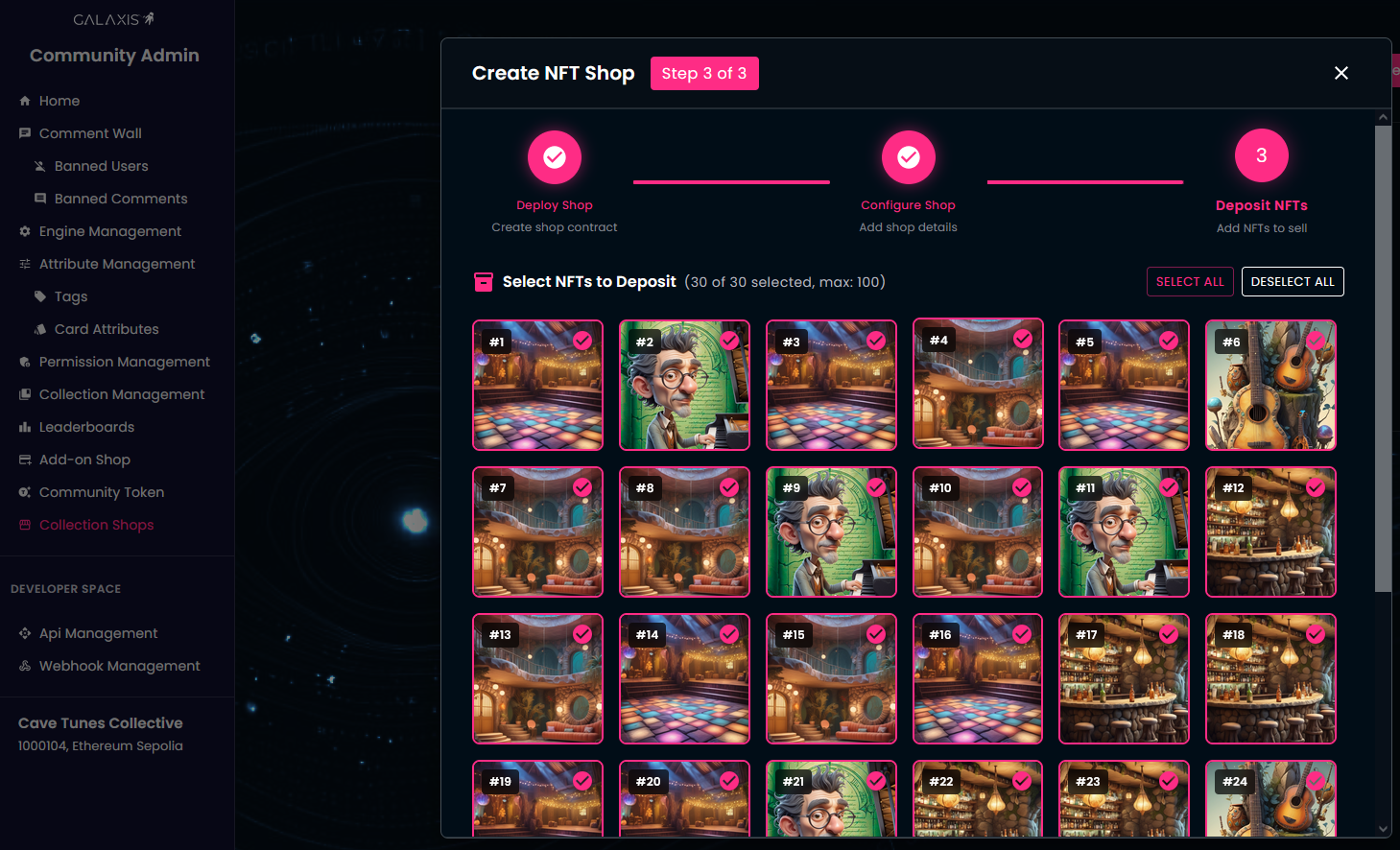
- The third step is to stock up the shop with cards. The NFTs from your connected wallet will be displayed automatically. Please note, that you can fill up the shop with NFTs that reside in your connected wallet.
-
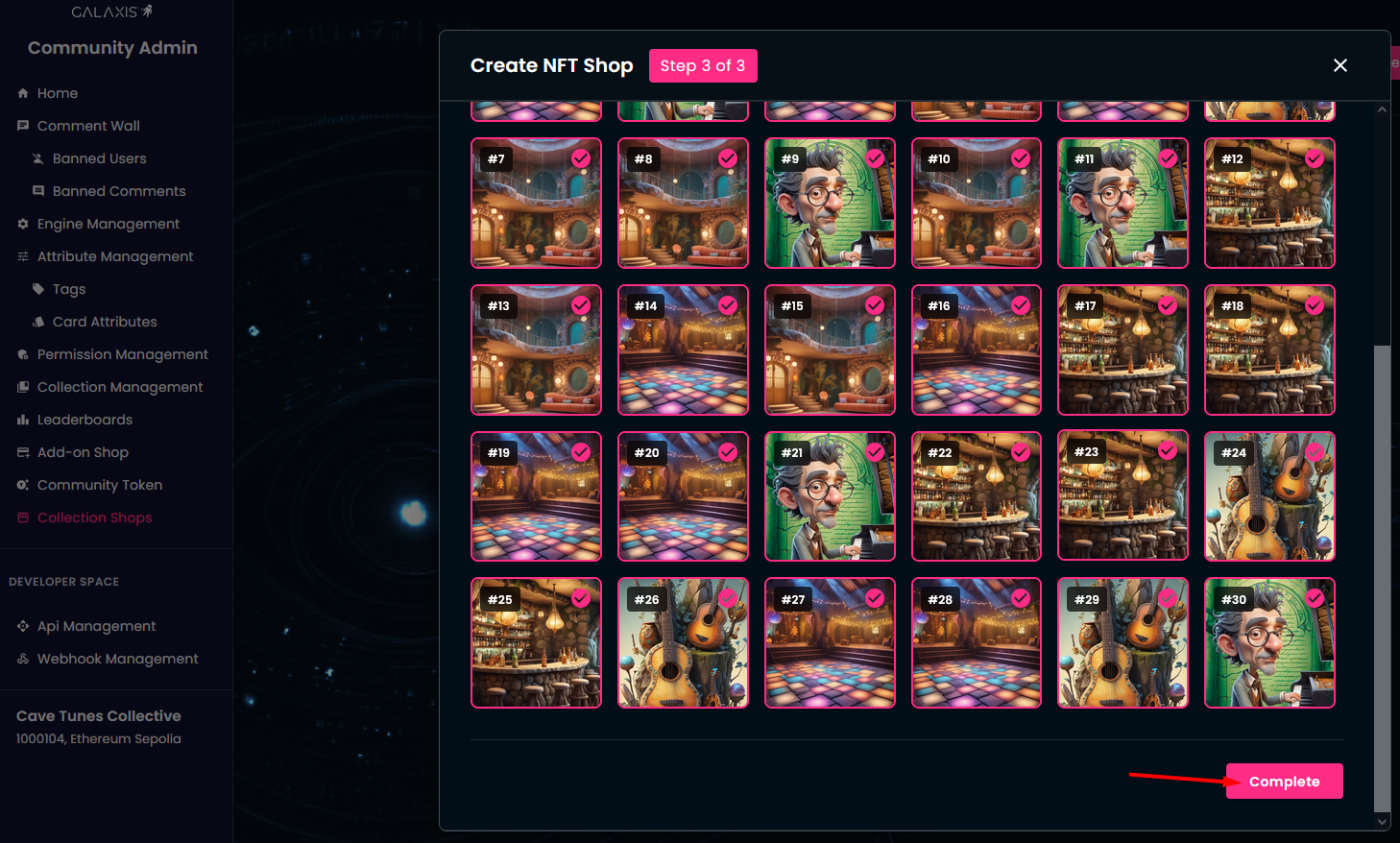
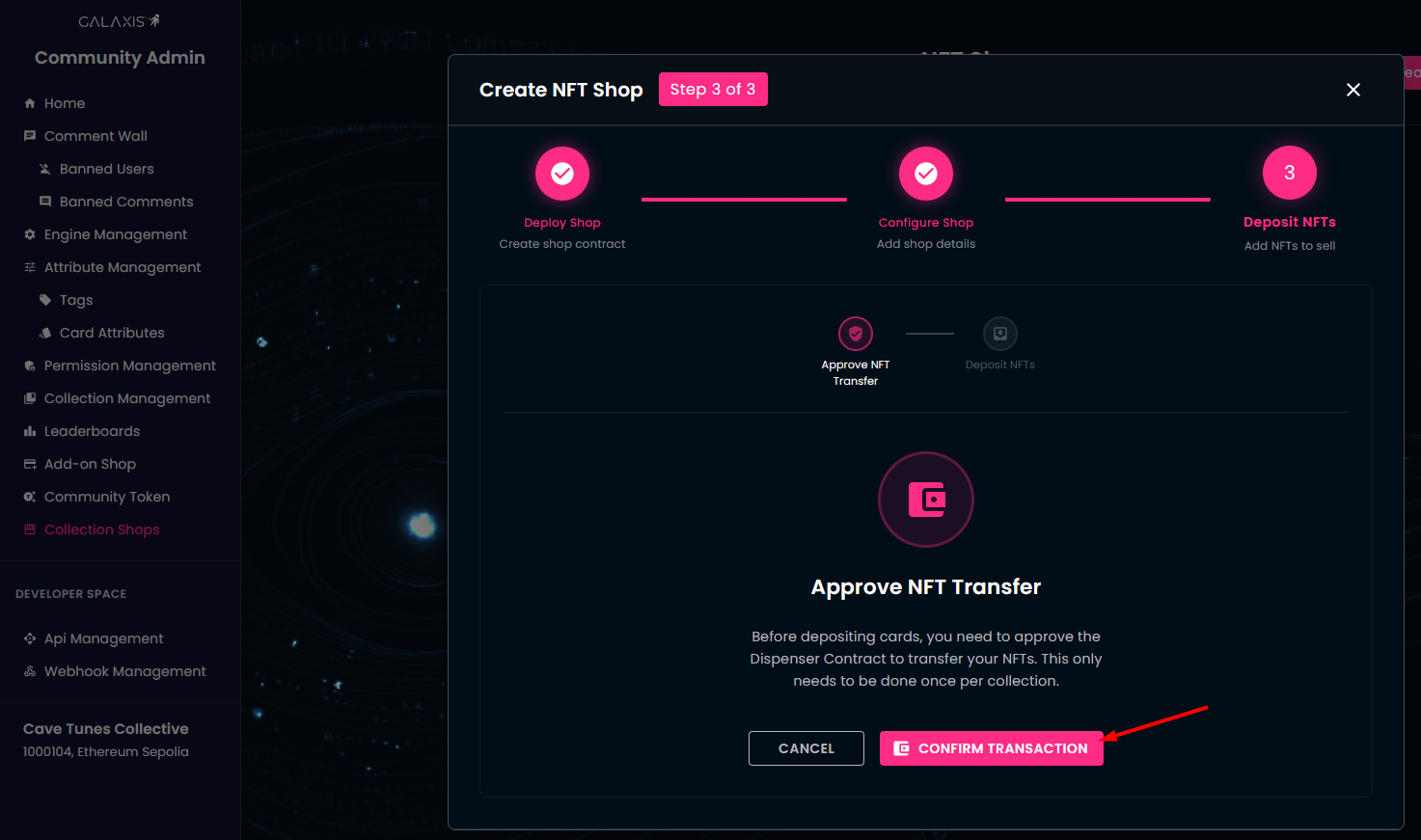
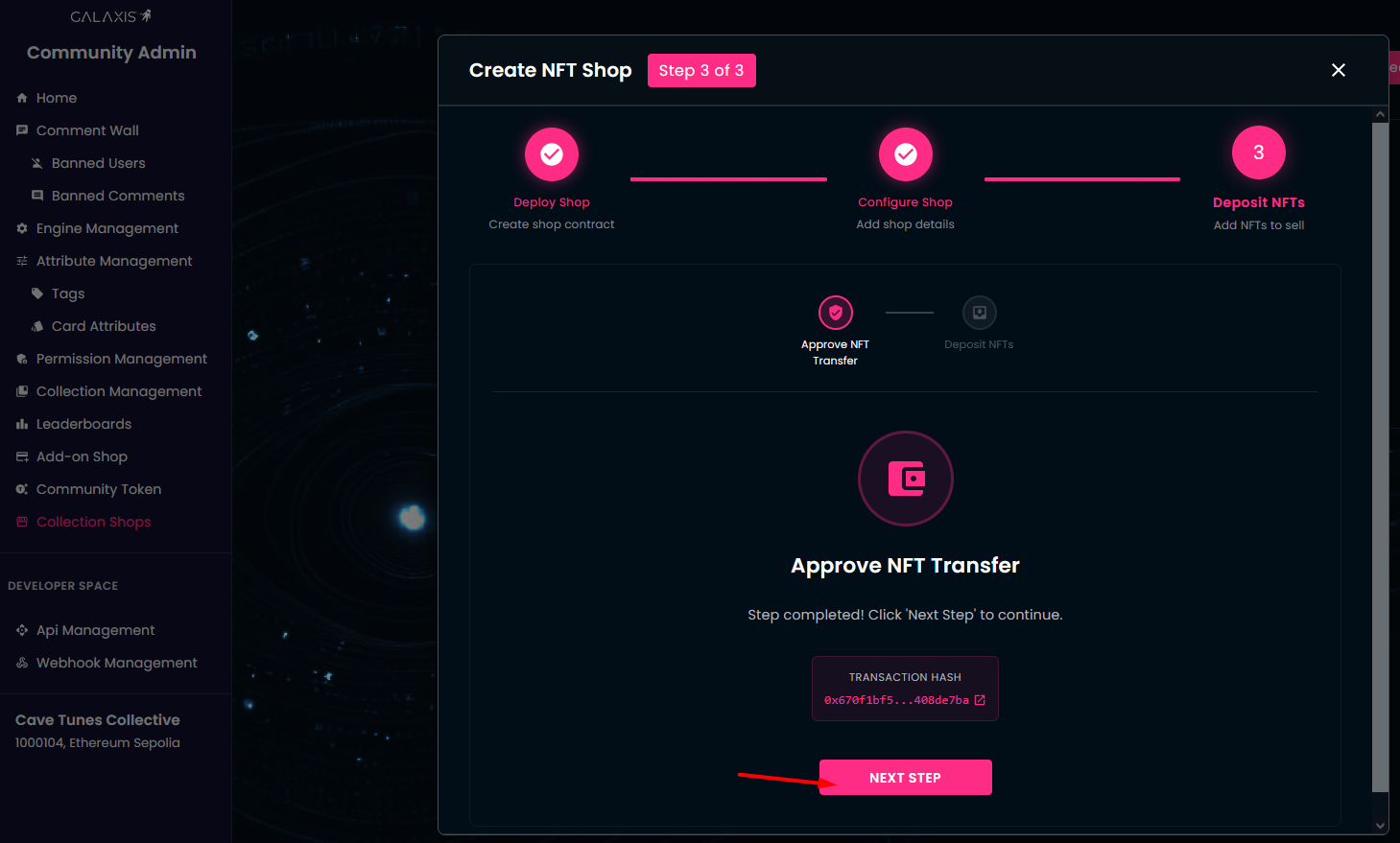
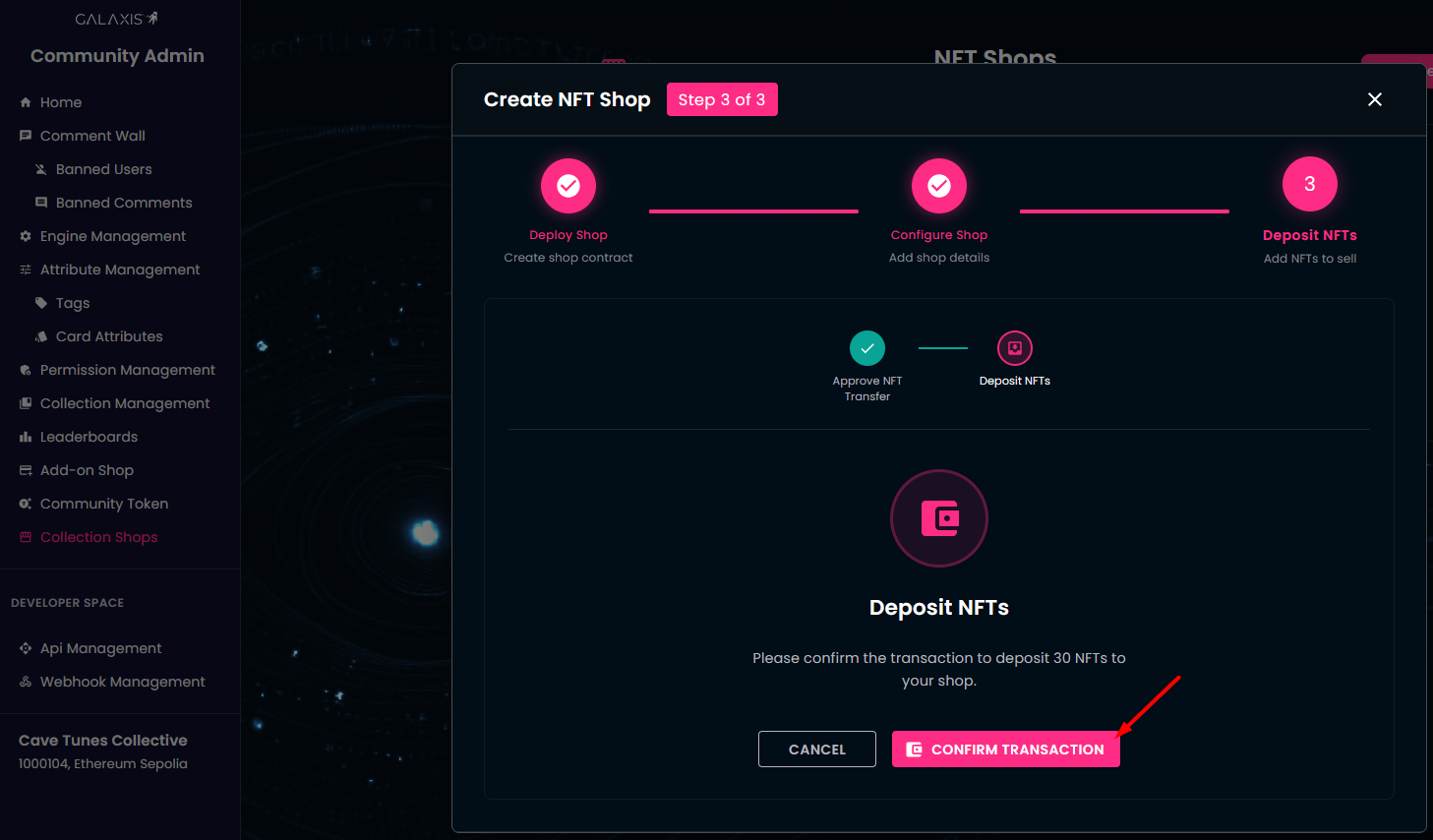
Select the cards you want to transfer from your wallet into the shop and click Complete. This will launch two blockchain transactions.
-
Click the Confirm Transaction button and approve the NFT transfer operation in your wallet.
-
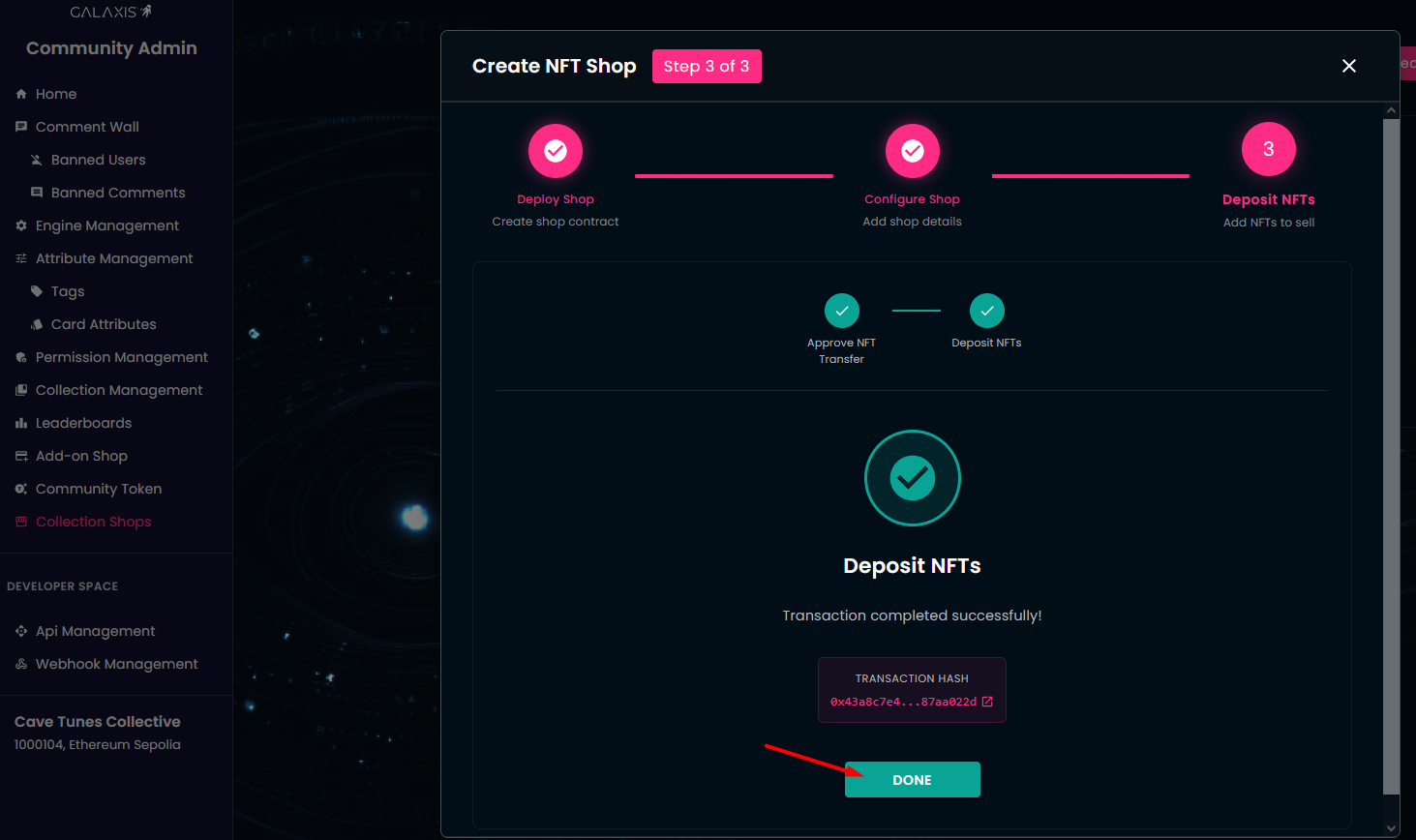
Click the Confirm Transaction button and approve the NFT deposit operation in your wallet.
-
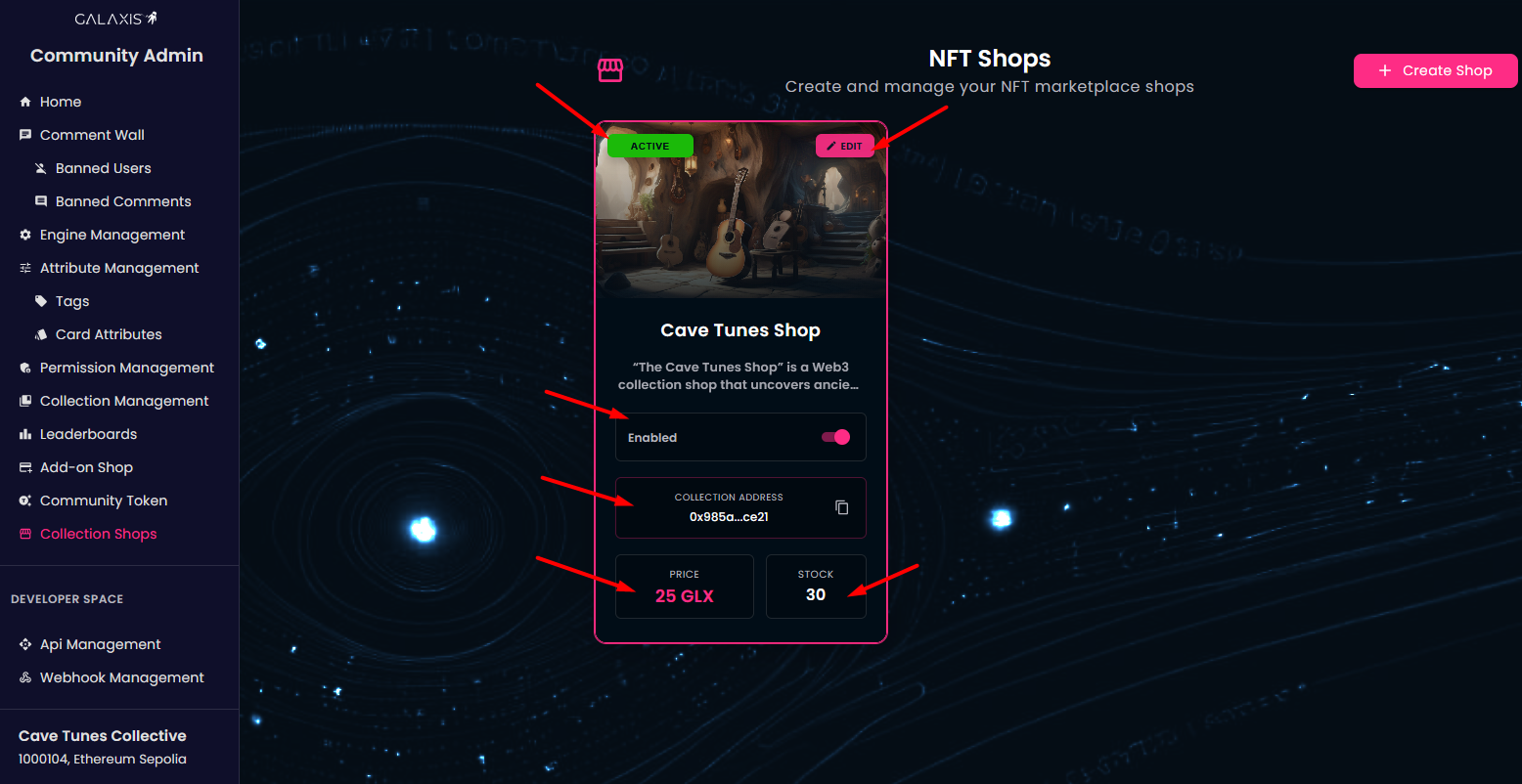
Done! Your shop is live! You can view its details and adjust settings if needed.
-
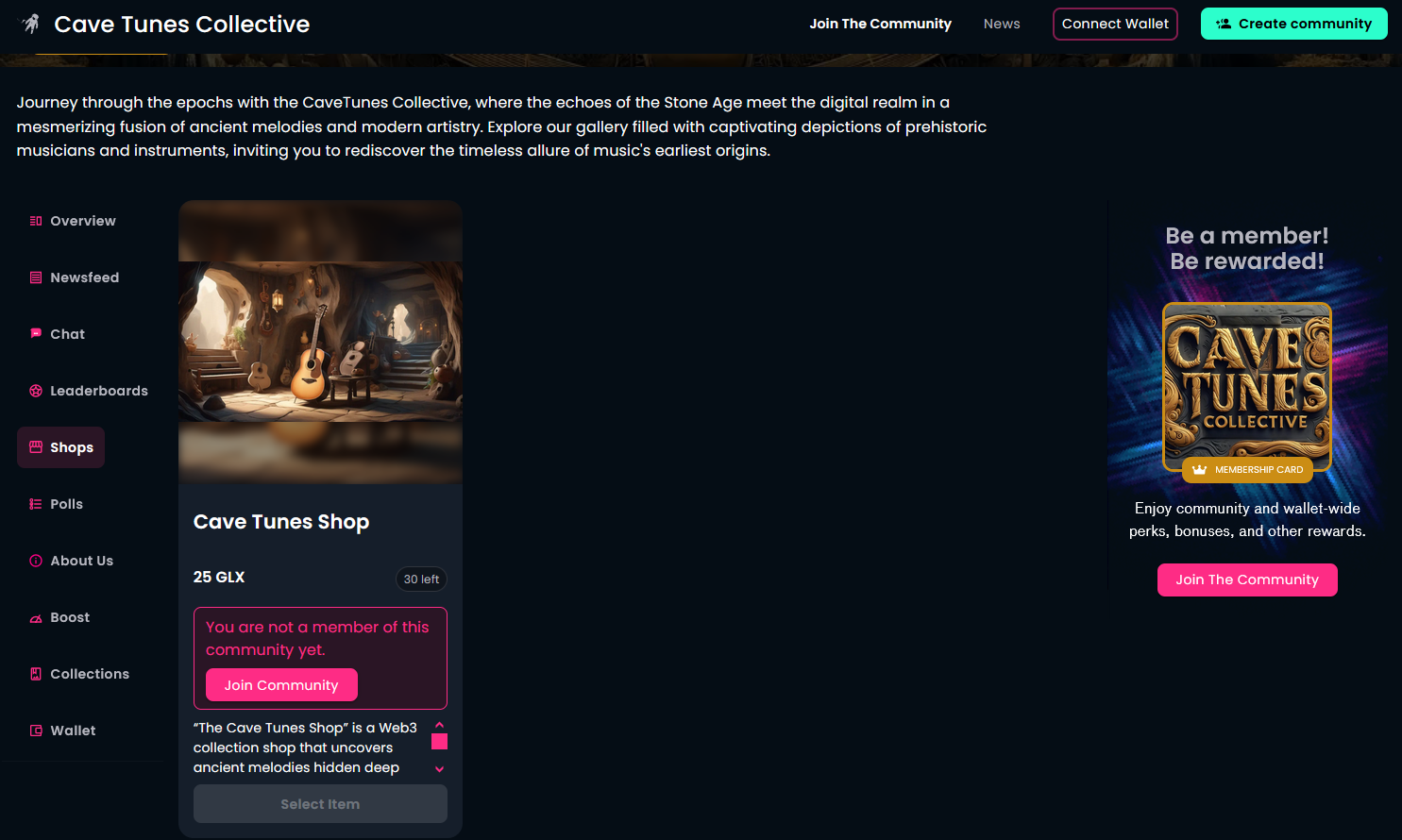
This is how the community members will see your shop.