¶ Add New Collection - Community Admin
As a community owner, you have the option to create additional collections beyond the default membership collection. However, doing so costs 350,000 GALAXIS tokens.
These collections can be used to sell cards, making them a powerful tool for monetization or fundraising.
¶ Prerequisites
- You must have already created and released a community.
- Log in to the Community Admin interface of your community.
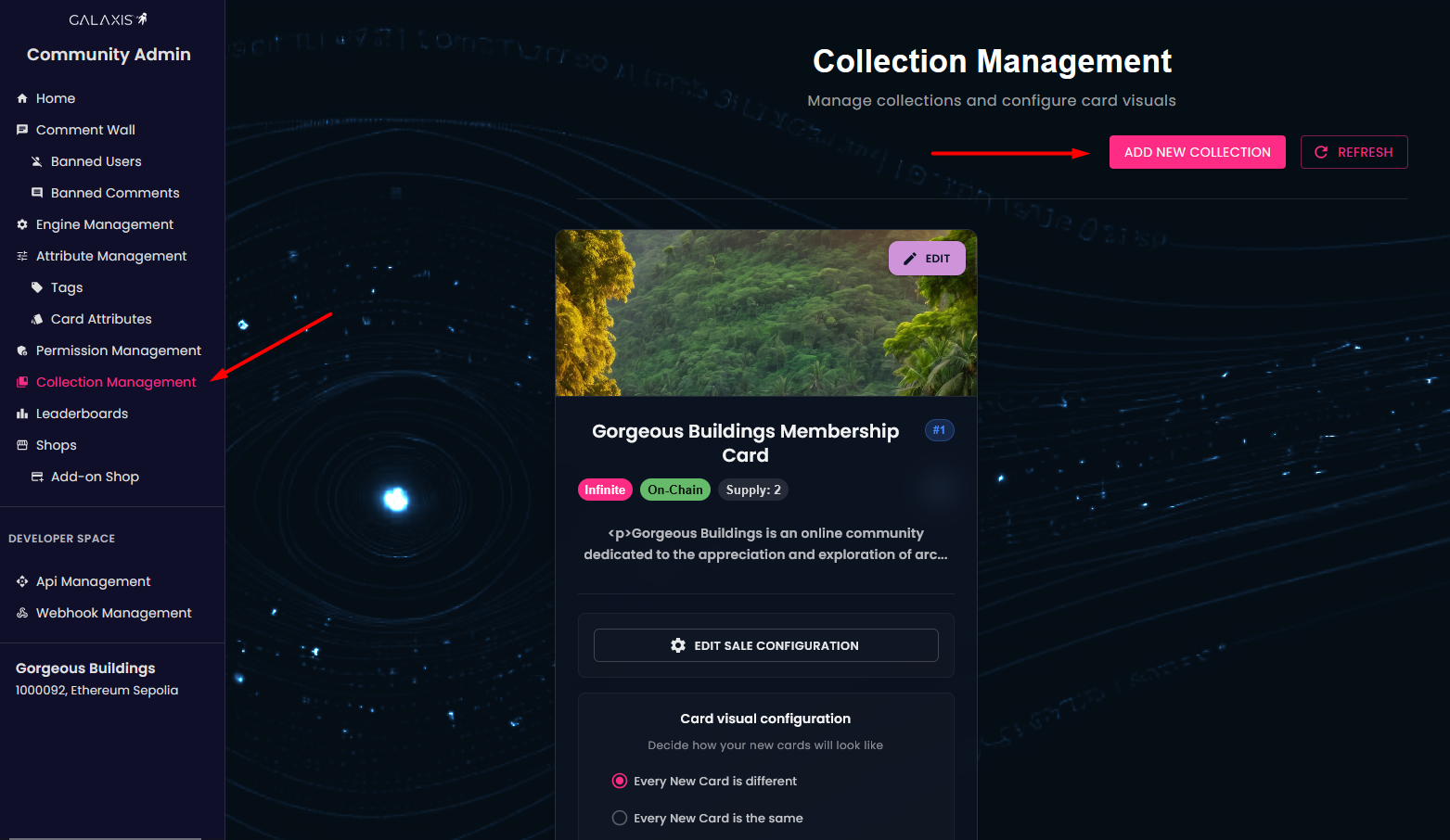
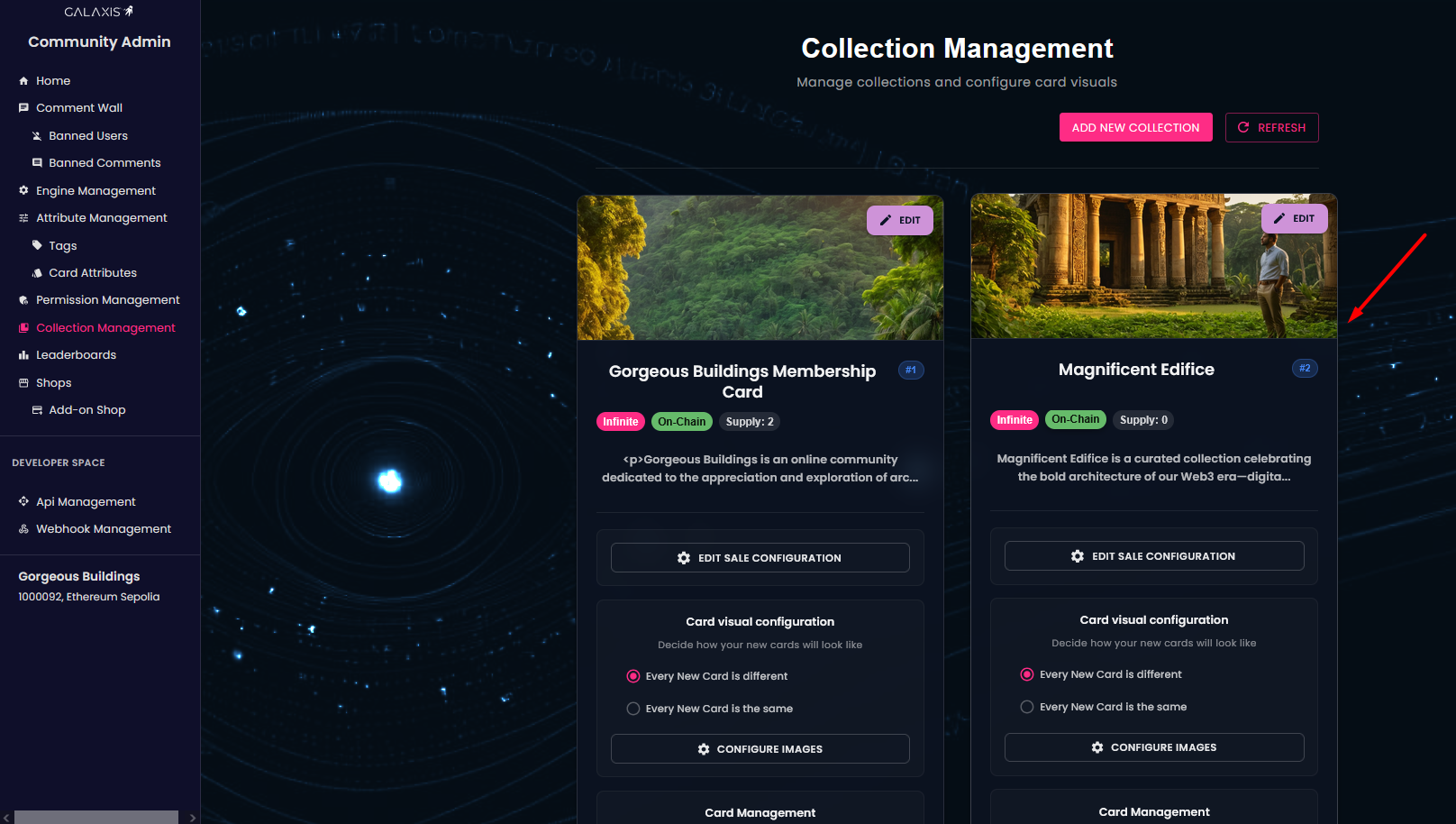
- From the left-side menu, choose Collection Management. Here, you will see your existing collections, along with their properties (such as Infinite, On-Chain, and Supply). The Supply field shows how many cards have been minted.
¶ Add new collection
-
In the top-right corner of the Collection Management page, click on the Add New Collection button to begin creating your collection.
-
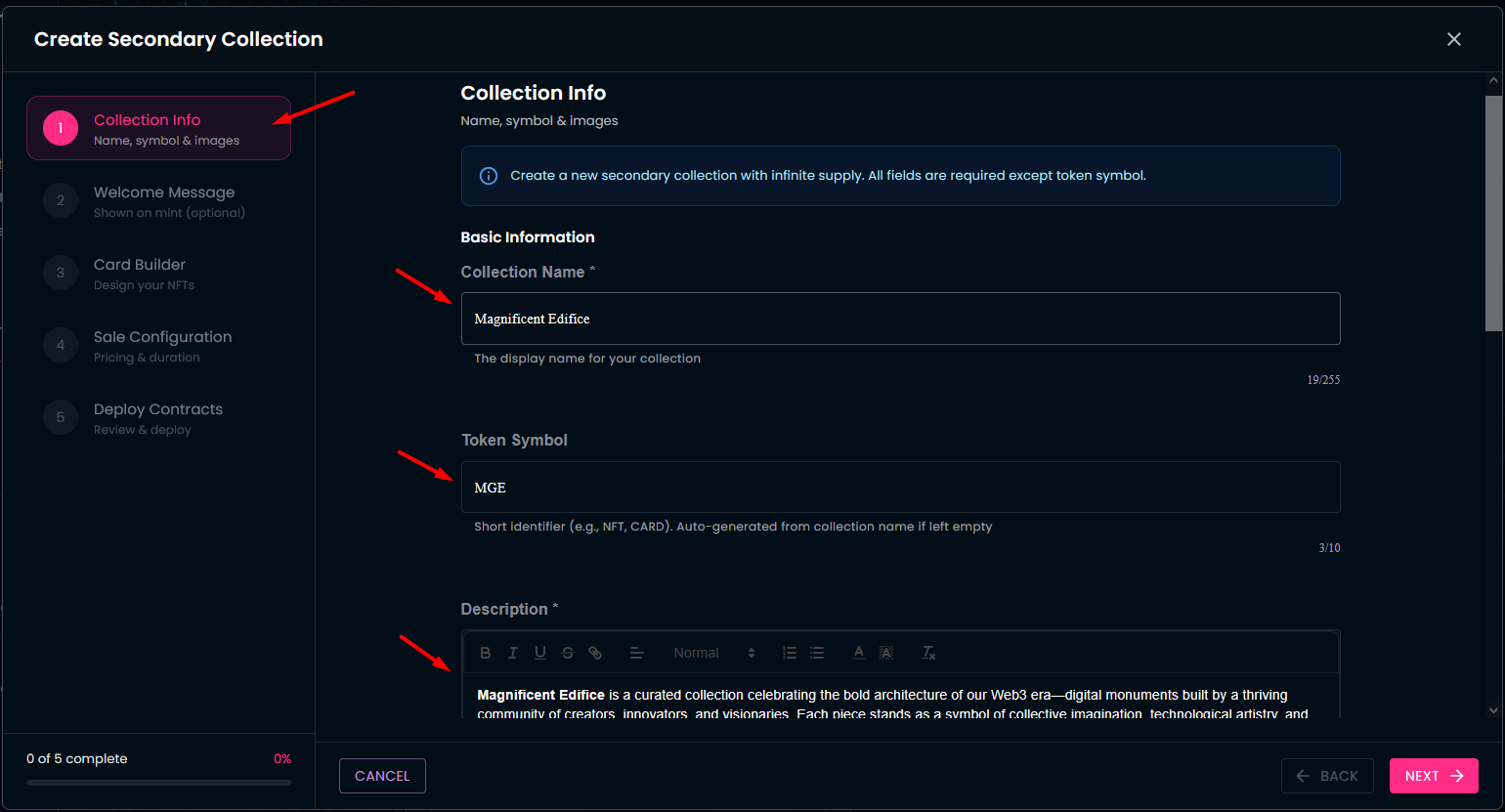
Fill in the basic information:
- Name — a human-readable name for your collection.
- Token Symbol — a short identifier for your collection (like a ticker).
- Description — a detailed description of what the collection is for.
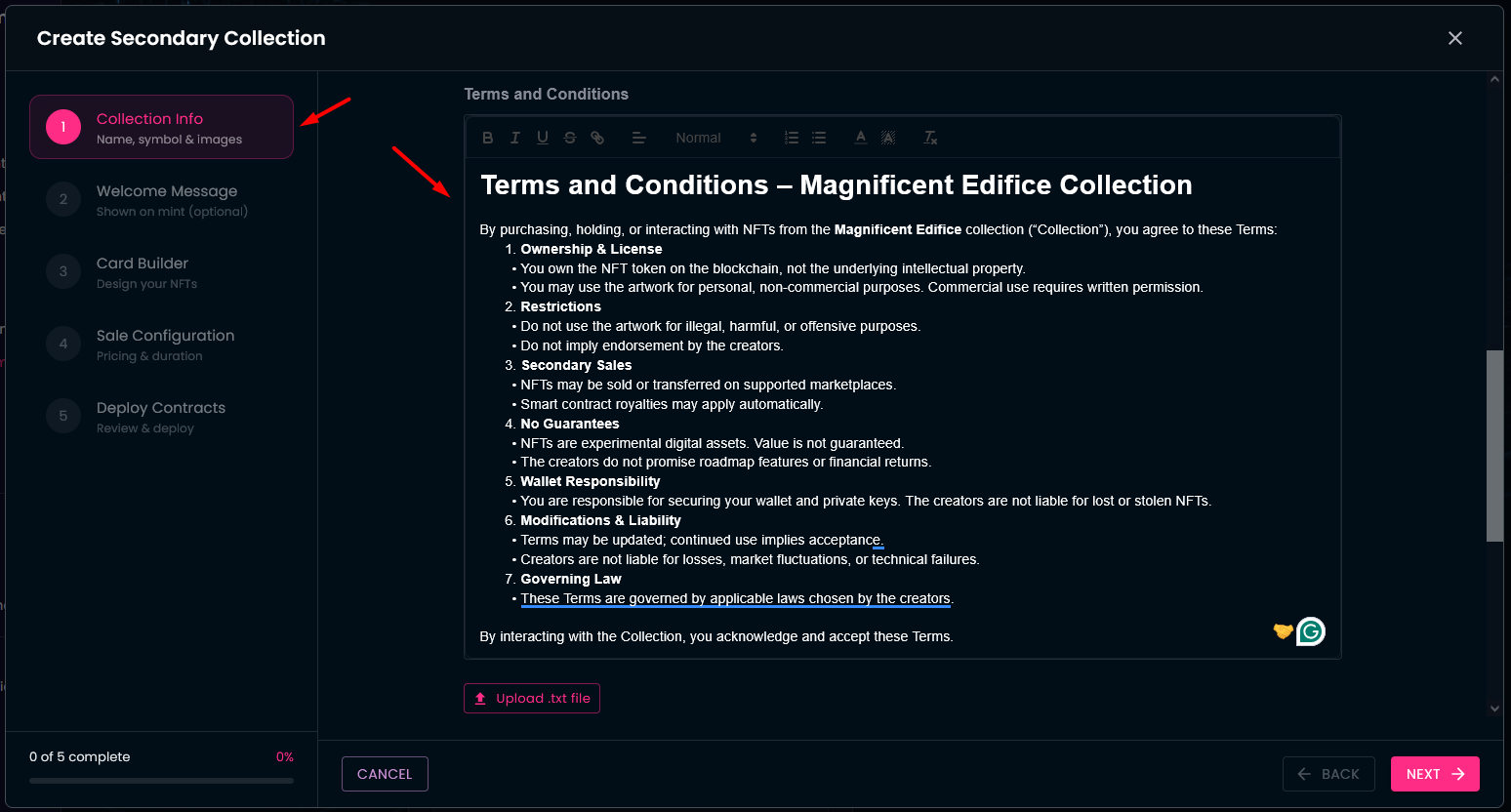
- Terms & Conditions — you can type them in directly, or upload them as a .txt file if you already have them written.
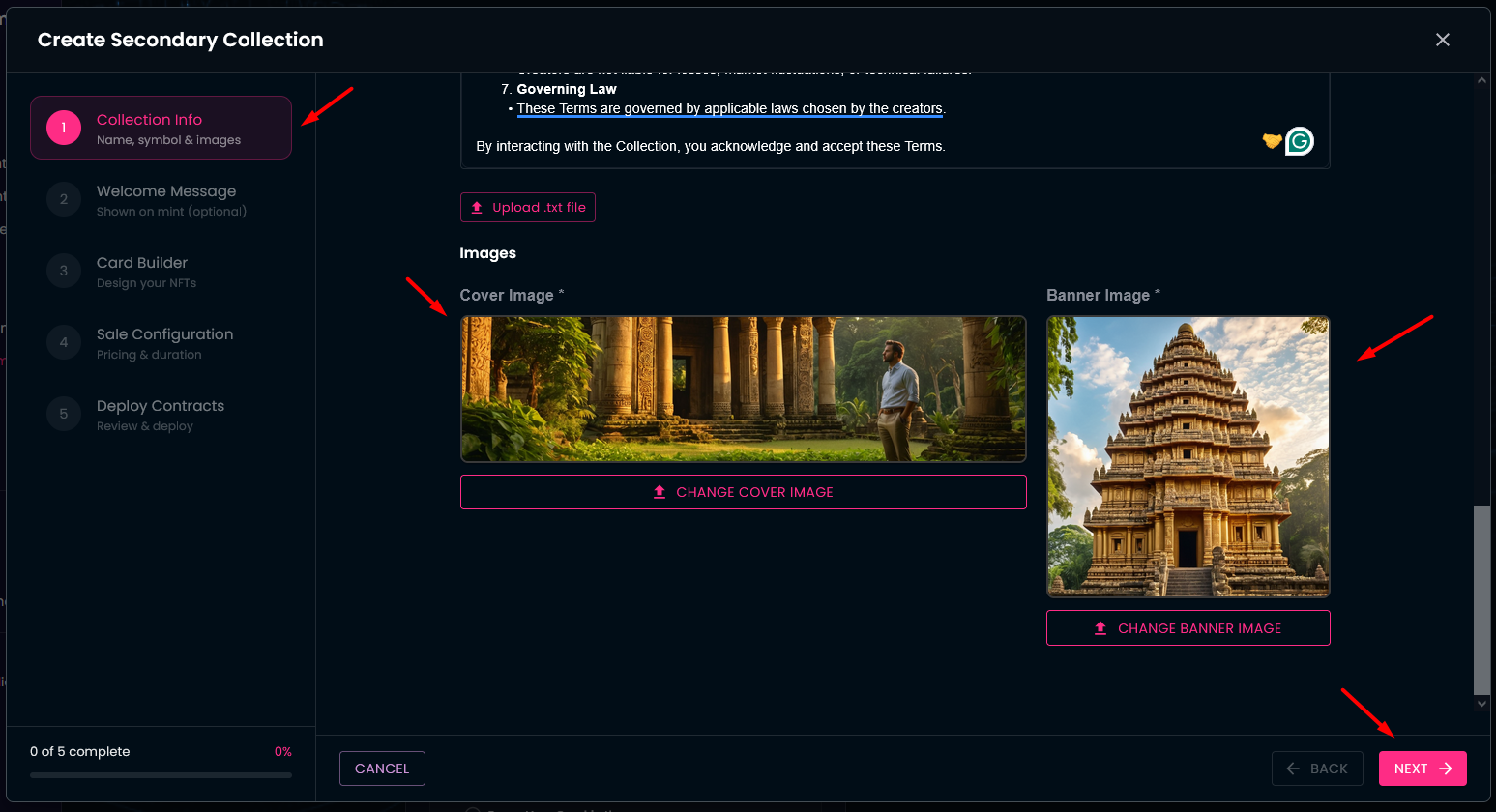
- Upload images:
- Cover Image — for your collection’s main display.
- Banner Image — for a banner-style view.
- Configure welcome messages:
- You can write custom welcome messages that users see when they mint a card or share a newly minted card on social media.
- Alternatively, you can use the default welcome texts provided by the system.
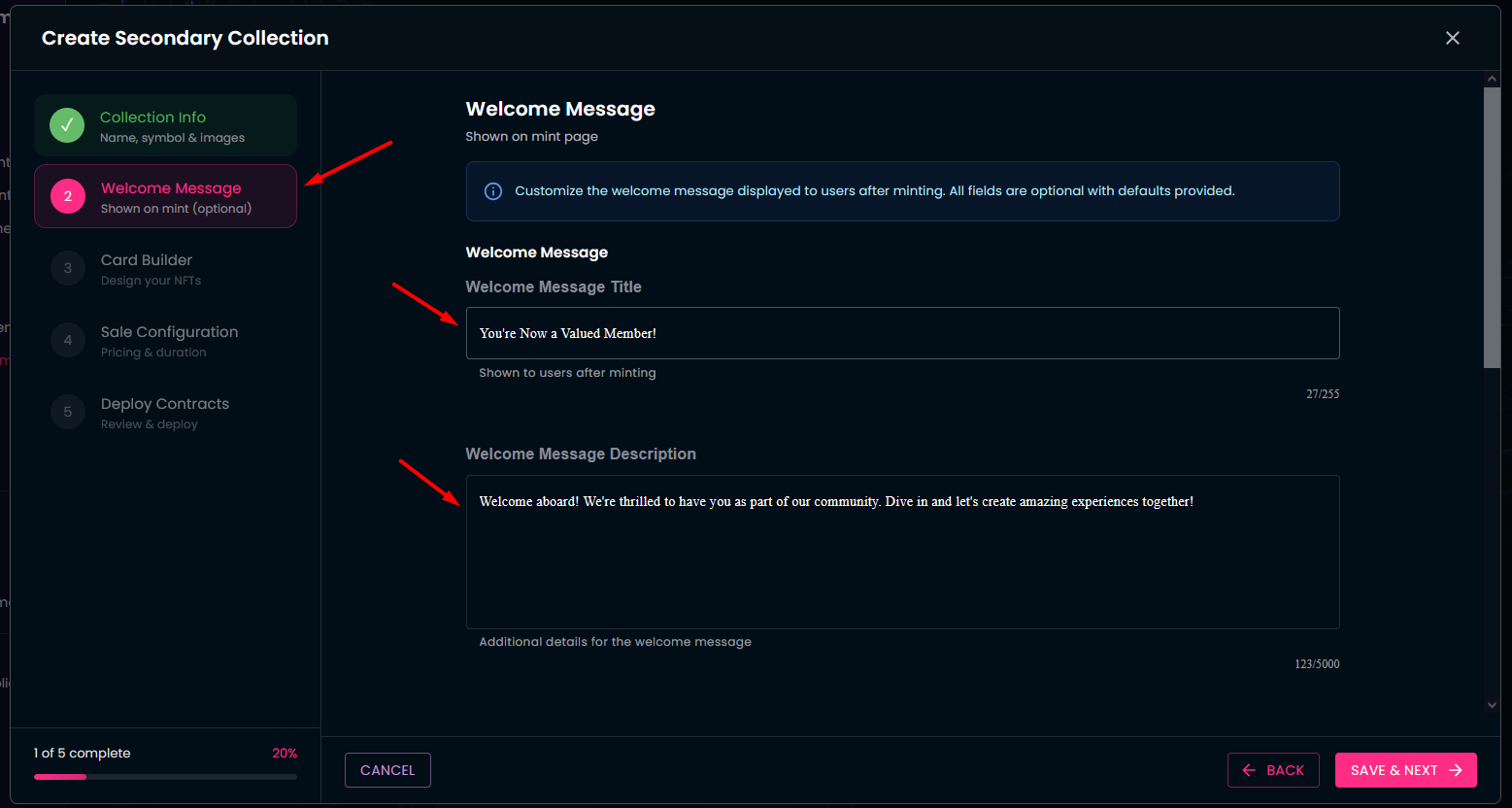
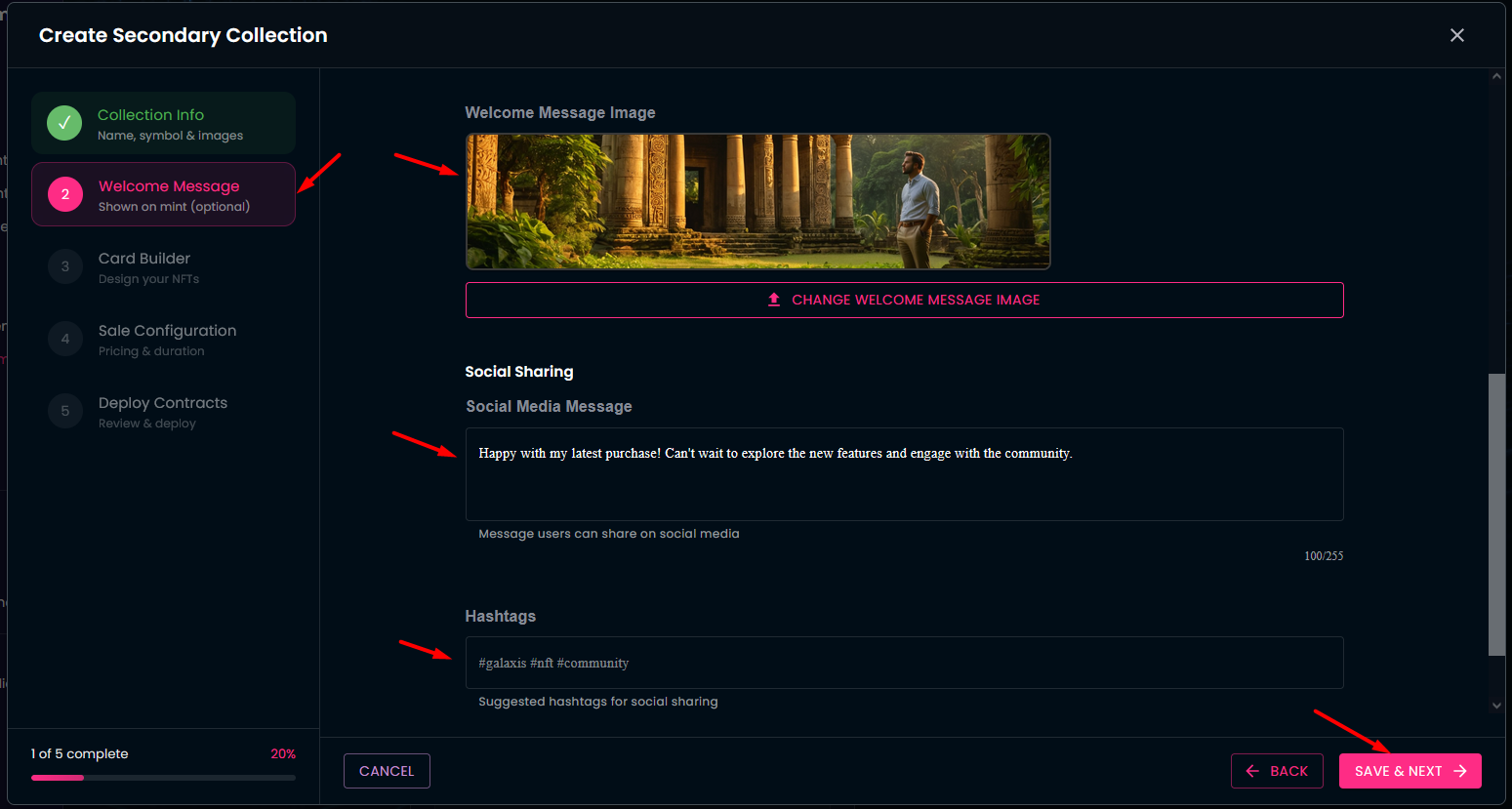
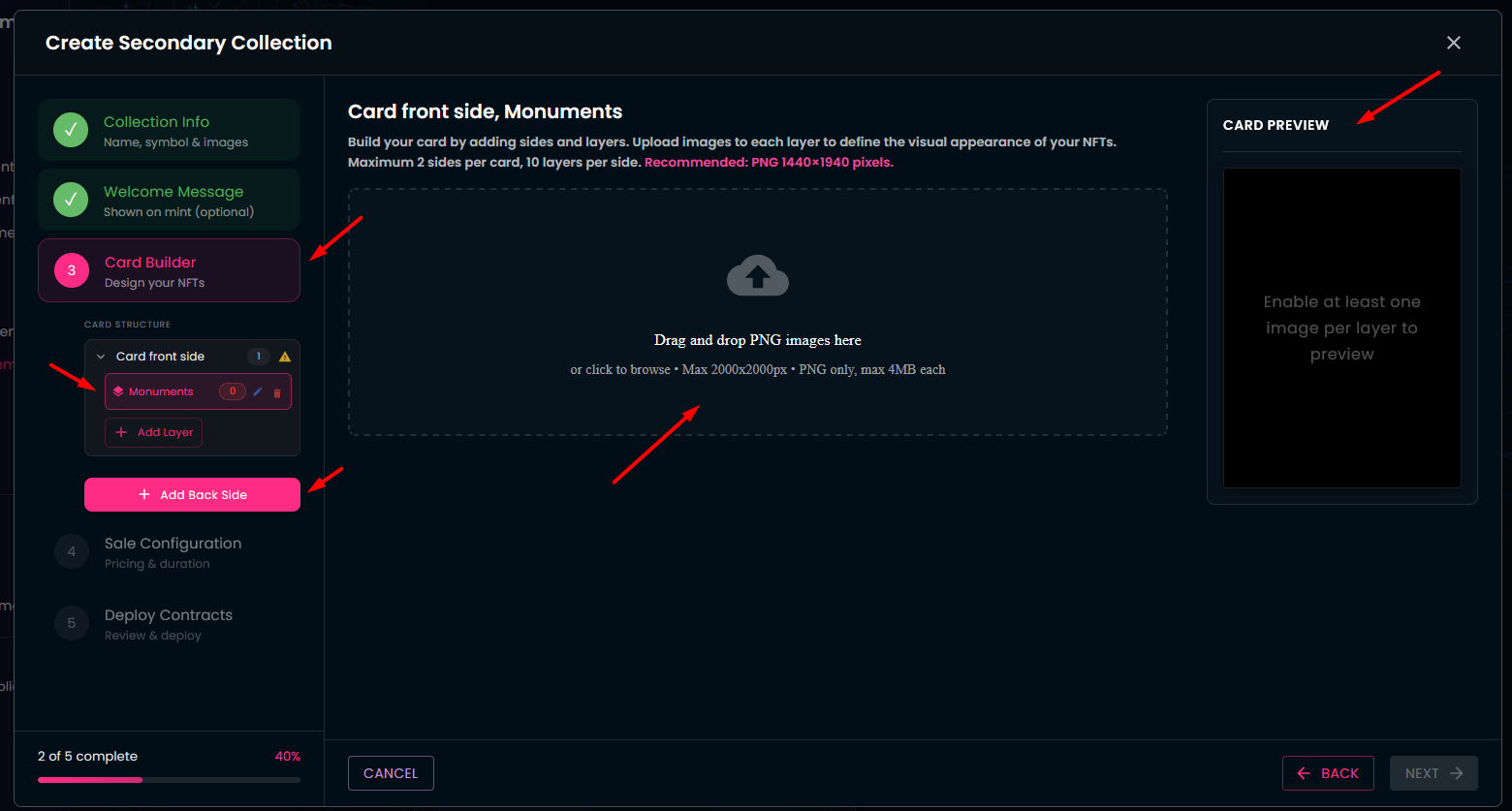
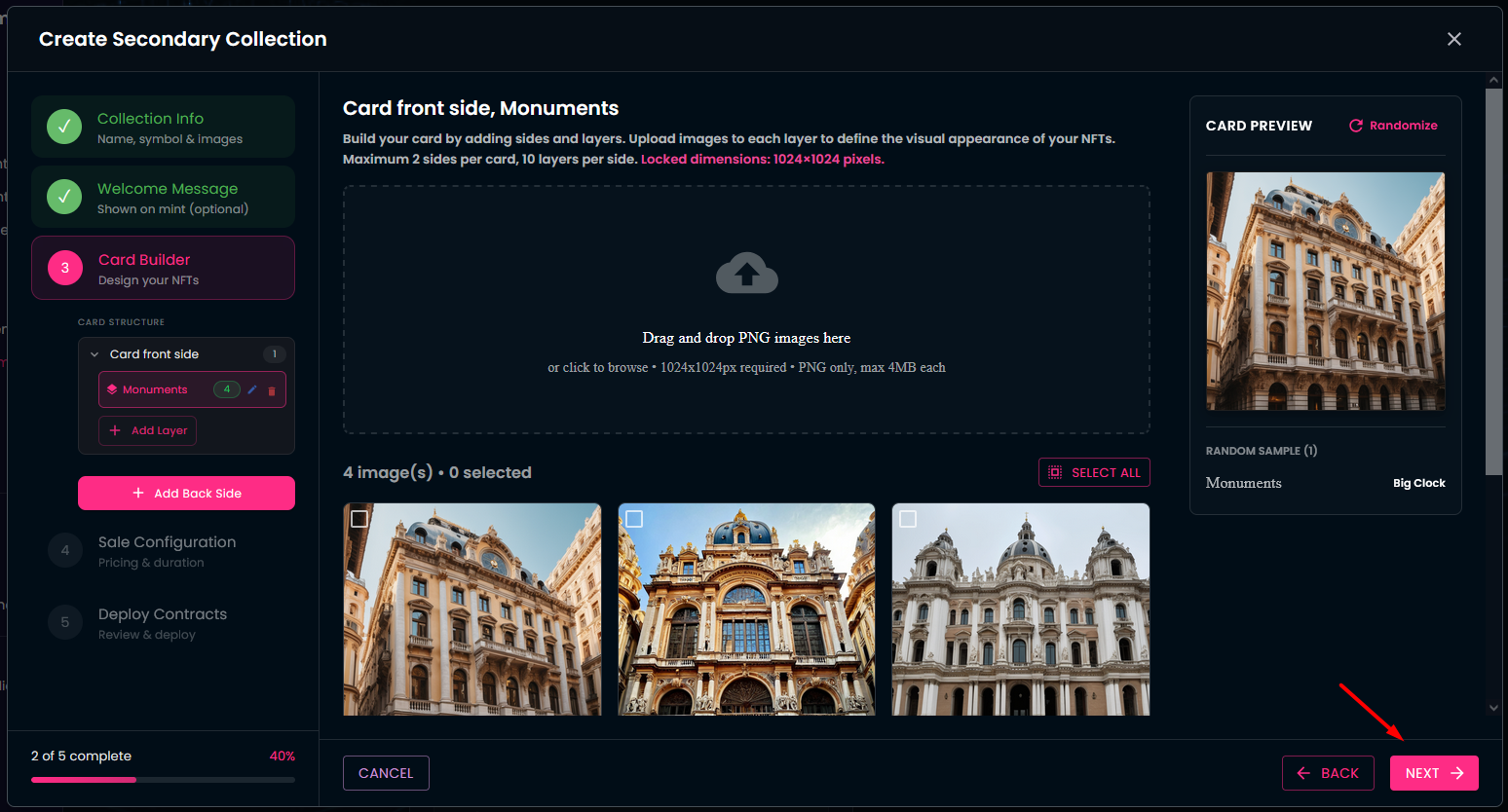
- You arrived to the Card Builder section. Here you can design the cards of your collection. These can be 2-sided cards, with up to 10 layers on each side.
- If you decide to create the front side of the card using multiple layers, here is a video explaining how the layers align to form the side image.
- Provide a name for each layer, and upload the images that you would like to use on that layer. You can preview your card as you upload the layer images.
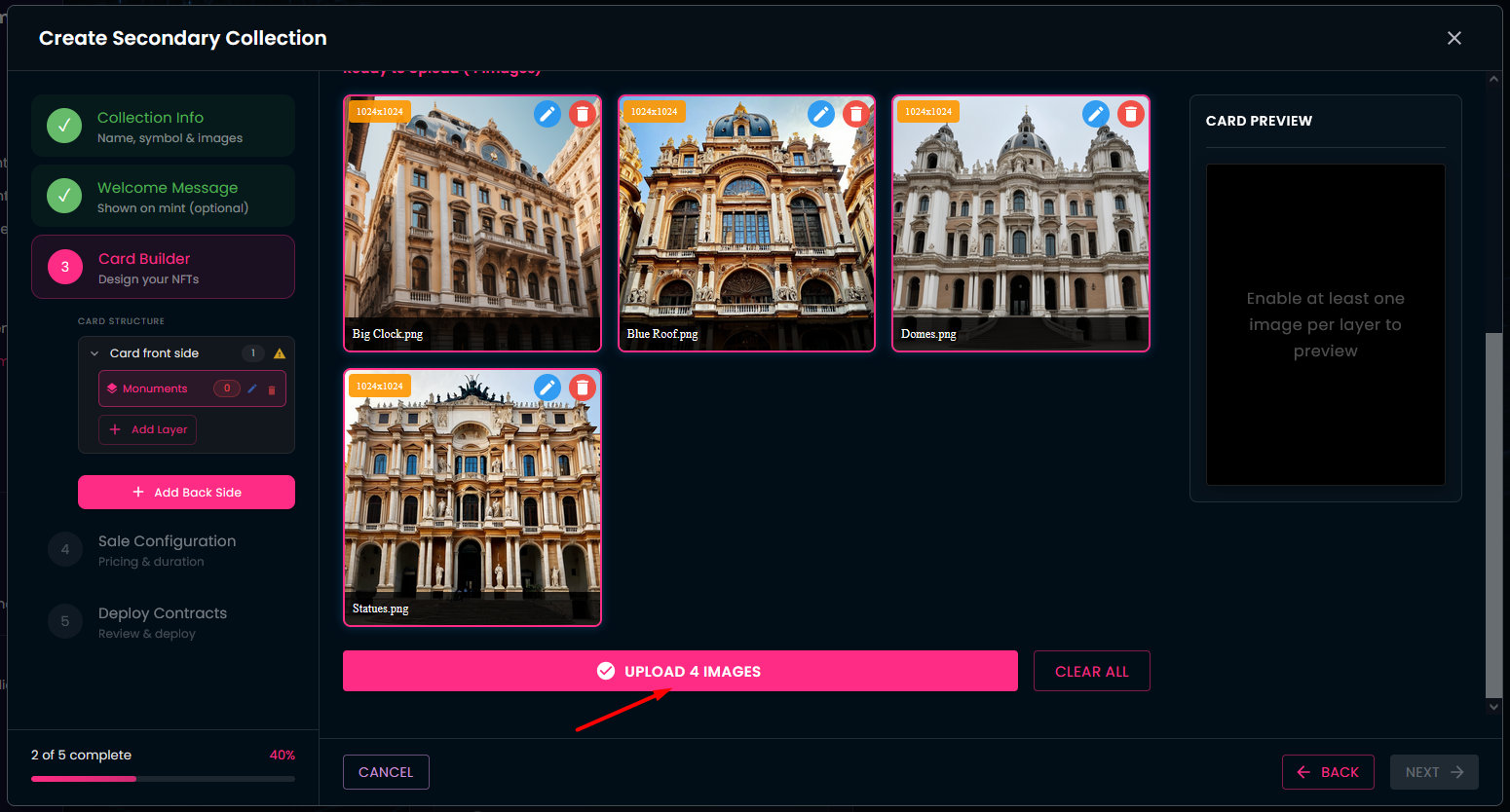
- Set the sales parameters:
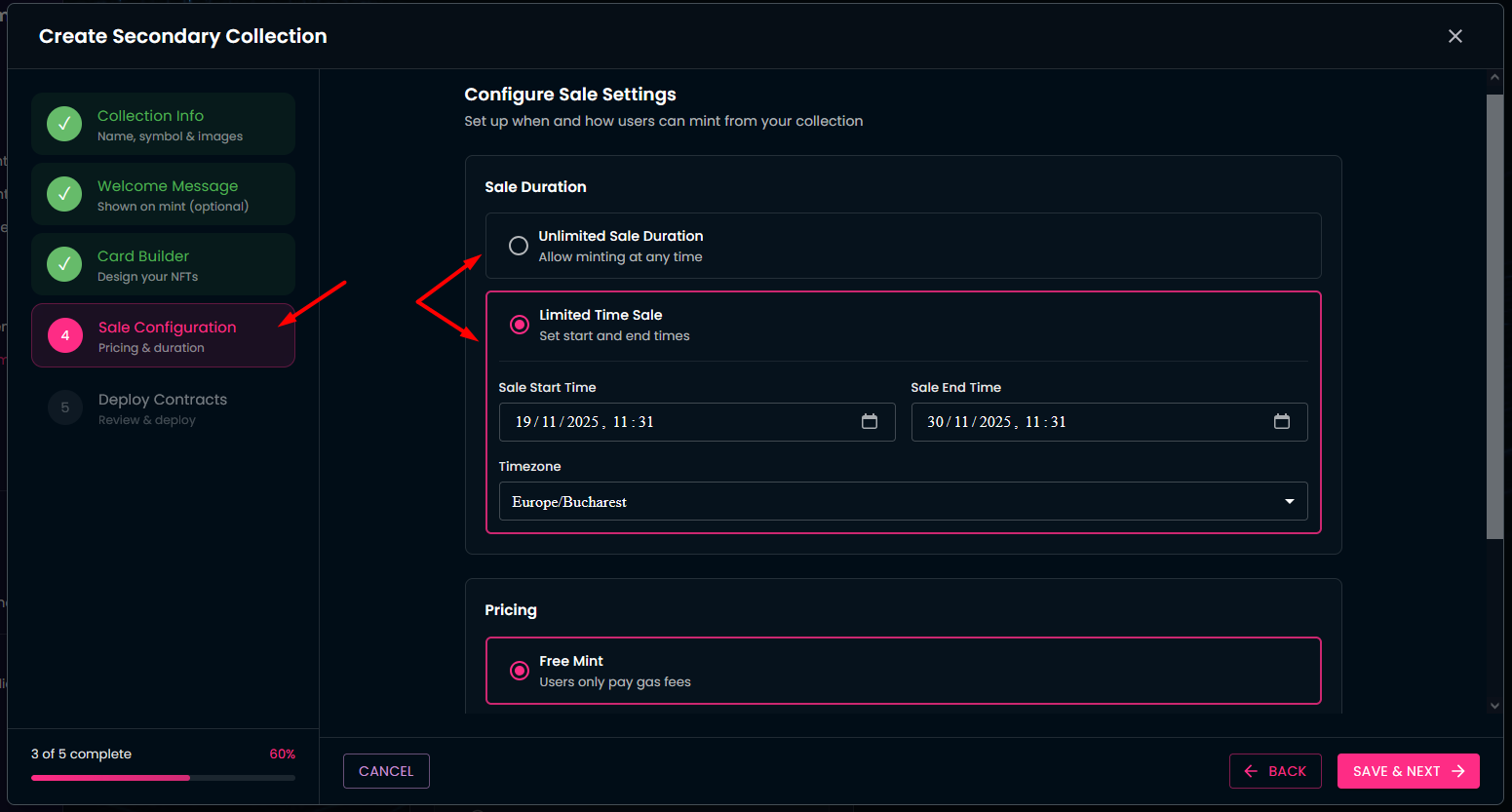
- Decide whether your card sales should have an unlimited duration, or a fixed time window (you can define the exact start/end times, including timezone).
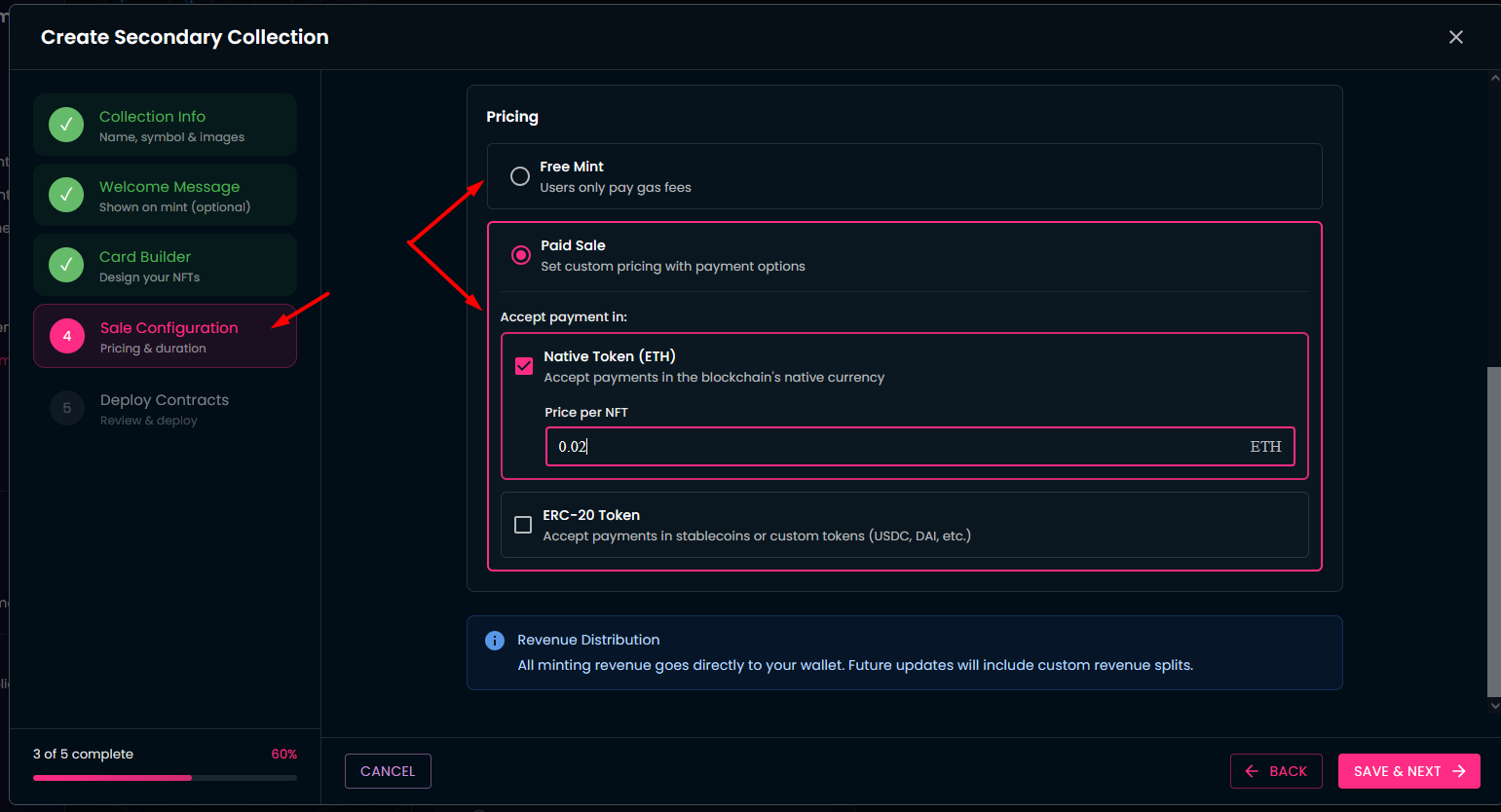
Choose how cards will be offered:
- For free, or
- At a fixed price, either in the native token of the chain or in other ERC-20 tokens (e.g., USDC, DAI).
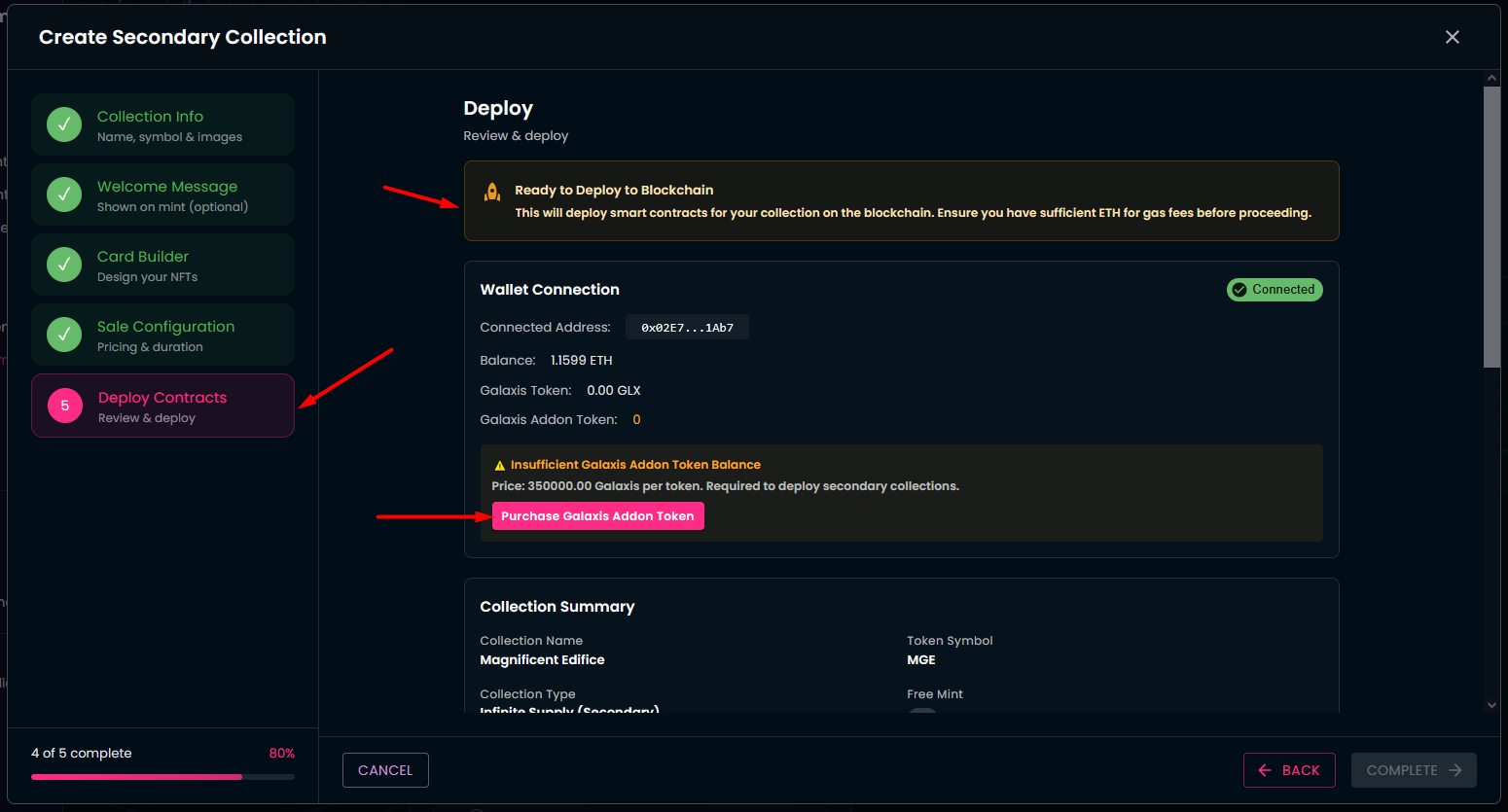
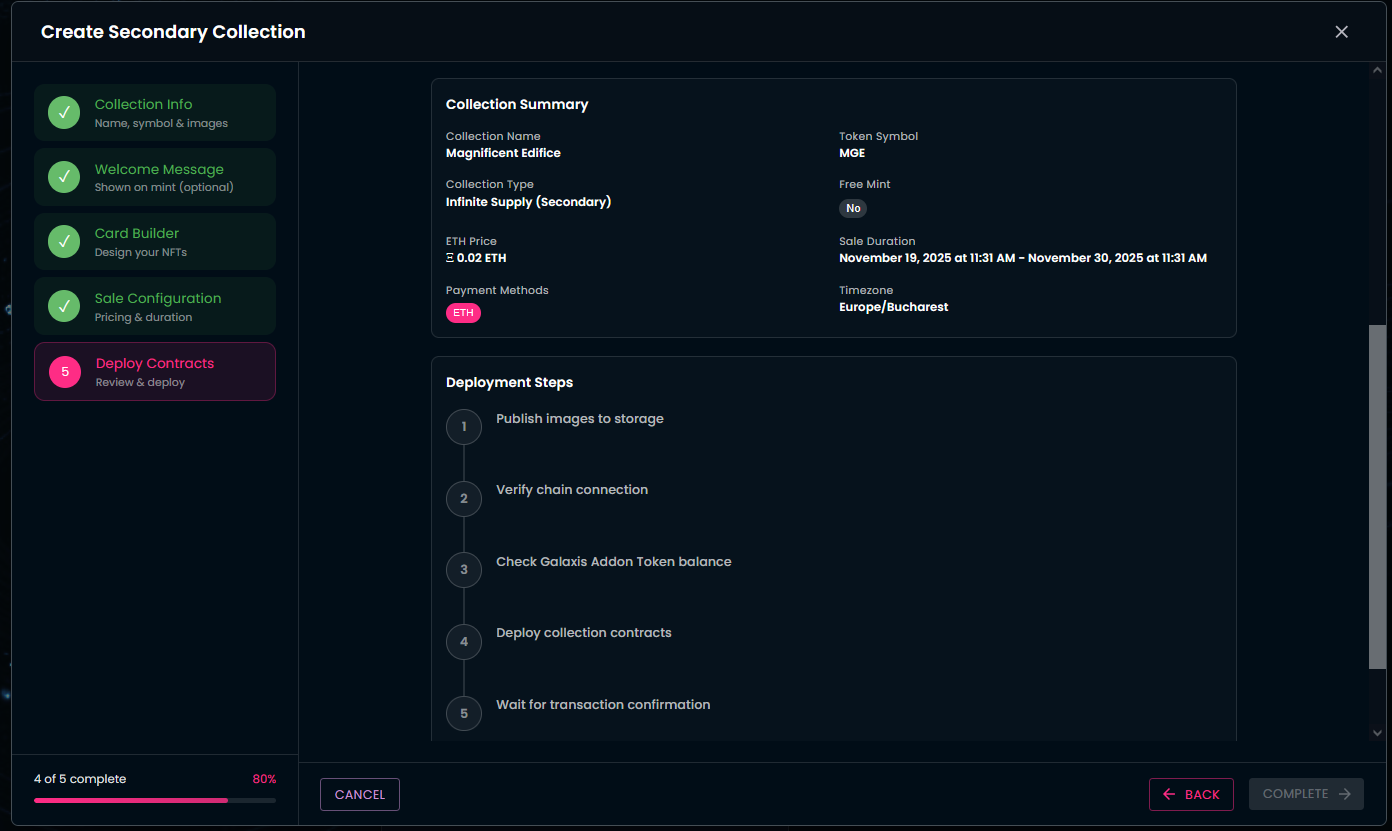
- The last section is about to write out all previous settings to the blockchain. The interface will show information about your connected wallet and its balance.
-
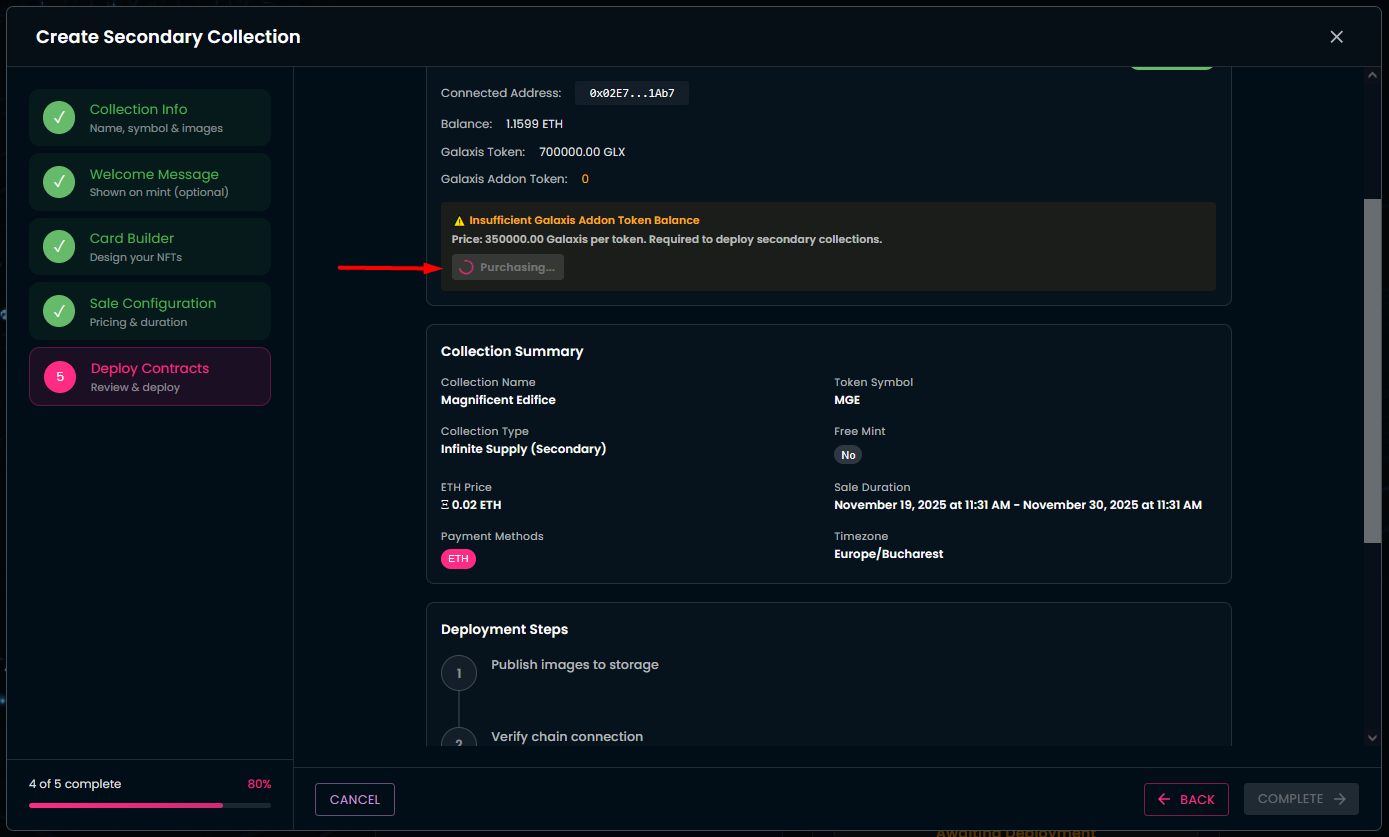
As it is visible on the following image, in order to deploy your new collection, you need a Galaxis Addon Token, of which cost is 350000 GALAXIS tokens.
-
You have to make sure you have 350000 GALAXIS in your connected wallet and you need to buy a Galaxis Addon token.
-
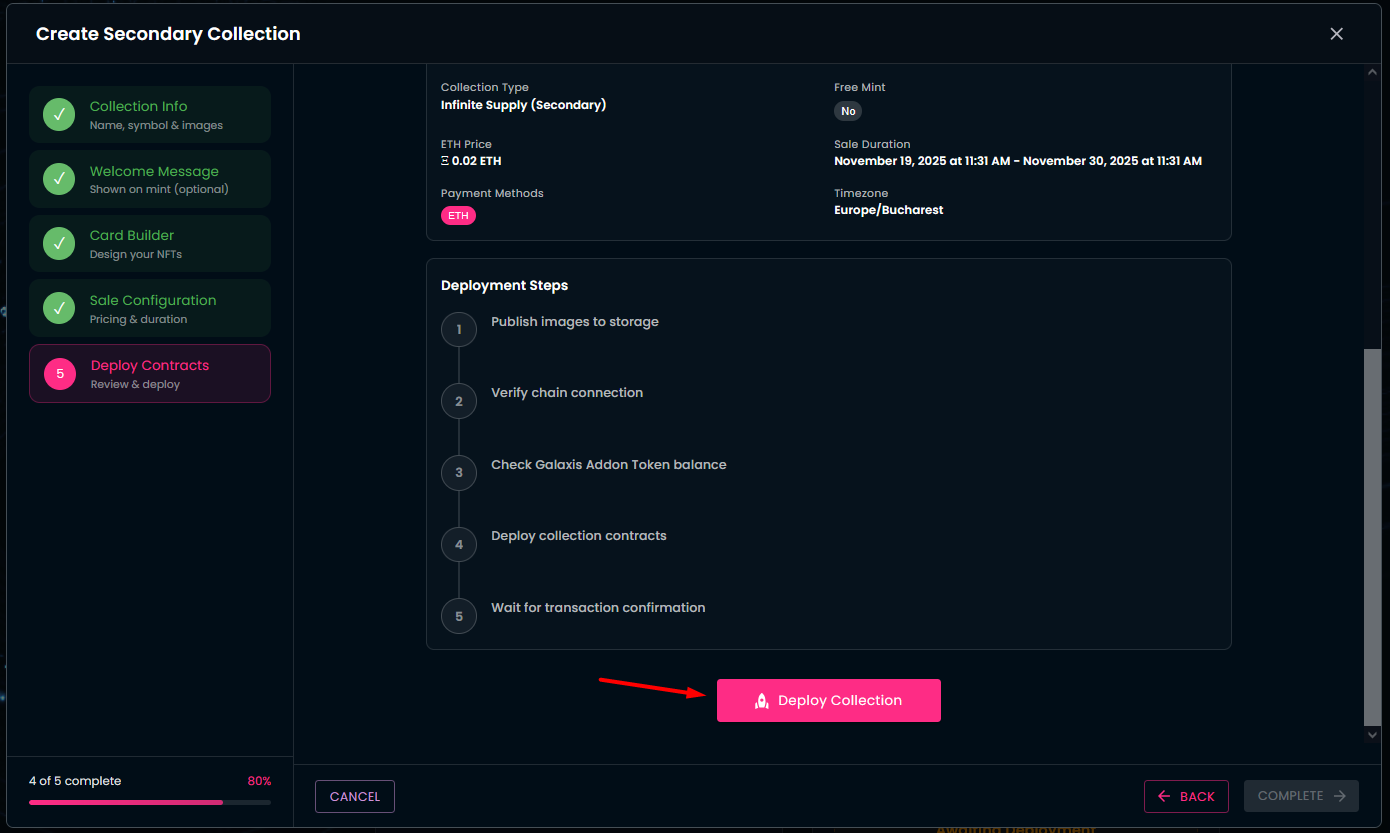
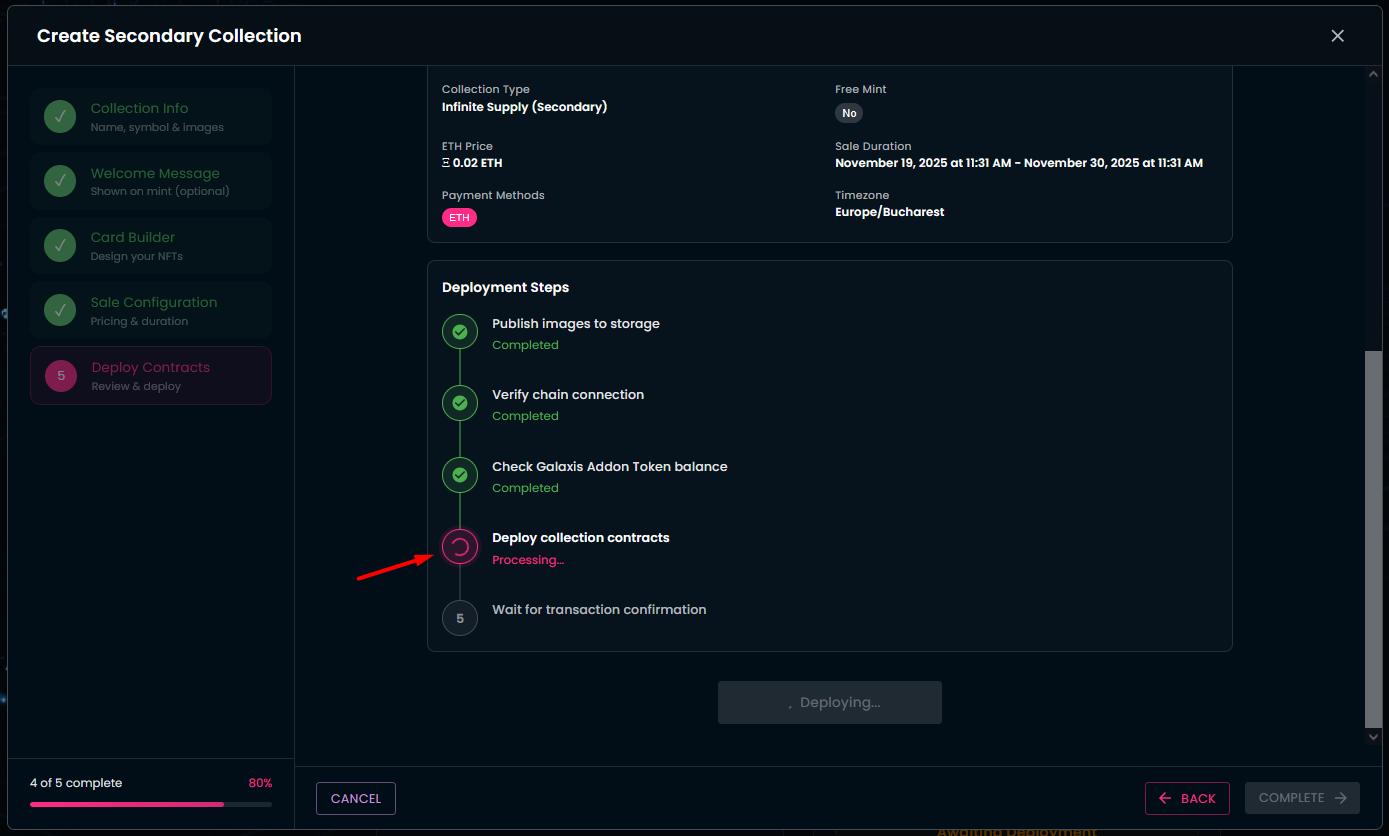
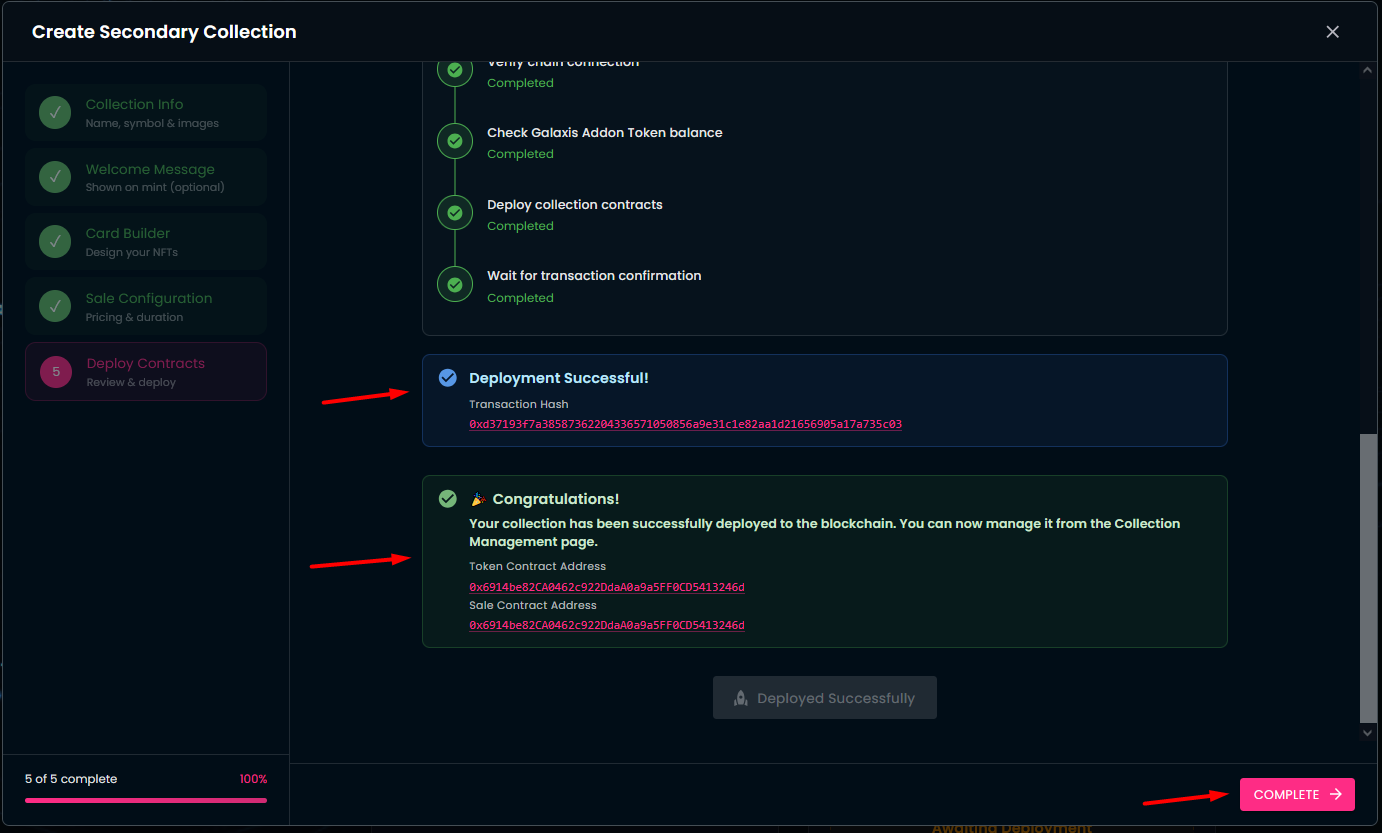
After a successful purchase you can click on the Deploy Collection button on the bottom of the page, and you can monitor the progress of the deployment.
-
Once deployment is complete — congratulations! Your collection is now live.
-
You can continue to manage your new collection via the Collection Management section in the Community Admin interface.
-
Take a look at your new collection on your community website.