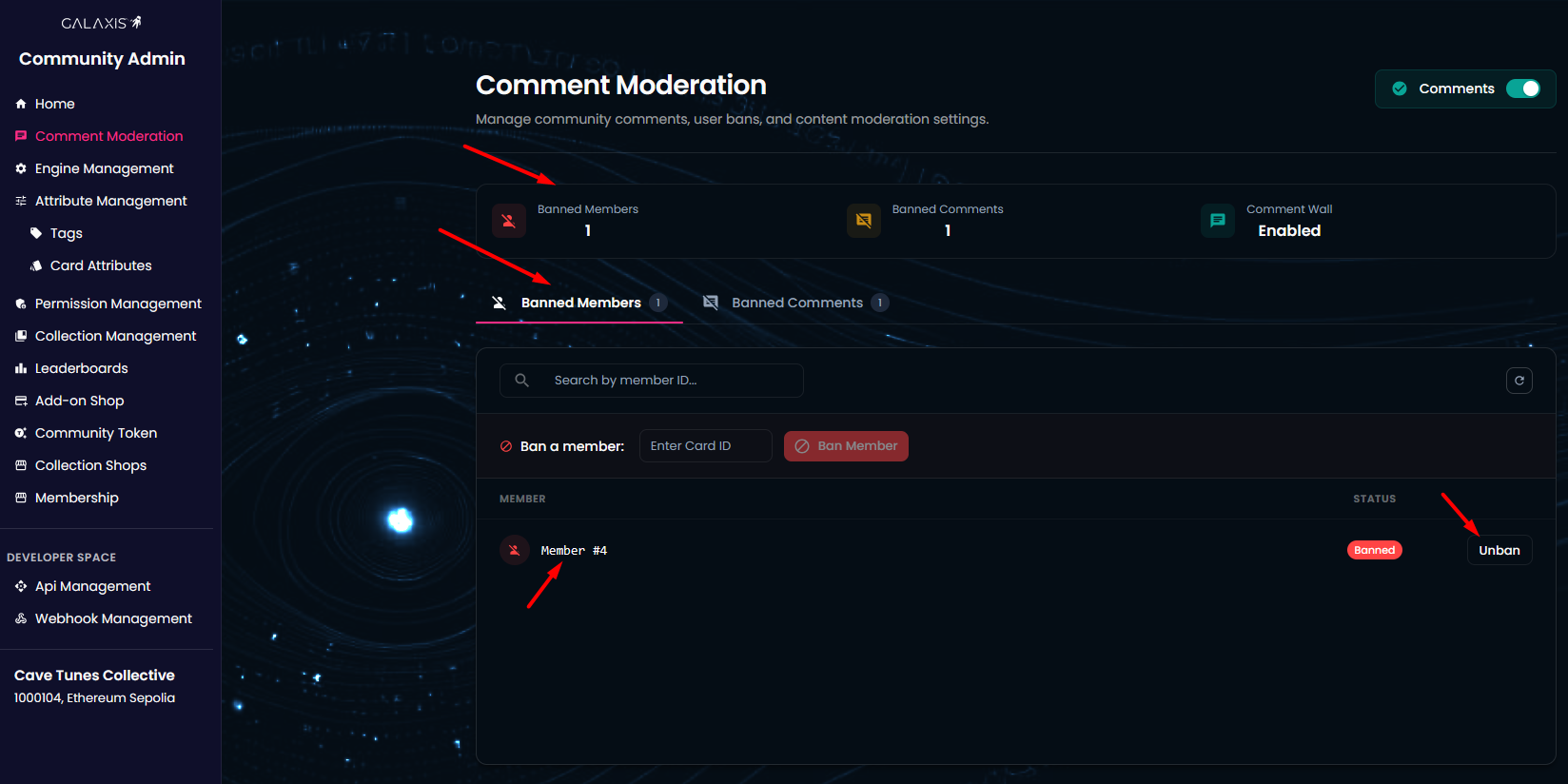
¶ Comment Wall - Community Admin
The Comment Wall feature allows meaningful, structured discussions under community news posts. Each news item can have threaded comments up to three levels deep (comment → reply → reply to reply).
This feature is enabled by default when a community is created, but it can also be disabled in the Comment Moderation tab inside the Community Admin interface.
¶ Prerequisites
- A community that has been created and released.
- Naturally, to comment on something, you must first write news or articles in the Newsfeed section. Then community members can start writing comments below the news.
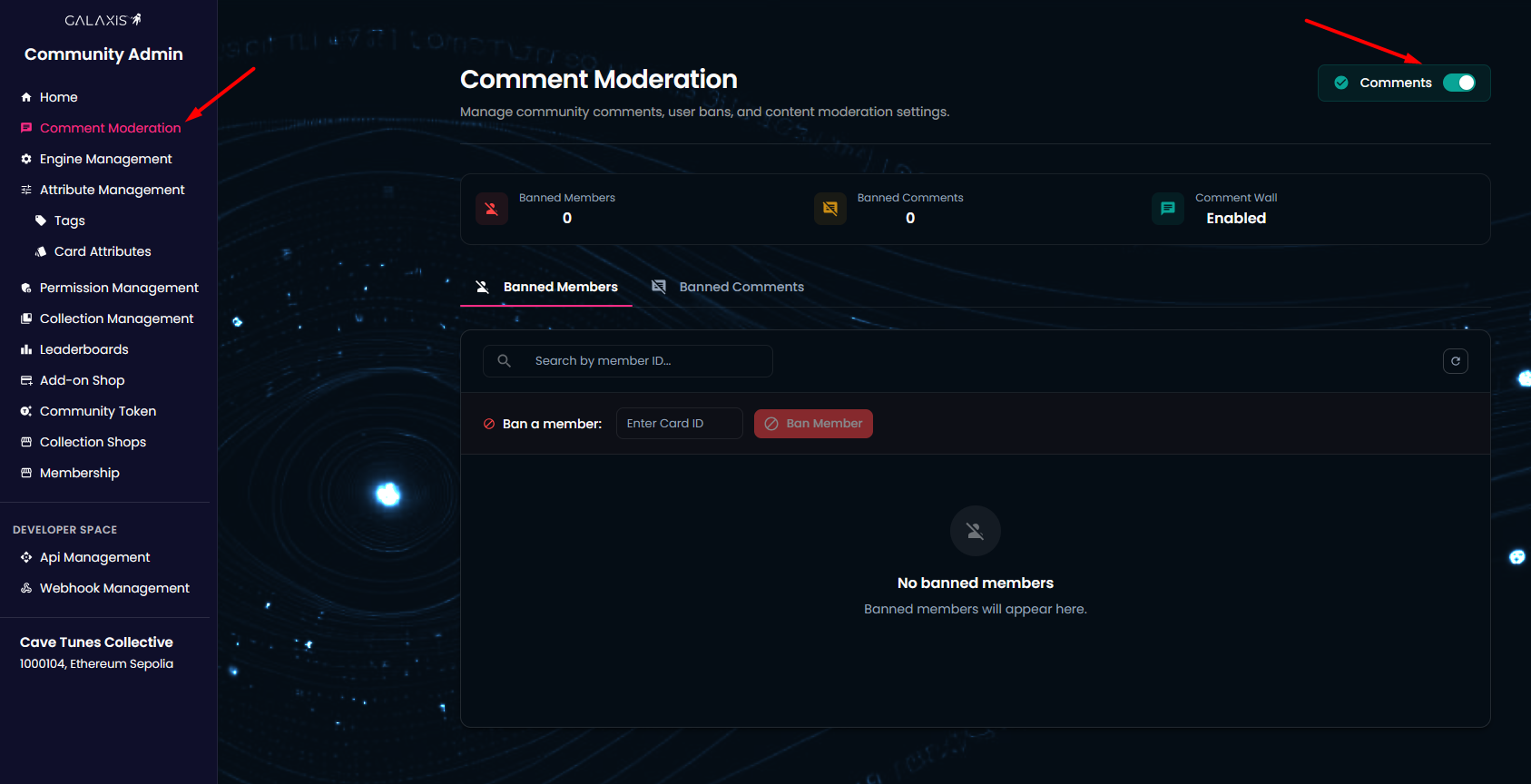
To manage the Comment Wall, log in to the Community Admin interface of your community and select Comment Moderation from the left-side menu.
¶ Manage the comment wall
You can turn off or on the comment wall according to your preference.
¶ Manage the comments
Comments can be managed both on the community page and in the Community Admin.
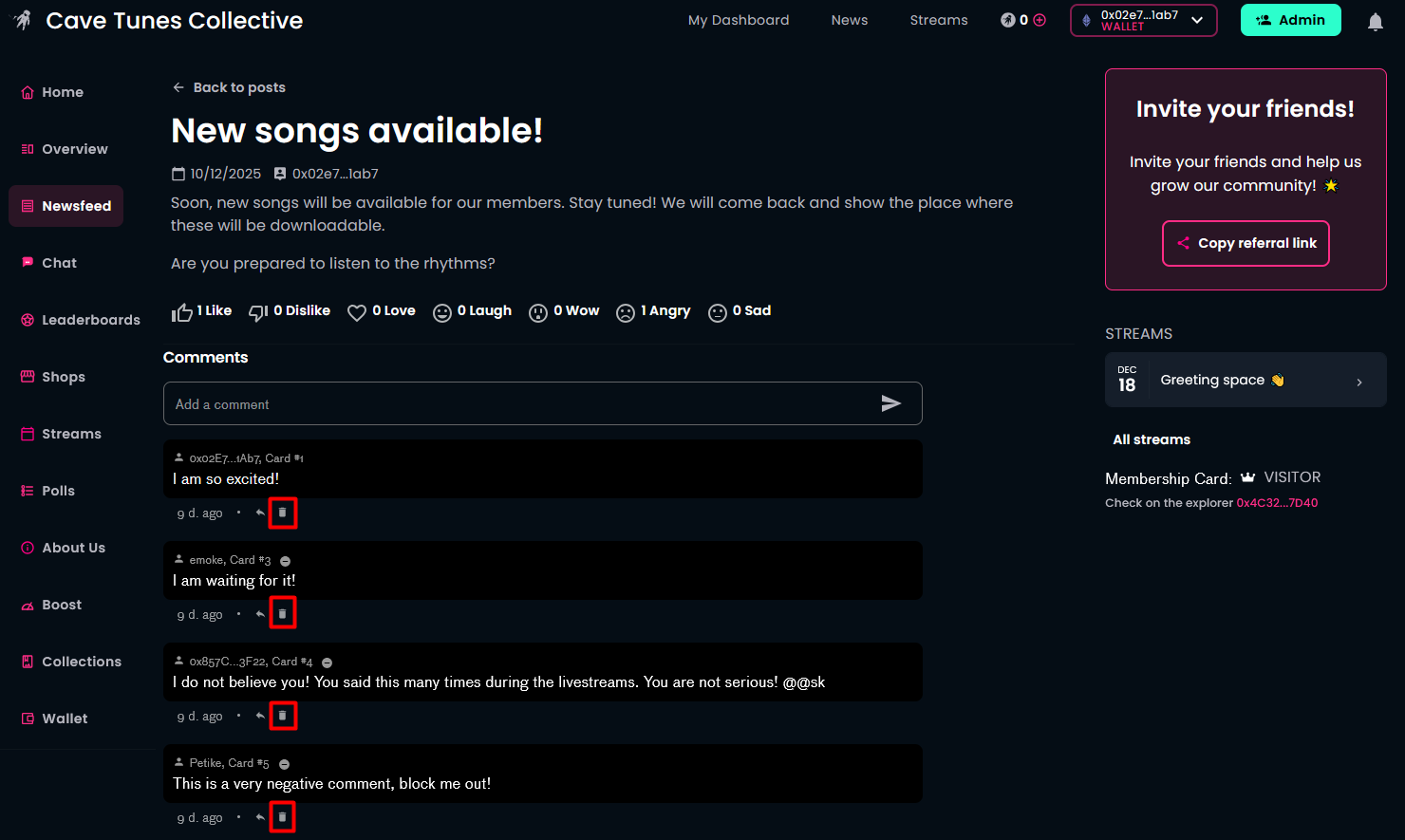
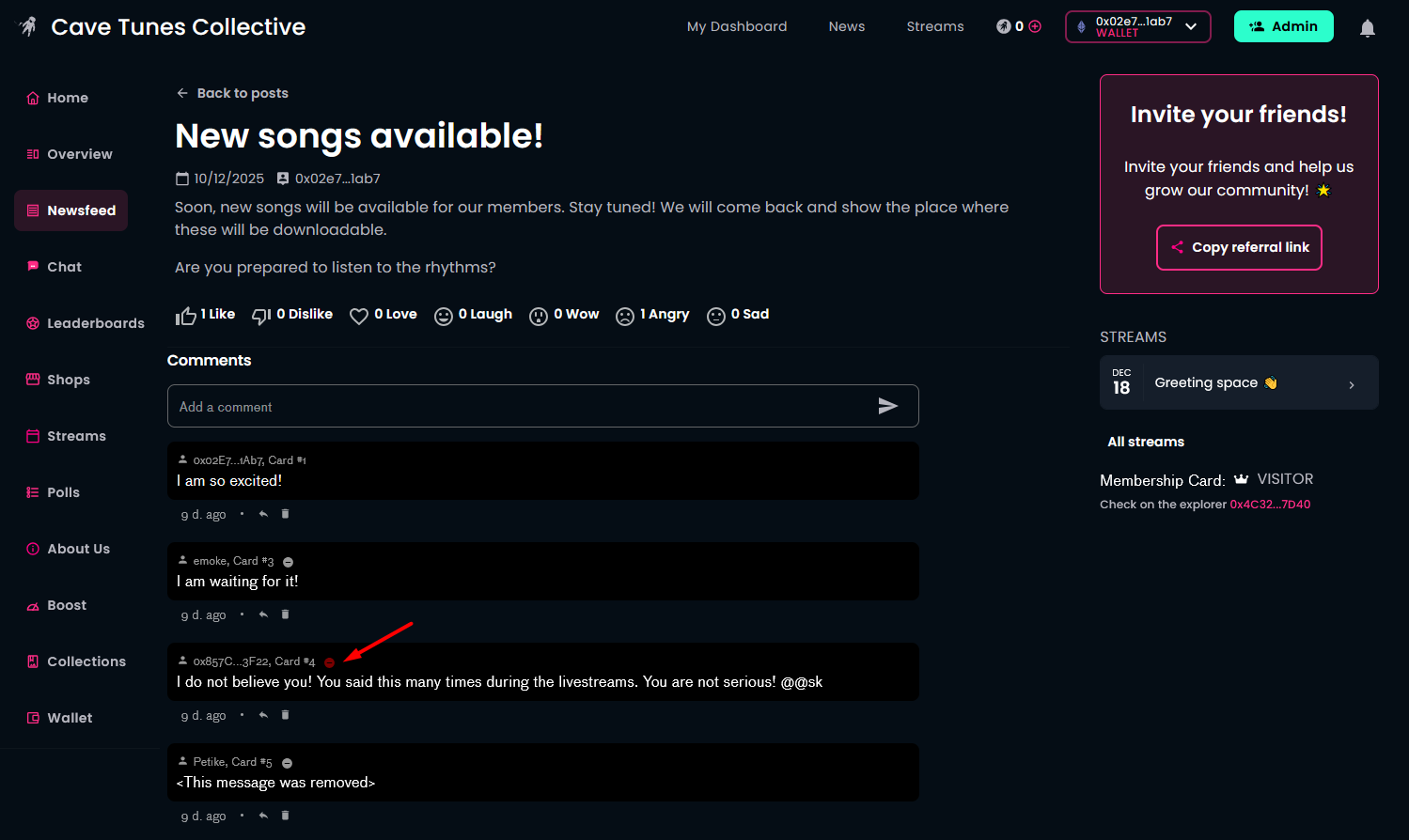
On the community page, as the community owner (connected with the wallet used during creation), you’ll see a delete symbol (dustbin icon) under comments. If a comment is inappropriate, you can delete it.
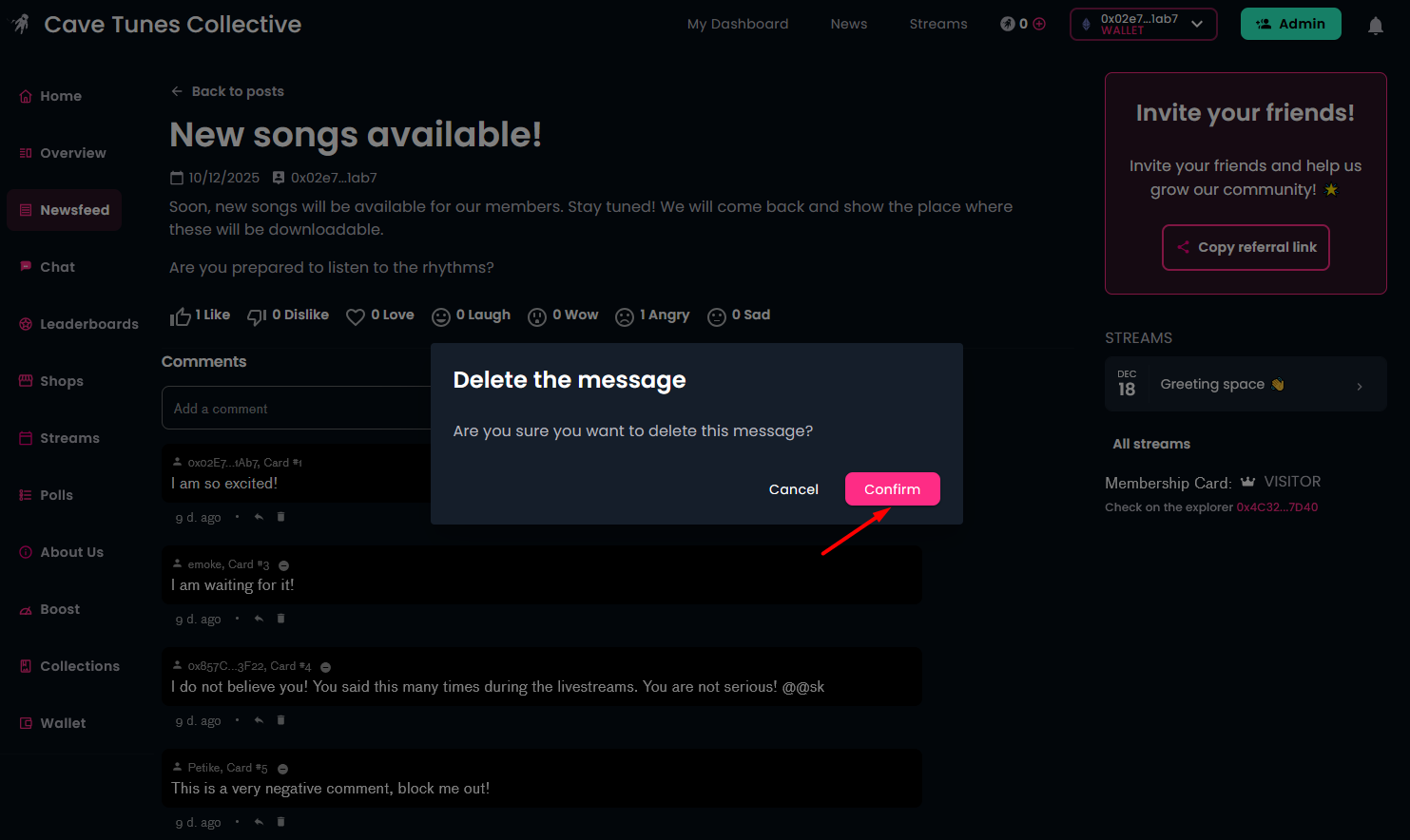
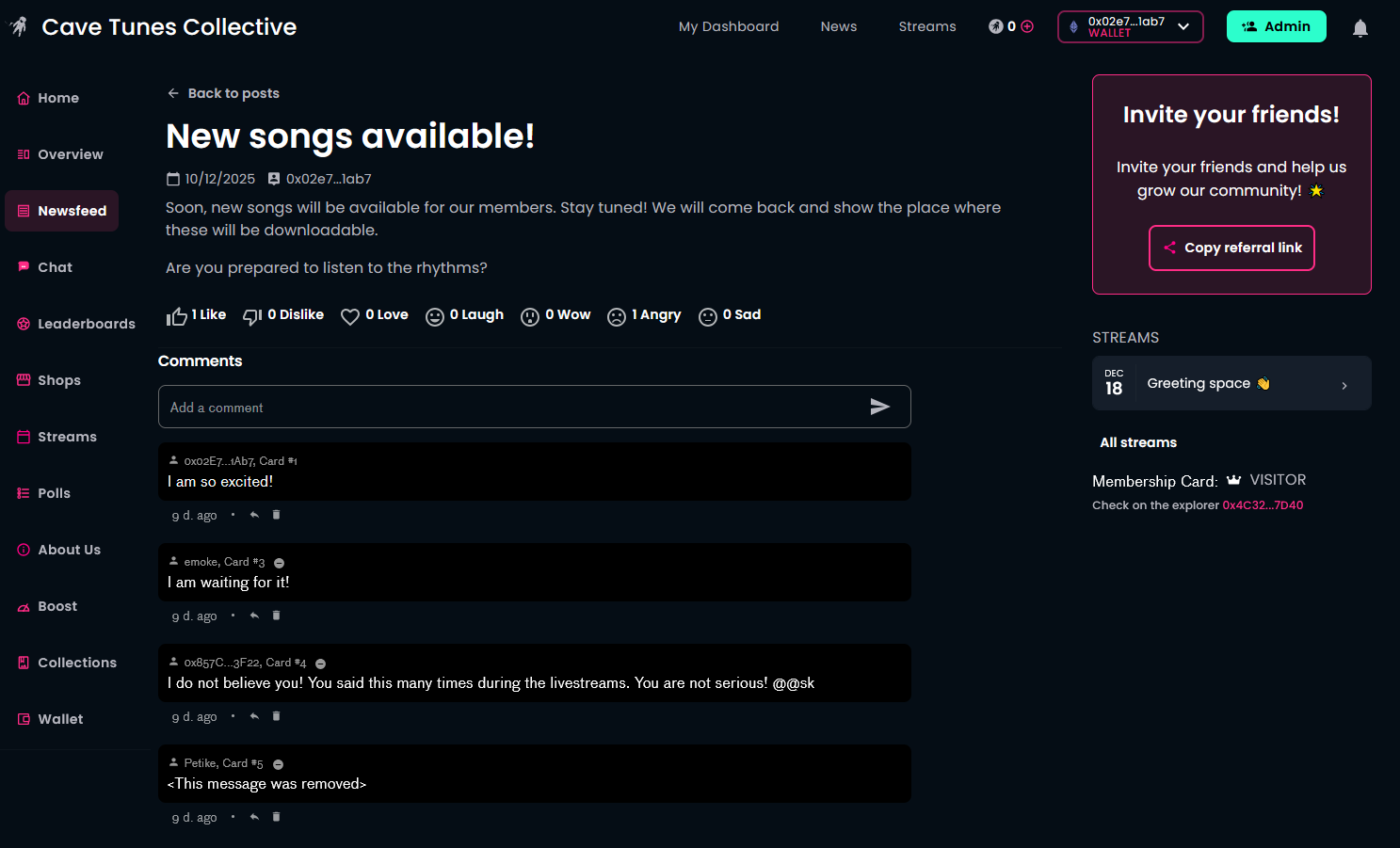
This action is not final, the text of the message still exists, however, it is not visible for the members.
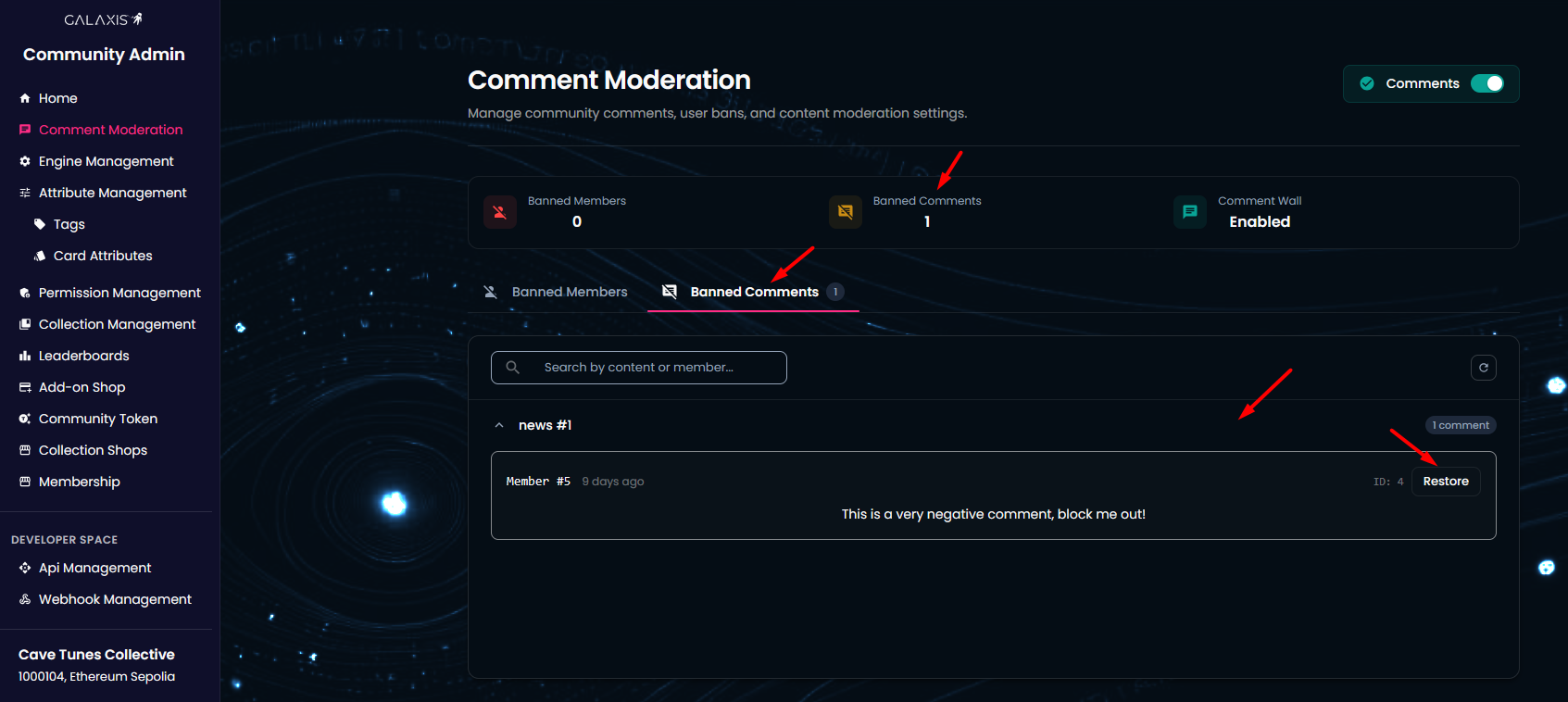
On the other hand, deleted comments are visible for the community owner in the Community Admin --> Comment Moderation --> Banned comments section. If you accidentally deleted a comment, you can restore it from here.
¶ Manage the commenters
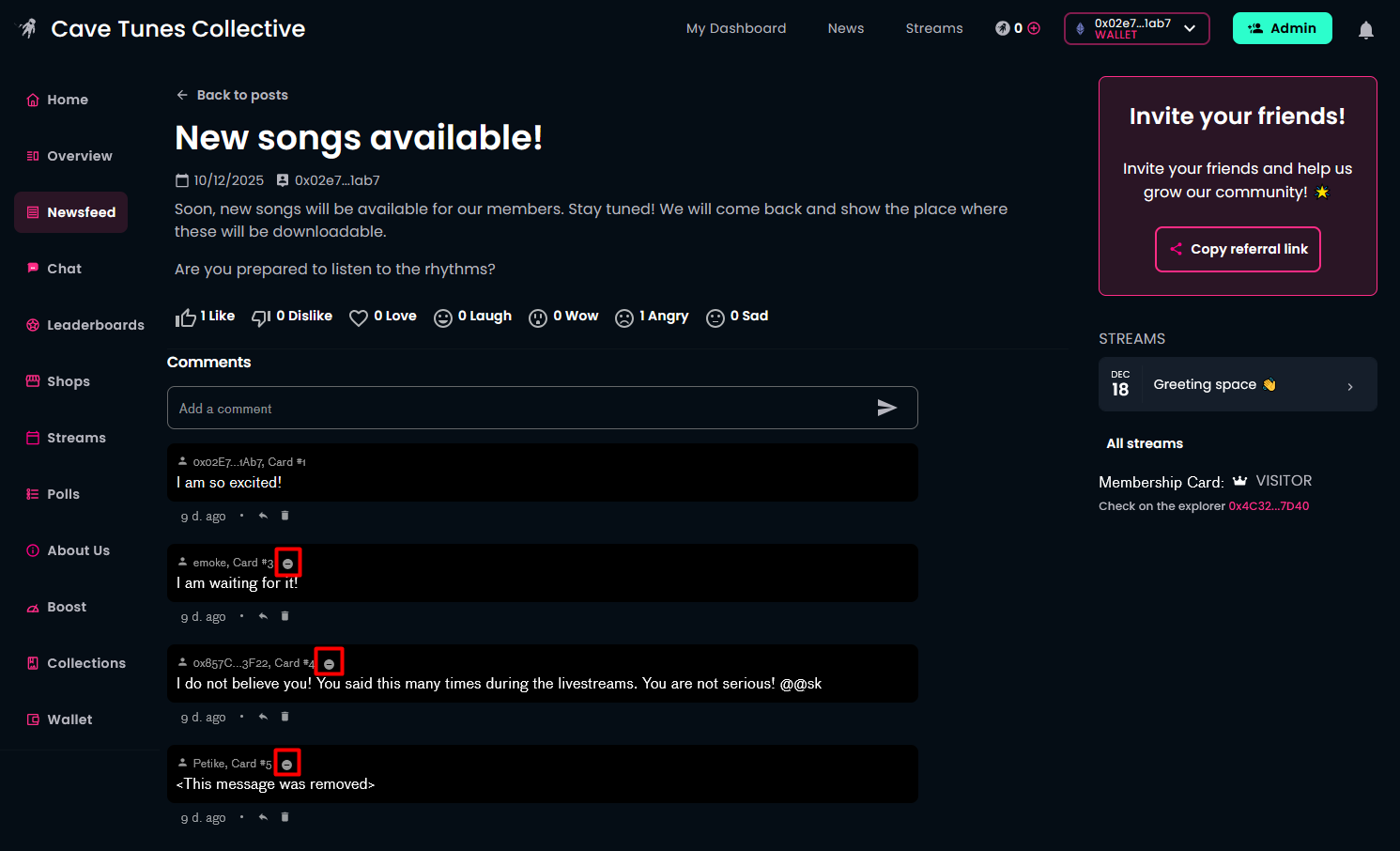
As the community owner, you’ll see a prohibitory sign icon next to a commenter’s ID. You can ban a commenter if their behavior is unacceptable.
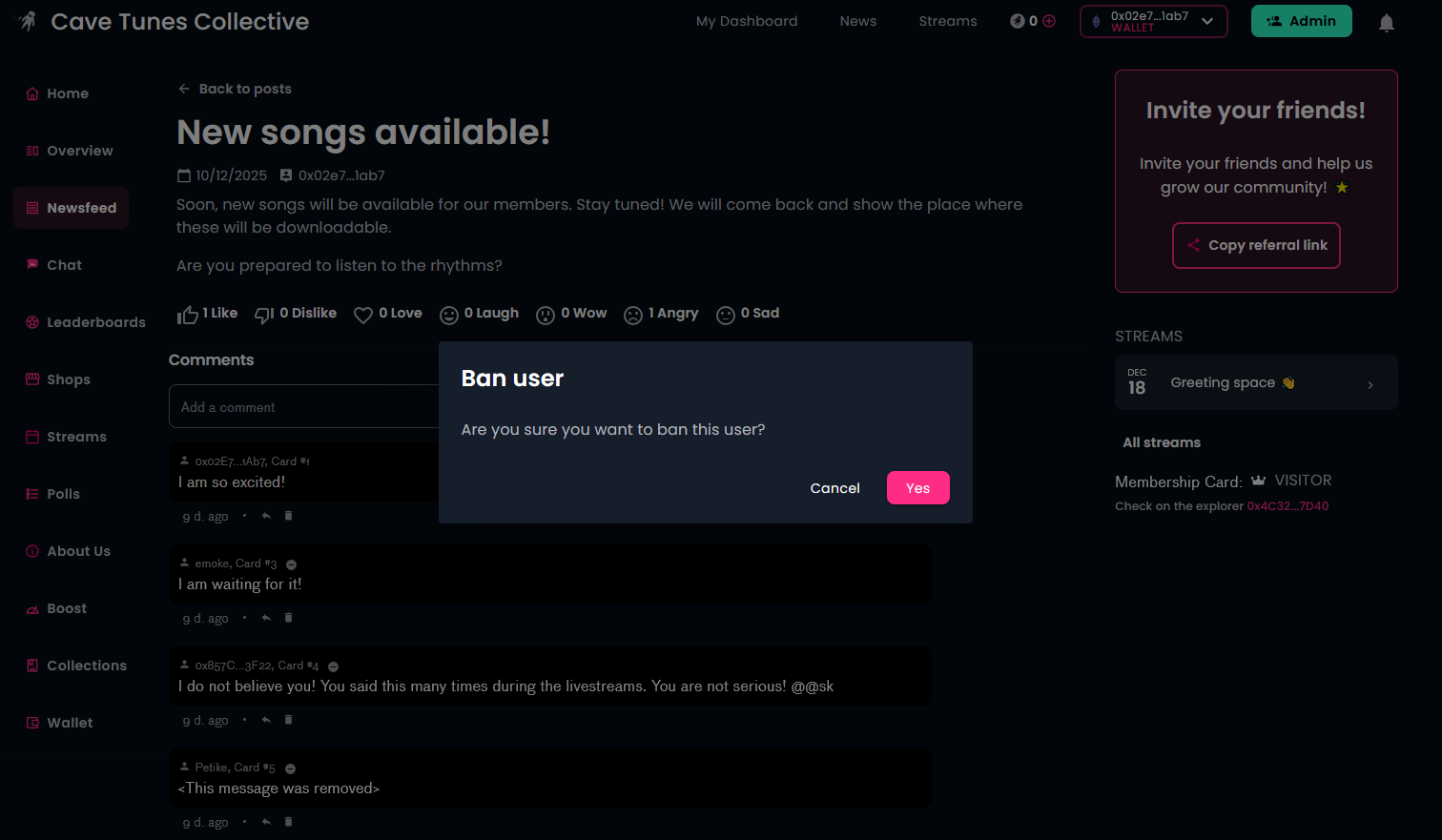
After banning, the icon turns red. That member can still view comments but cannot write new ones.
The list of banned users is available under Community Admin → Comment Moderation → Banned Members. You can unban a member here if you change your mind.