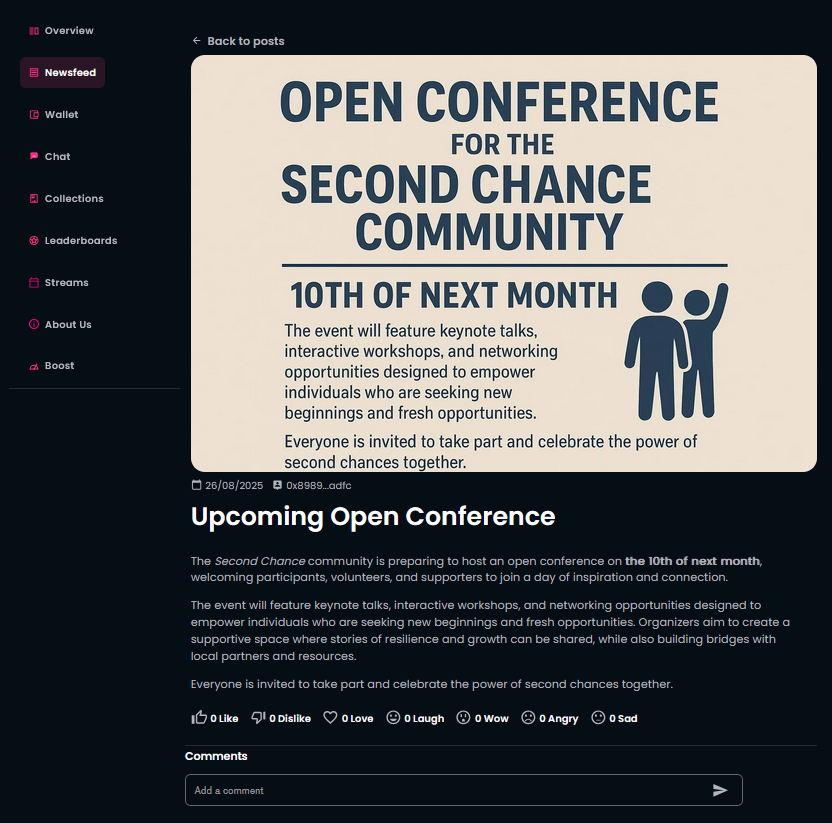
¶ Create a Newsfeed
As a community owner, you can share important information with your members and website visitors by using the Newsfeed to highlight specific events and updates within your community.
¶ Prerequisites:
- Have a created community.
¶ Step 1
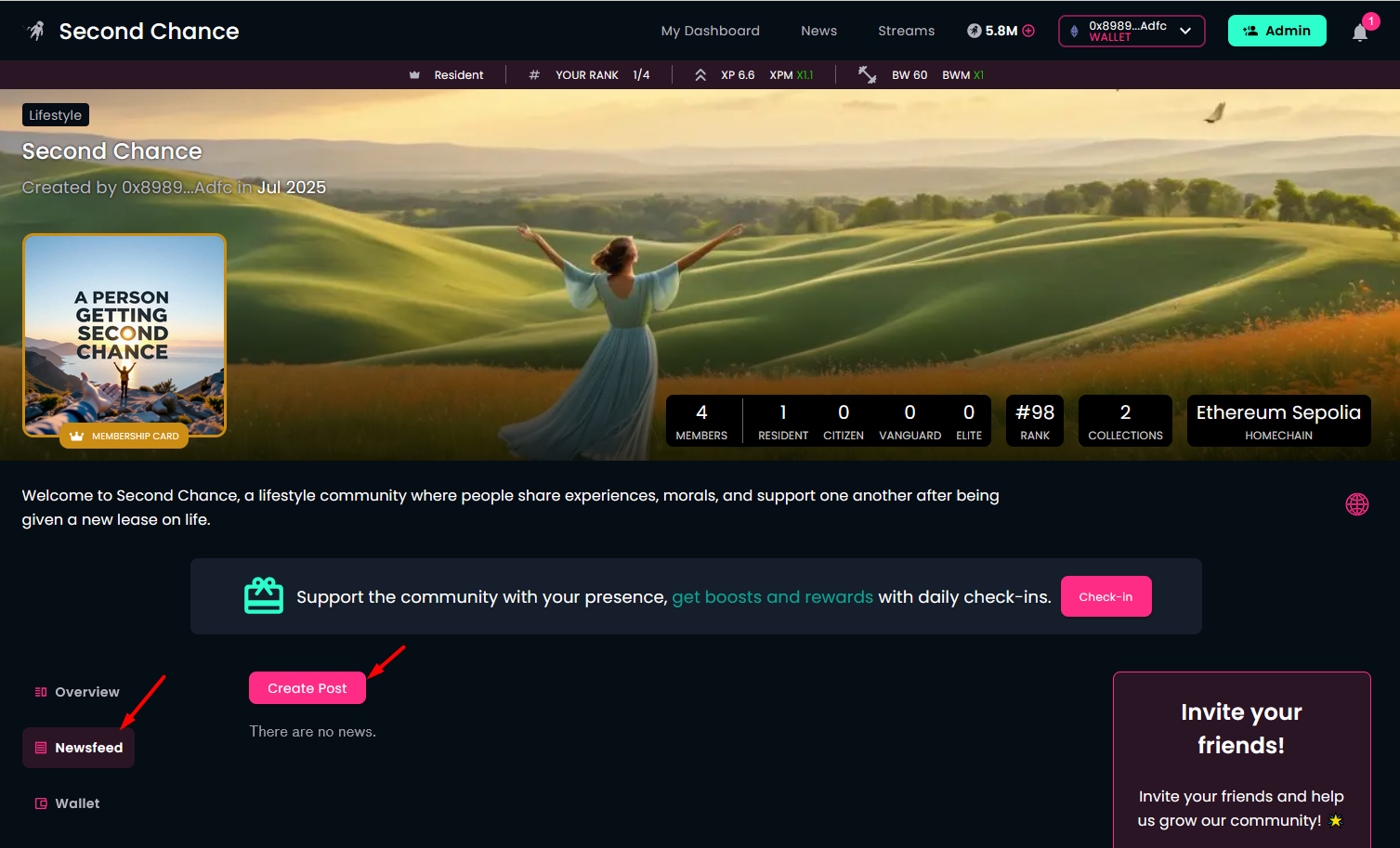
You are on the community page.
- Connect your wallet that you have used to create your community. After successful connection, open the Newsfeed tab. Here, you will see the Create Post button.
- Start formulating a new post with the Create Post button.
¶ Step 2
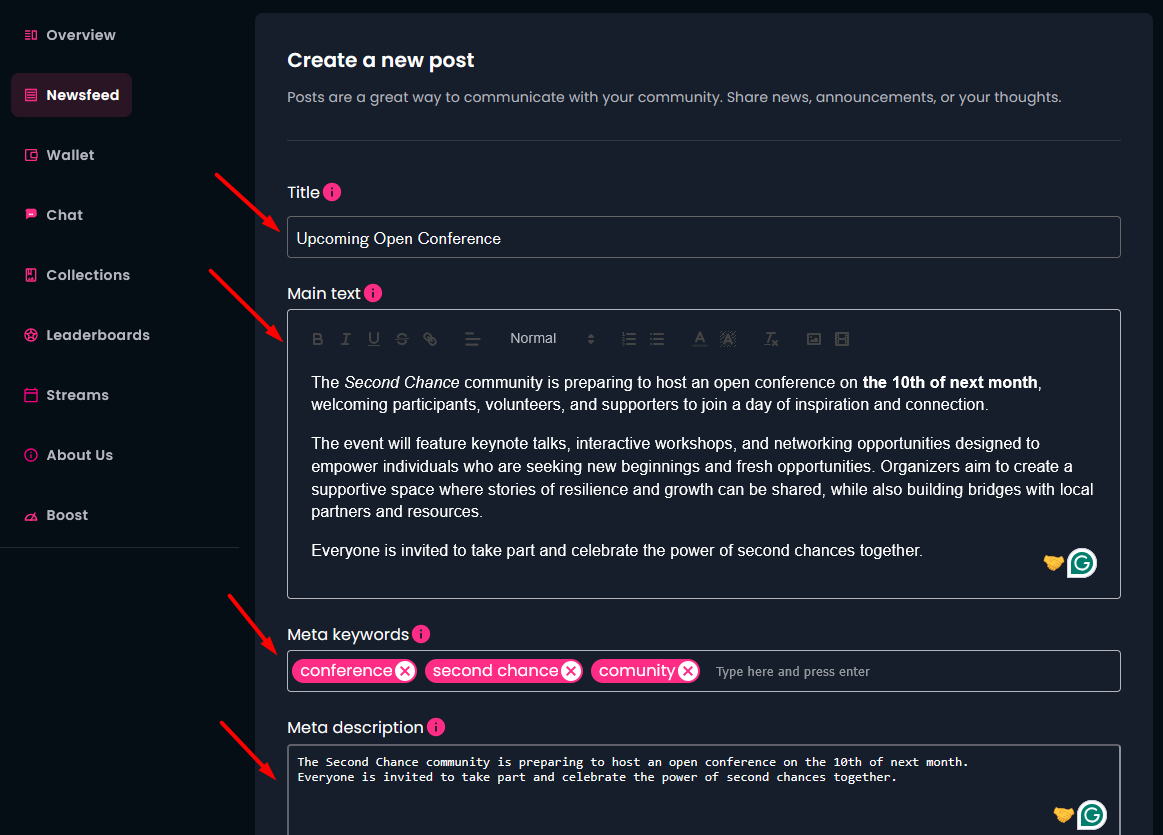
Define the details of your post:
- Enter the Title of the post.
- Enter the description (Main text) of the post.
- (Optional) Enter Meta keywords.
- (Optional) Enter Meta description.
Meta keywords and description help search engines to find easier your post when relevant and provide a basic summary of your post.
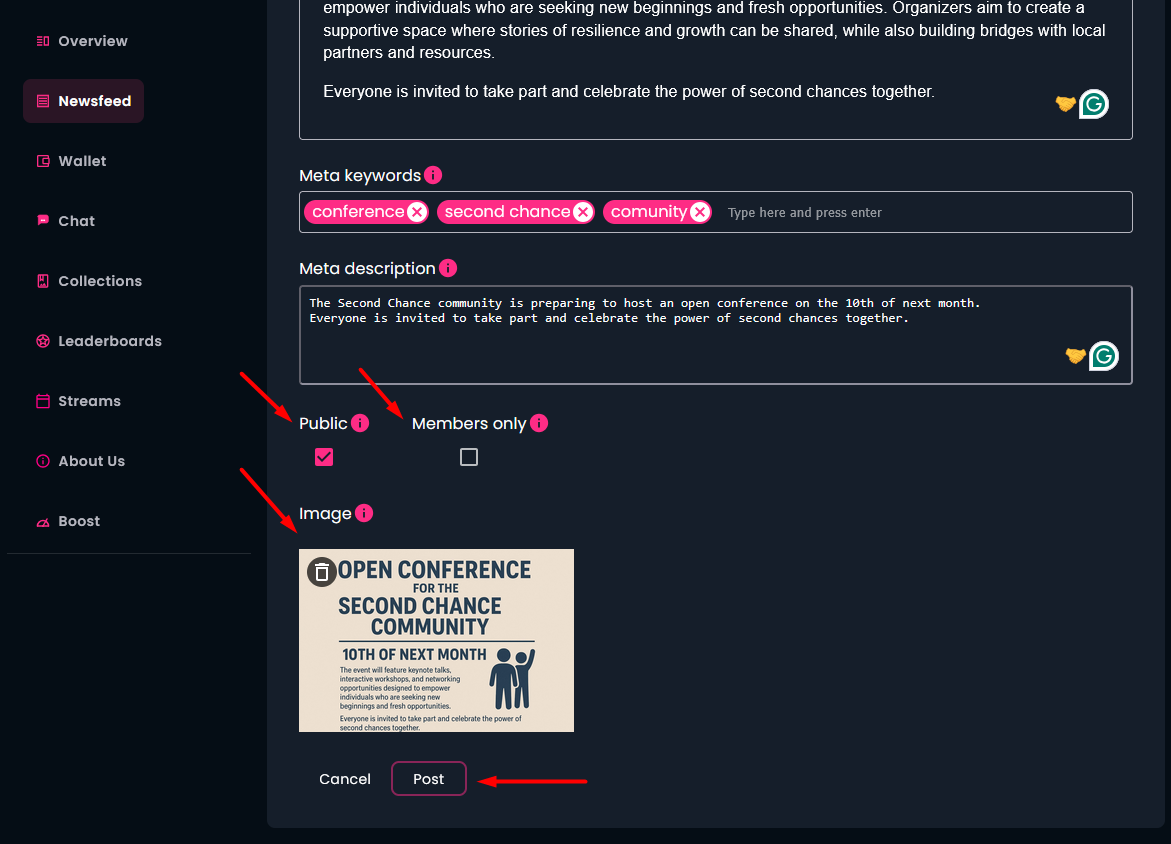
- Decide and mark if the post is public or members only. If you choose to be public, besides the community members, visitors can also read that post.
- Upload a representative image.
- Click on the "Post" button to publish the newly created news on the community website.
¶ Result
After posting the news, you can find it in the Newsfeed section. You have the opportunity to edit the news or even to delete it, or write new posts.
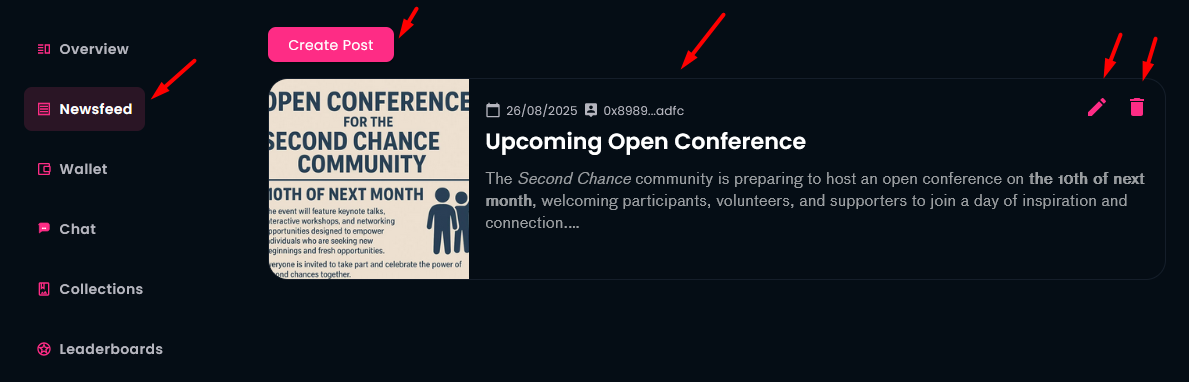
If you click on the news itself, you will be able to see the full post in details. Community members can give reactions and comments to your post.