¶ Create a Coin Shop
This tutorial is about how to create a Coin Shop.
¶ Prerequisites
- Have the Shop App deployed.
¶ Step 1
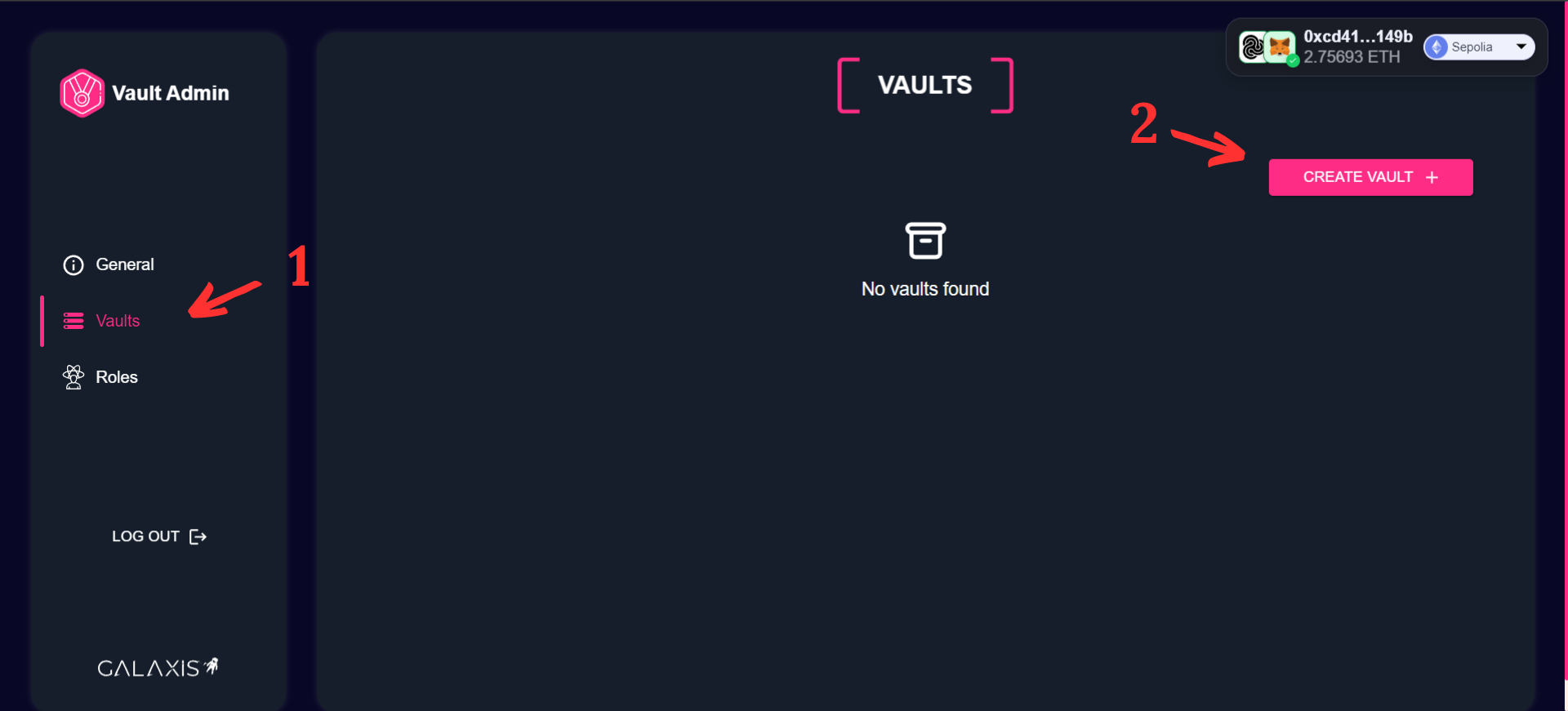
You are on the Shop Admin Dashboard.
- Select the “Shops” menu to access the Shop creation screen.
- Click on the “Create Shop” button to create a new shop.
¶ Step 2
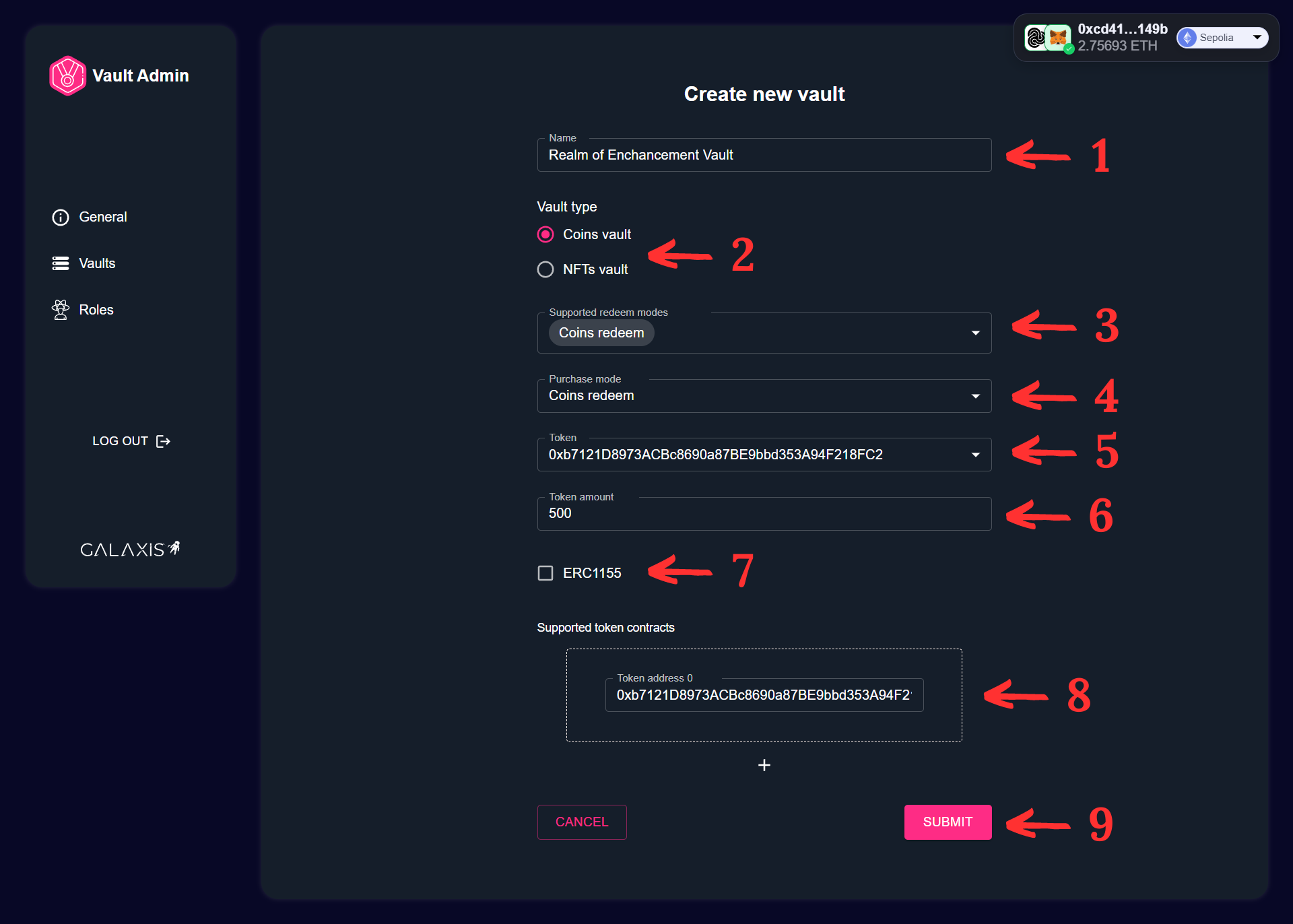
- Provide a name for the shop.
- Select shop type.
- Select the Supported redeem nodes.
- Select the Purchase mode.
- Select the Token.
- Enter the Token amount.
- Check the ERC1155.
- Enter the Token address.
- Click on the “Submit” button.
¶ Step 3
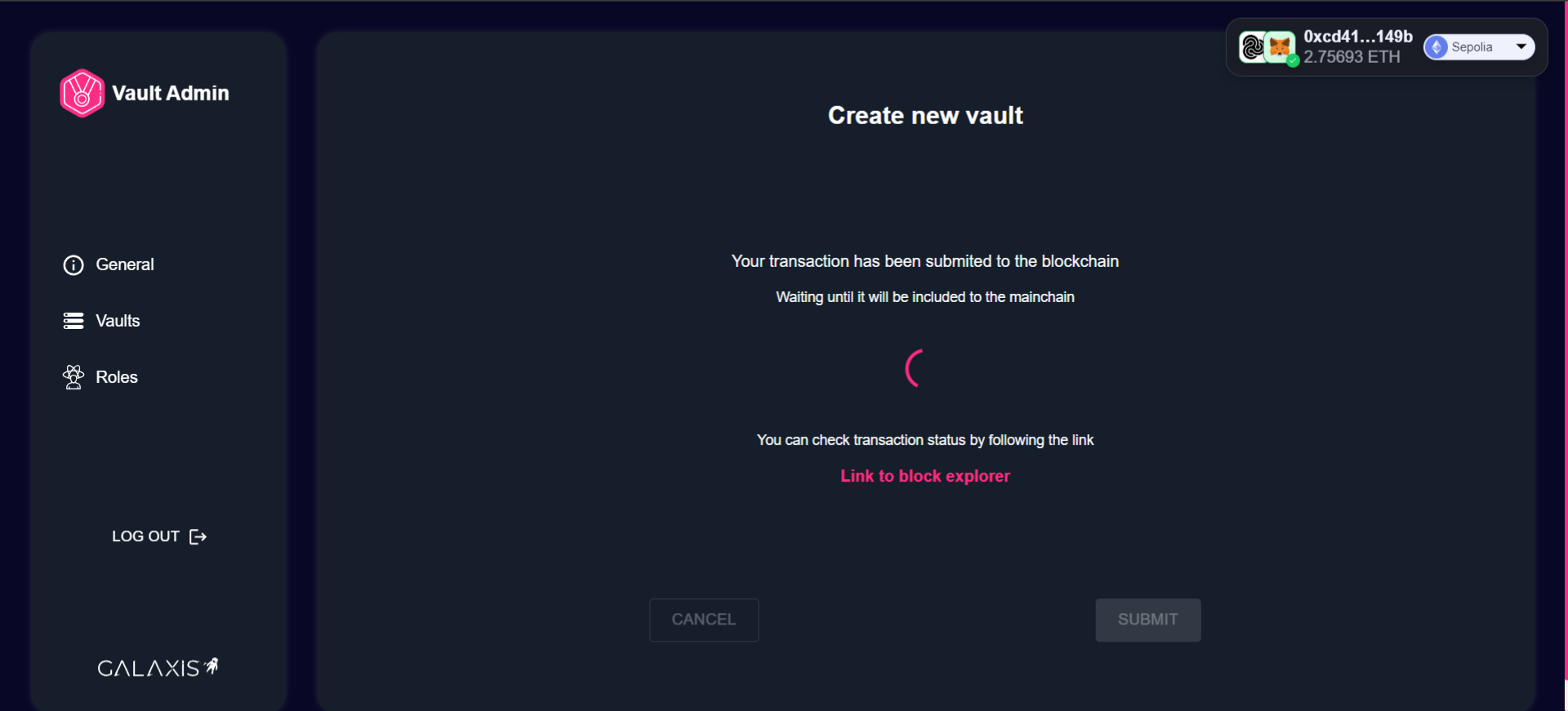
Wait some seconds/minutes until your shop creation process is finished.
¶ Step 4
- Your Shop is ready to use.
