¶ Access the Mission Control
The Mission Control is the admin interface where the community owner can build and manage their community.
¶ Prerequisites
- You must have a crypto wallet such as Metamask.
¶ Step 1
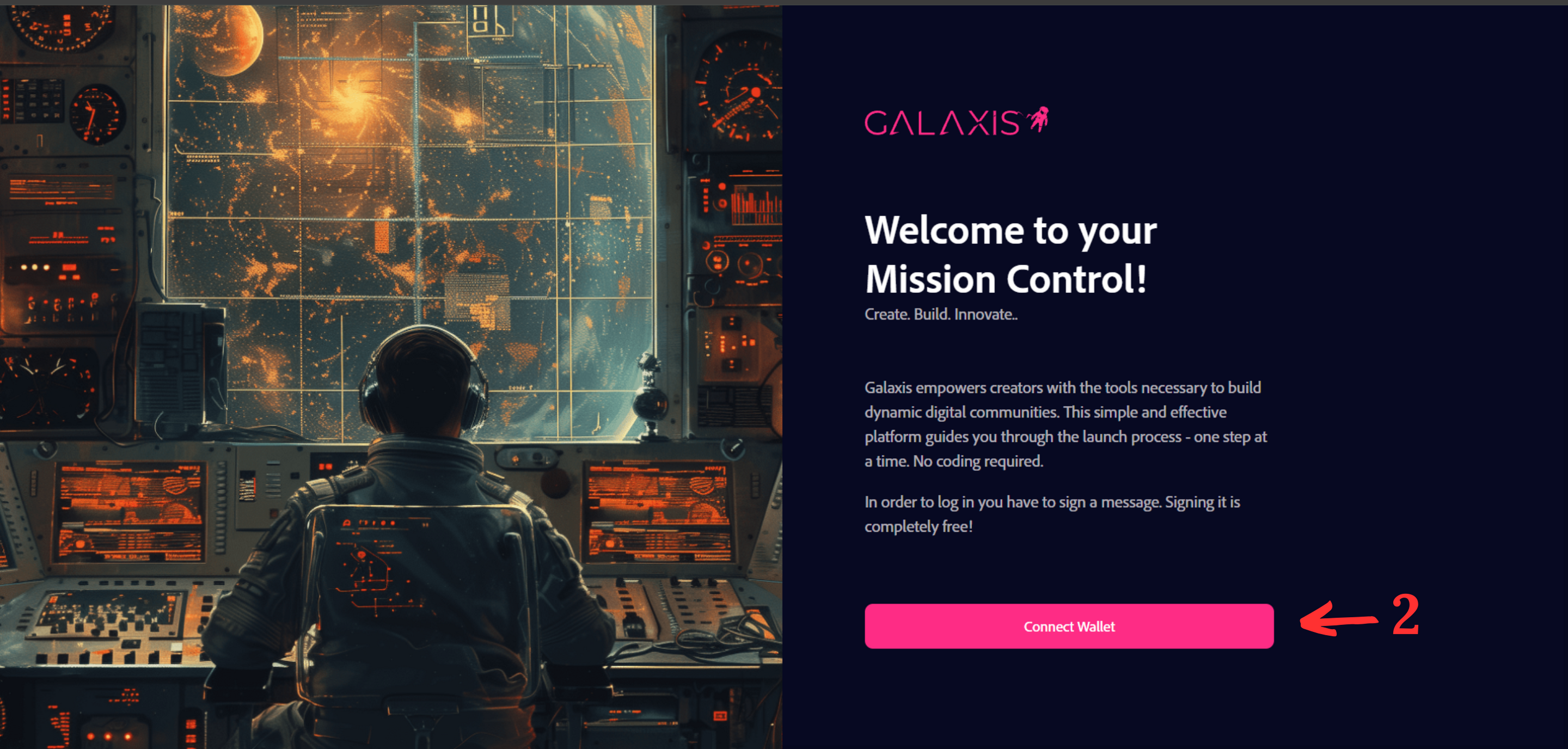
- Open Mission Control.
- Before you click the Connect Wallet button, verify that you have installed the appropriate browser wallet extension.
¶ Step 2
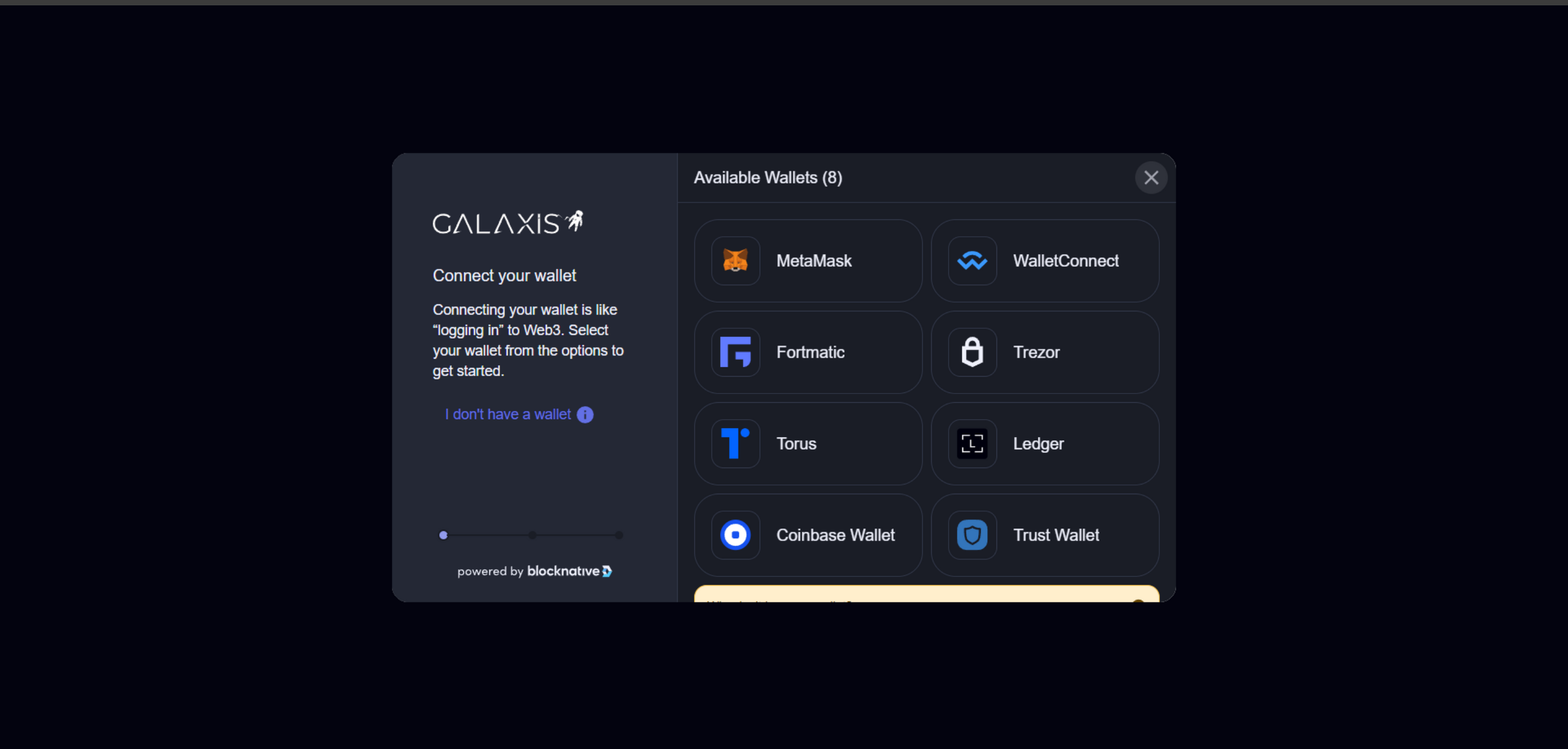
- Select from the list of available wallets to connect.
- Sign the transaction when prompted. Signing is completely free!
¶ Step 3
To create your new community (and access Mission Control), you'll need a Launchkey, one for each community you want to create. Once you used a Launchkey, it burns and cannot be used to create other communities.
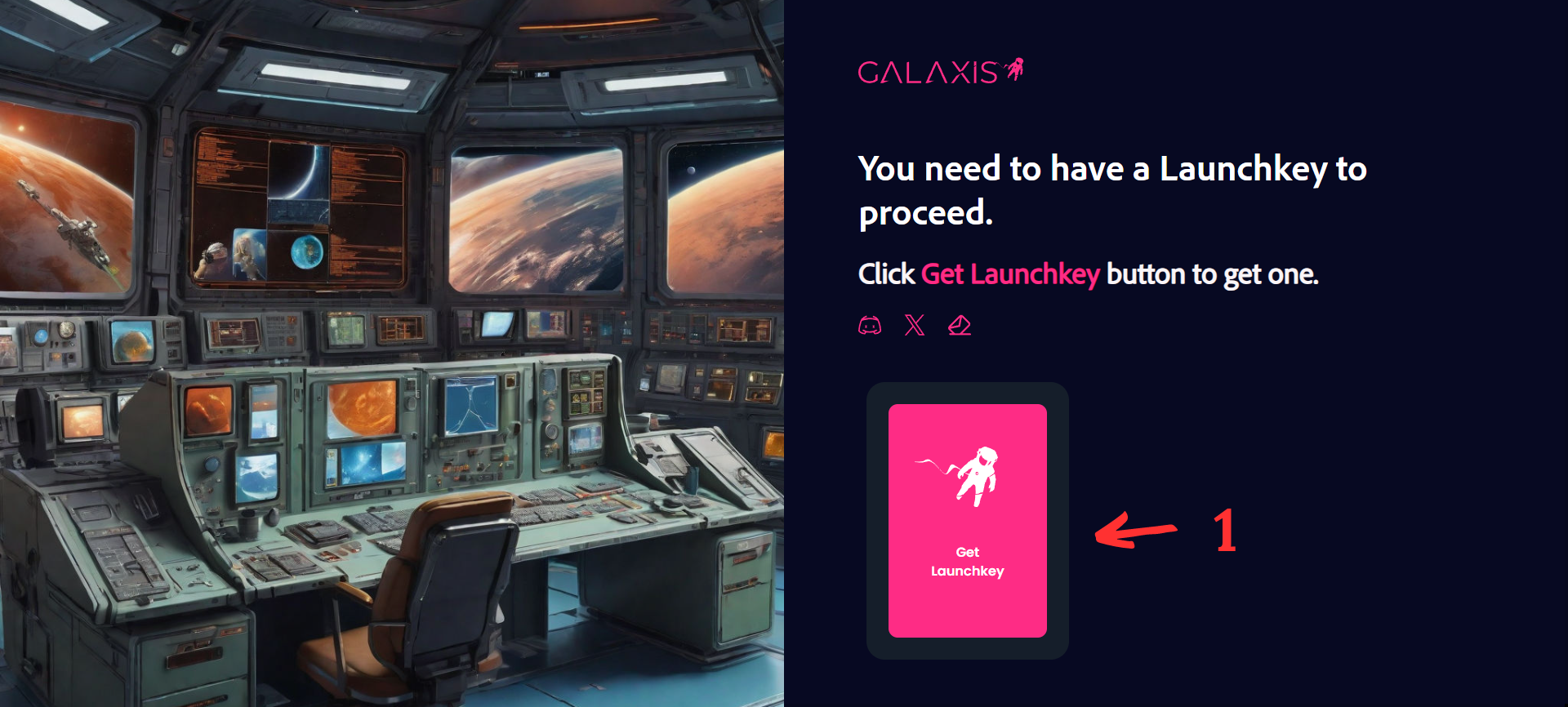
After connecting, if your wallet does not contain a Launchkey yet, this is what you see:
- 1. - Get Launchkey - This link opens the following website: https://subscribepage.io/get-launchkey where we ask you to kindly provide a little information about the community you plan to create.
¶ Step 4
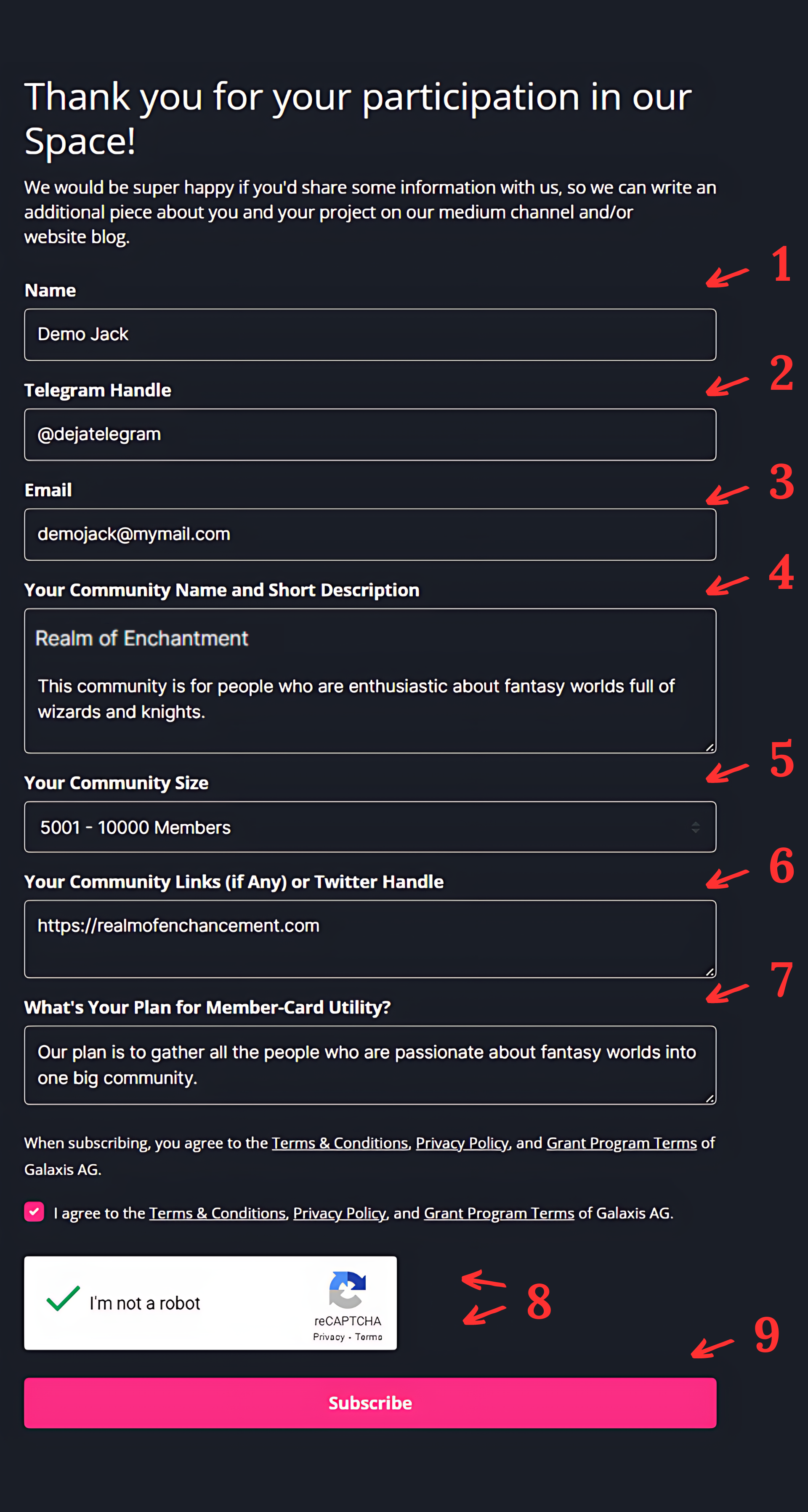
Clicking on Get Launchkey button opens the following form:
Please give us a little information about yourself and the community you plan to create. When done, click on the Subscribe button.
¶ Step 5
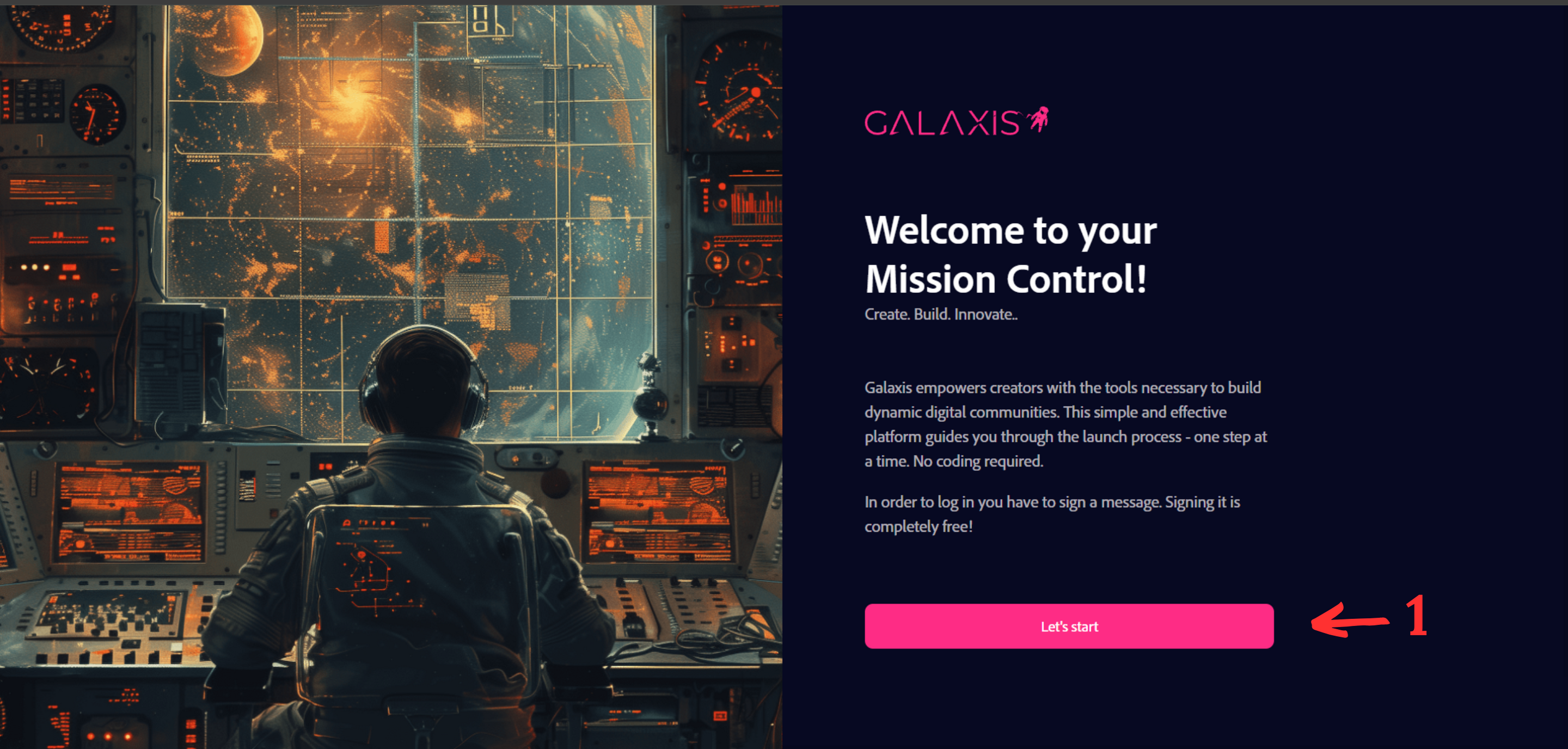
Once you received your Launchkey, the https://mission-control.galaxis.com/ page changes into the following one (you may need to refresh it once):
- Click on the Let’s Start button to follow the first steps before begin building your community.
First we need your "signature". Not your physical one, but something equally strong and non-repudiable. This is done in your crypto wallet. For example, if you are using the MetaMask wallet, a little dialog window similar to this should open automatically (depending on your setup and browser, you may need to manually change over to that window):
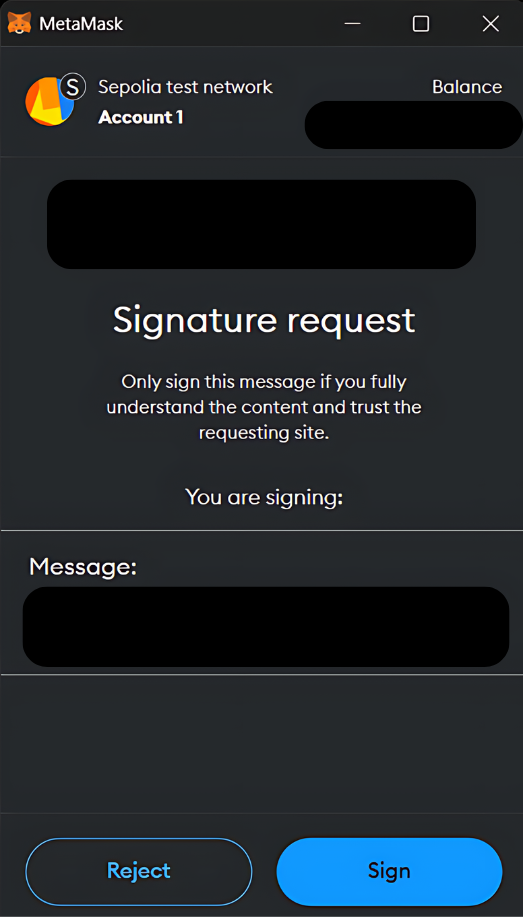
In this case, click on the Sign button. With other wallets, the dialog and the button may be different, but it should be similar. Believe it or not, an amazing amount of math is done in the background once you pressed that little button that proves that it could be you and only you who did so.
¶ Step 6
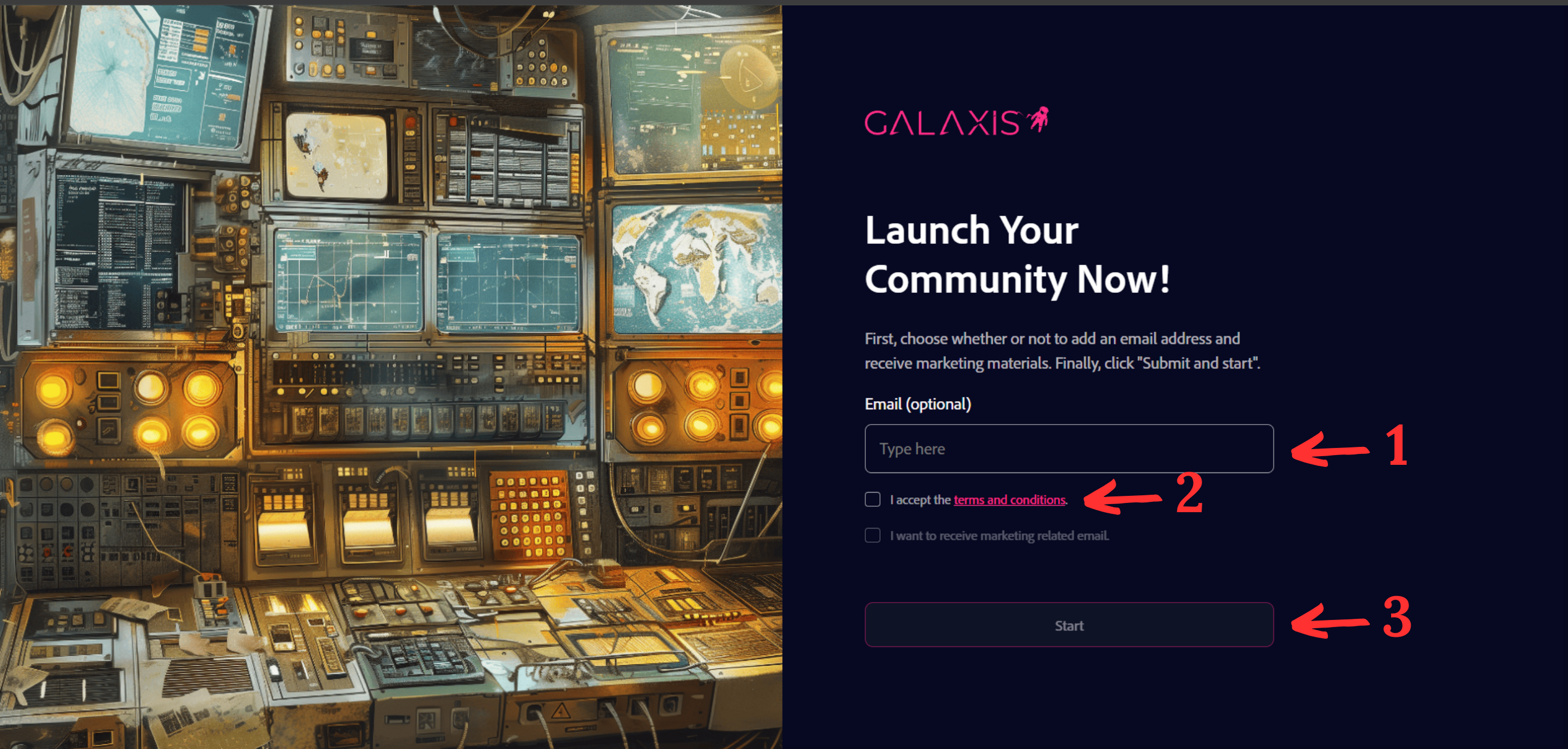
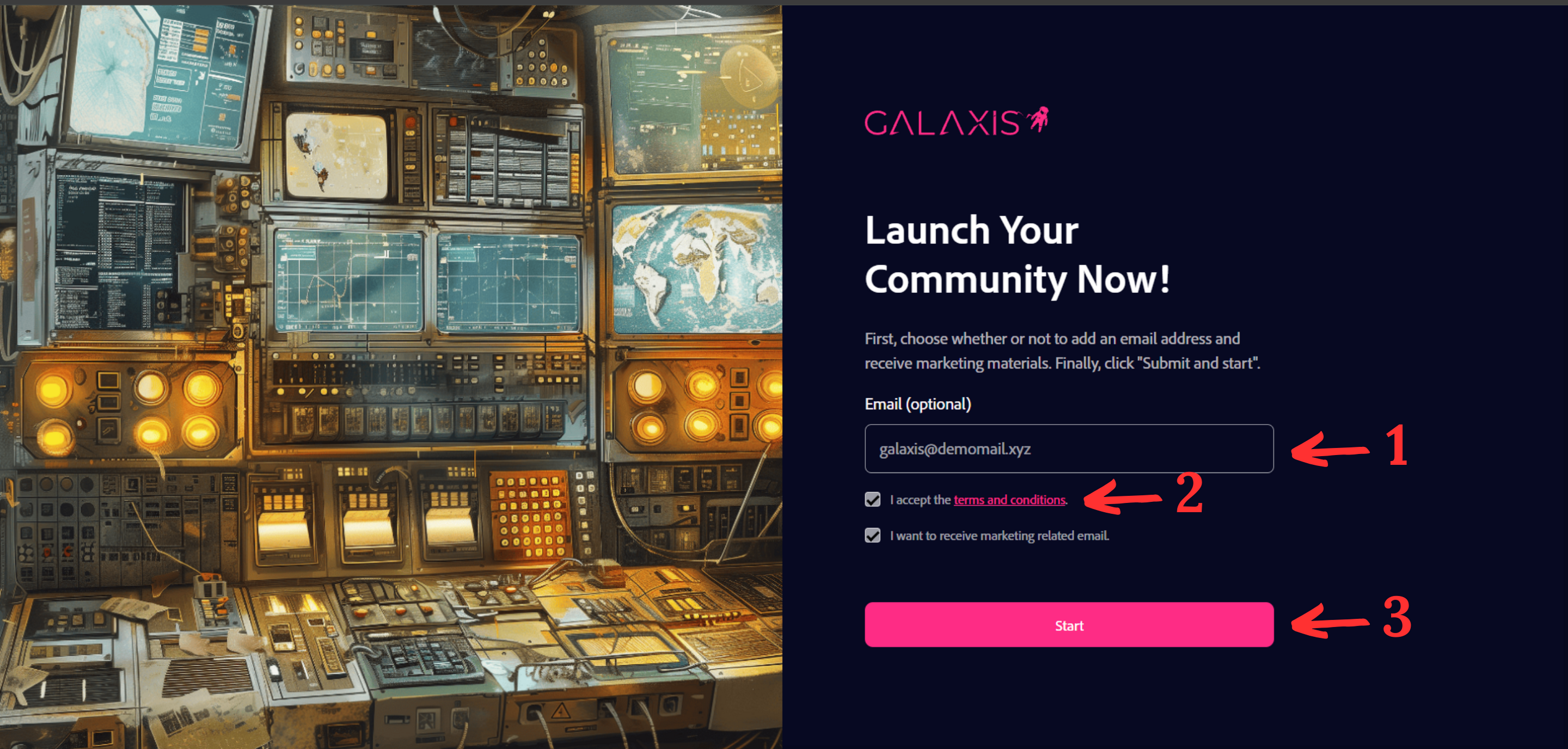
- If this is your first time logging in, you will be prompted to enter your email address. We need it to notify you of the status of your community submission. However, this notification is optional, so you can leave this box empty.
- You must, however, tap on the Terms & Conditions link to read it. Then, check on the checkbox that you agree to the Terms & Conditions.
- Receiving news from us is a good idea, but not mandatory.
- Once ready, click on the Start button to proceed.
Note: This screen will only appear once and you will not be prompted again in your subsequent logins.