¶ Abstract Global Wallet integration
Galaxis has recently integrated the Abstract Global Wallet (AGW) to enhance user onboarding and interaction within its Web3 community platform. This integration simplifies access to decentralized communities by allowing users to sign up using familiar methods like Google login, eliminating the need for traditional crypto wallets.
¶ What is the Abstract Global Wallet?
The Abstract Global Wallet is a smart contract-based wallet system designed to streamline user interaction with decentralized applications. It leverages wallet abstraction, enabling features such as:
- Social Logins: Users can authenticate using email or social accounts, making the onboarding process more intuitive.
- Smart Contract Wallets: Each user is provided with a smart contract wallet that supports advanced functionalities like multi-signature approvals and programmable spending limits.
- Enhanced Security: Private keys are managed securely through a combination of device storage, encrypted server storage, and optional cloud backups, ensuring both security and recoverability.
¶ How it works when a user wants to join a Galaxis community
¶ Case 1 - the user does not have an Abstract wallet
- Authentication:
- If the user does not have an Abstract wallet, they can log in using a preferred method (e.g., Google account or types in their e-mail). To achieve this, on the pop-up modal they have to select the Connect Wallet.
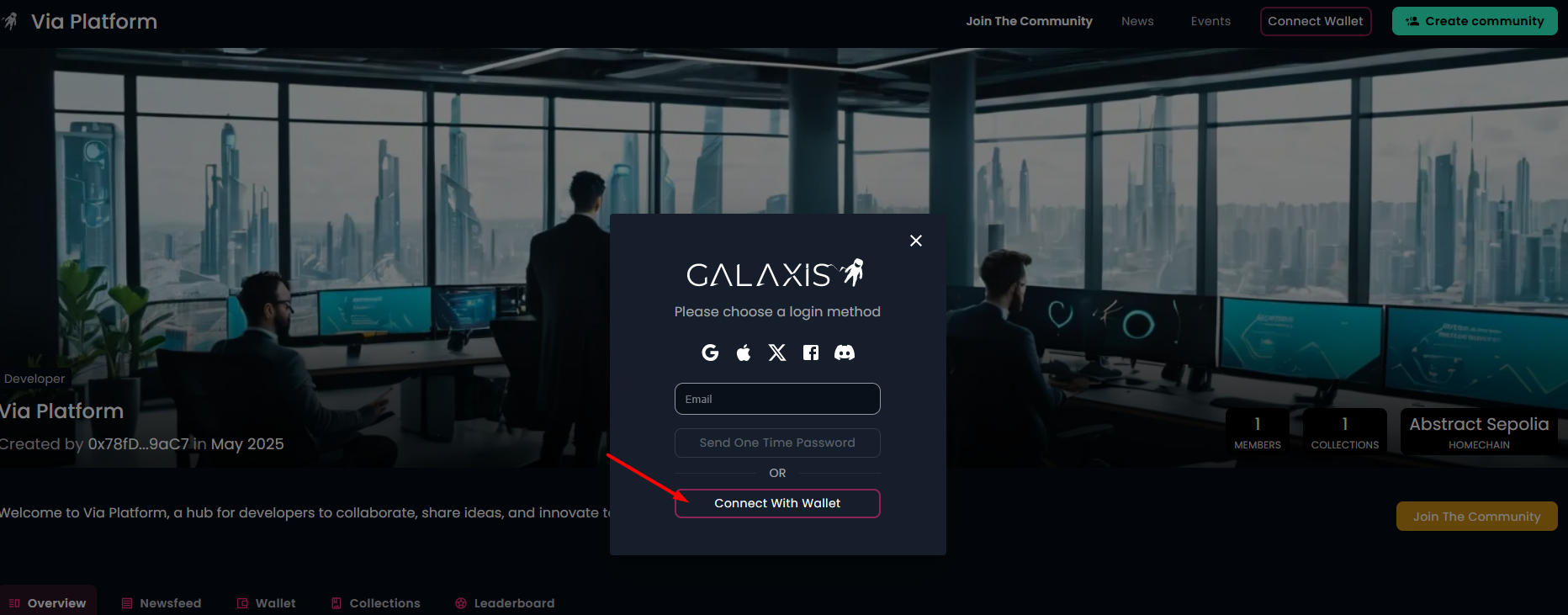
- The option of Abstract wallet will appear on the upcoming pop-up modal.

- Selecting the Abstract wallet will triger Abstract's logging screen. Here the user can select Google or e-mail to create an Abstract wallet.
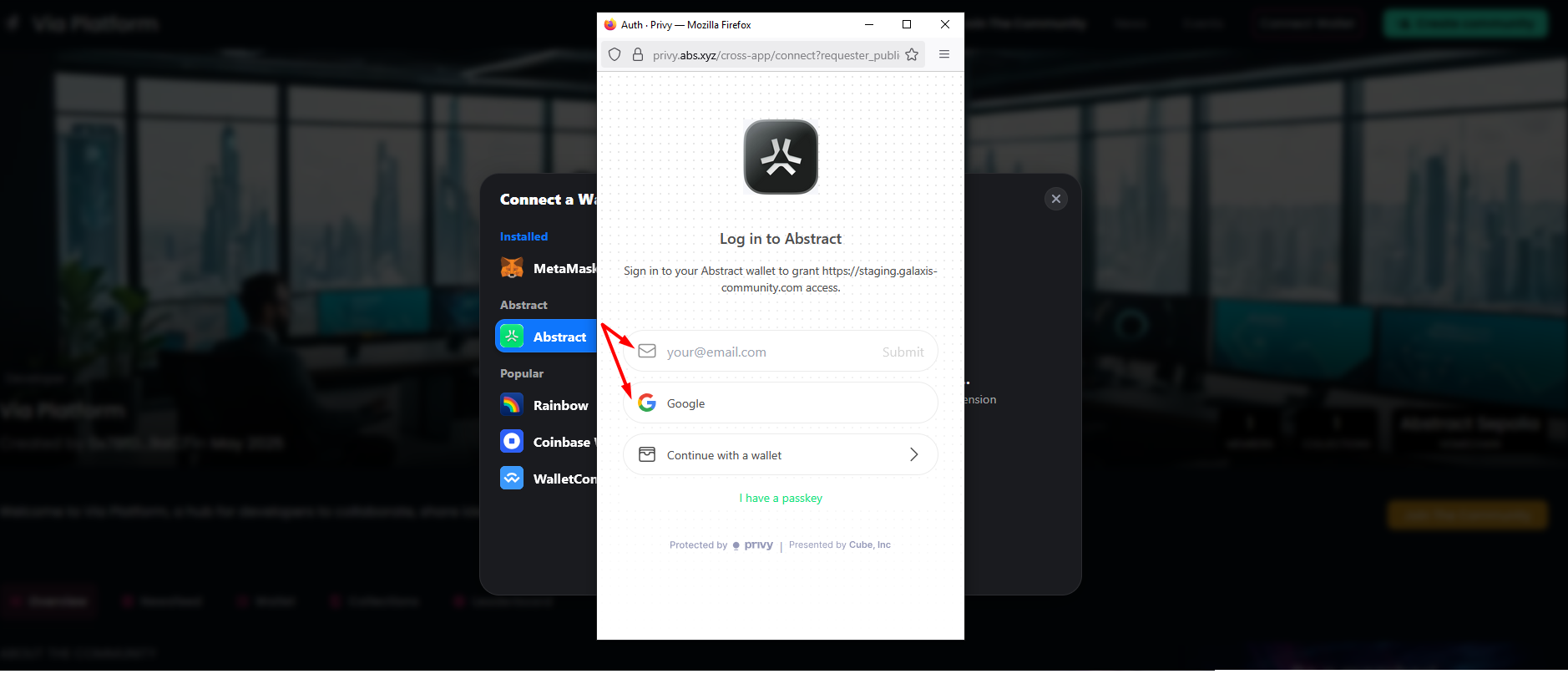
- Wallet Creation
A smart contract wallet is automatically generated and linked to the user's account. - Interaction
With the newly created wallet, the user can now interact with various features of the Galaxis platform, such as joining communities, participating in events, or managing digital assets, without having to understand the background processes. However, interacting with communities requires to pay gas fee. Wallet top-up can be done via the https://portal.abs.xyz/login page.
¶ Case 2 - the user already has an Abstract wallet
- Authentication:
- If the user already has an Abstract wallet, they can log in using the preferred method (e.g., Google account or types in their e-mail) that was used to create the Abstract wallet before. To achieve this, on the pop-up modal they have to select the Connect Wallet.
- The option of Abstract wallet will appear on the upcoming pop-up modal.
- Selecting the Abstract wallet will bring up the existing Abstract wallet. The user needs to approve the connection.

- Interaction
With the connected wallet, the user can now interact with various features of the Galaxis platform.
Note:
- As the Abstract Global Wallet's name suggests, it is usable only with the Abstract chain.