¶ Membership card acquisition
This page is a tutorial about how to acquire a membership card and take part in the Galaxis Loyalty Program.
In a nutshell, the Galaxis Loyalty Program requires you to hold GALAXIS Tokens on your membership card, and in return it provides you with various benefits.
¶ Obtaining the membership card
-
Open the Galaxis Communities website and choose a community in which you want to become a member.
-
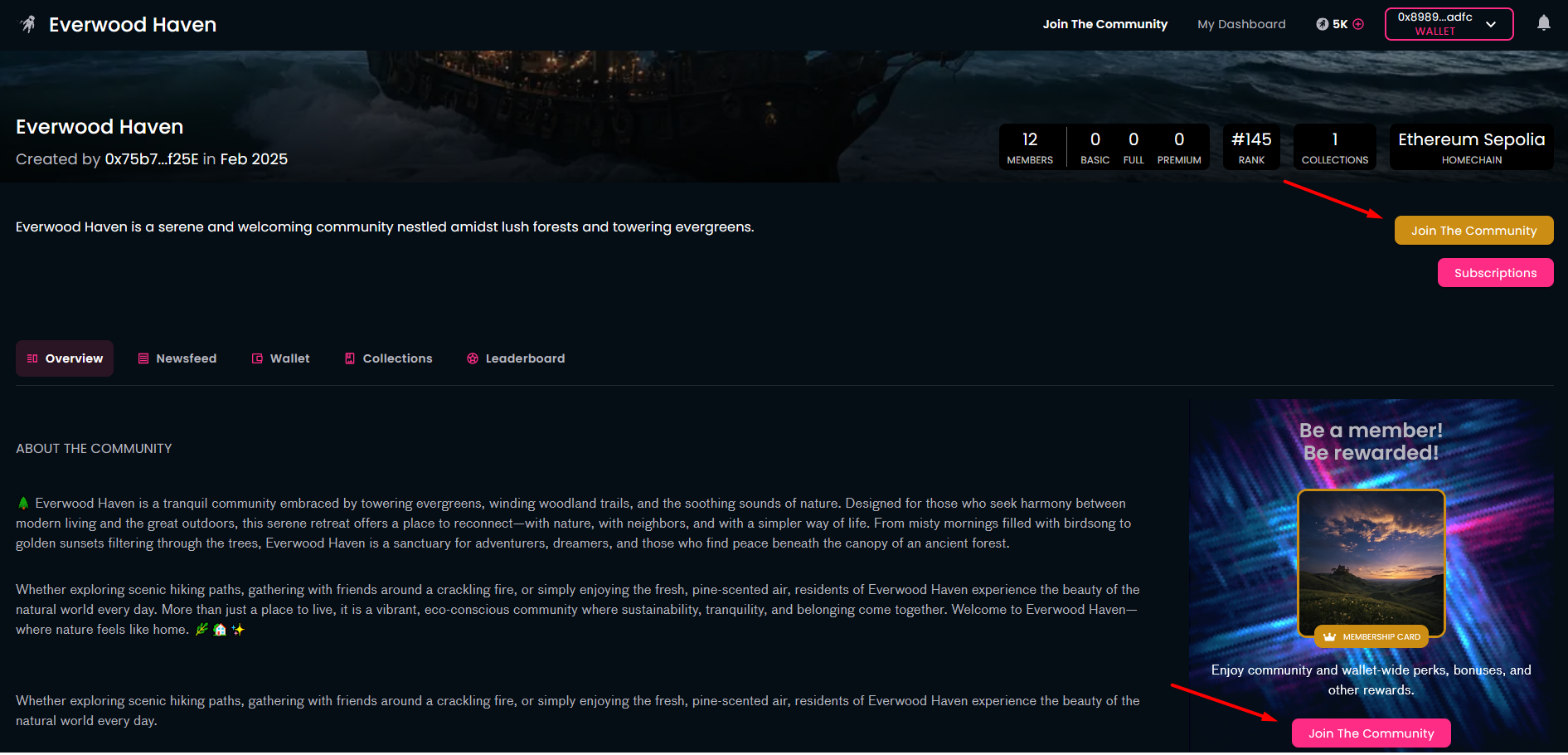
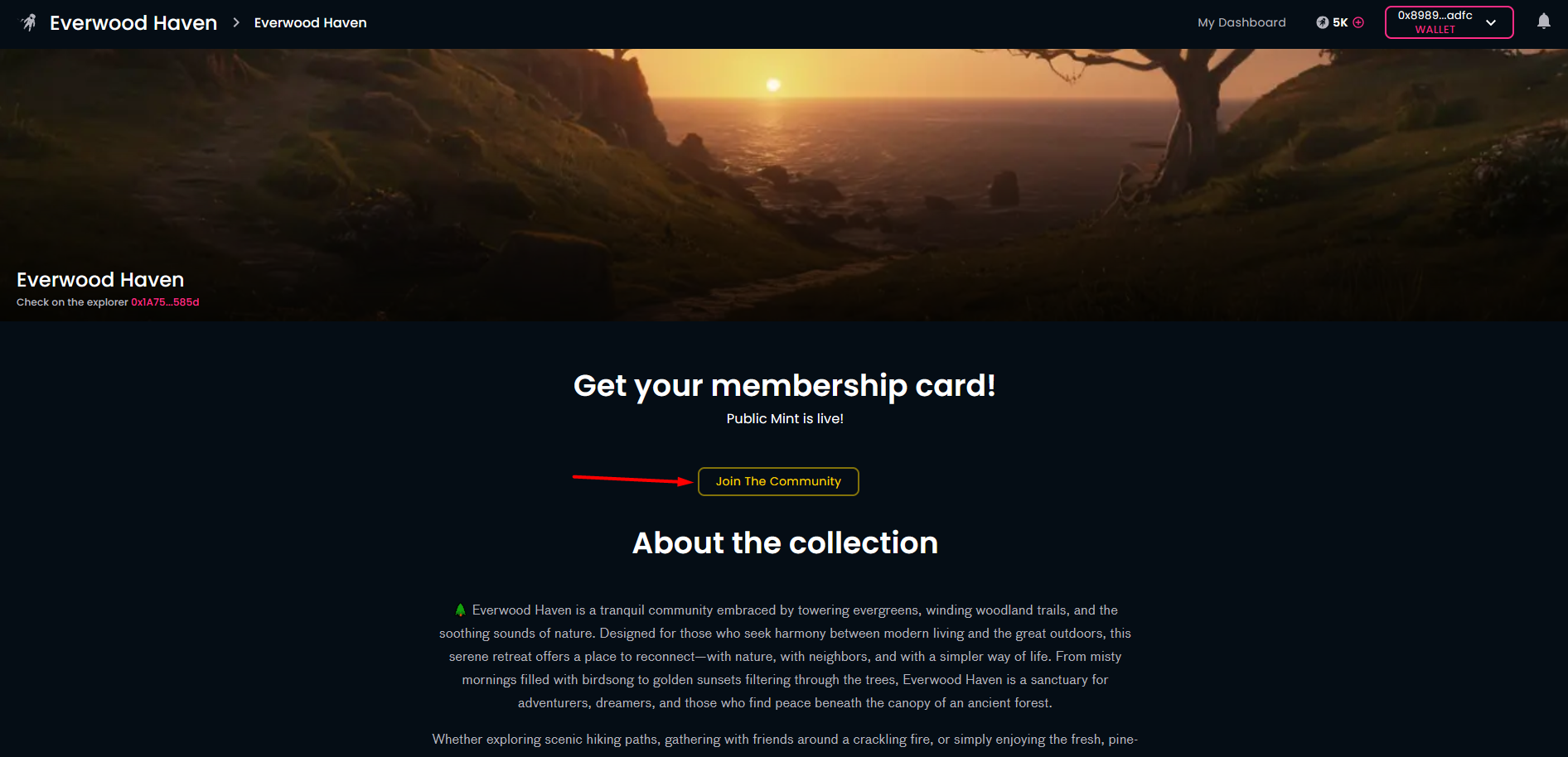
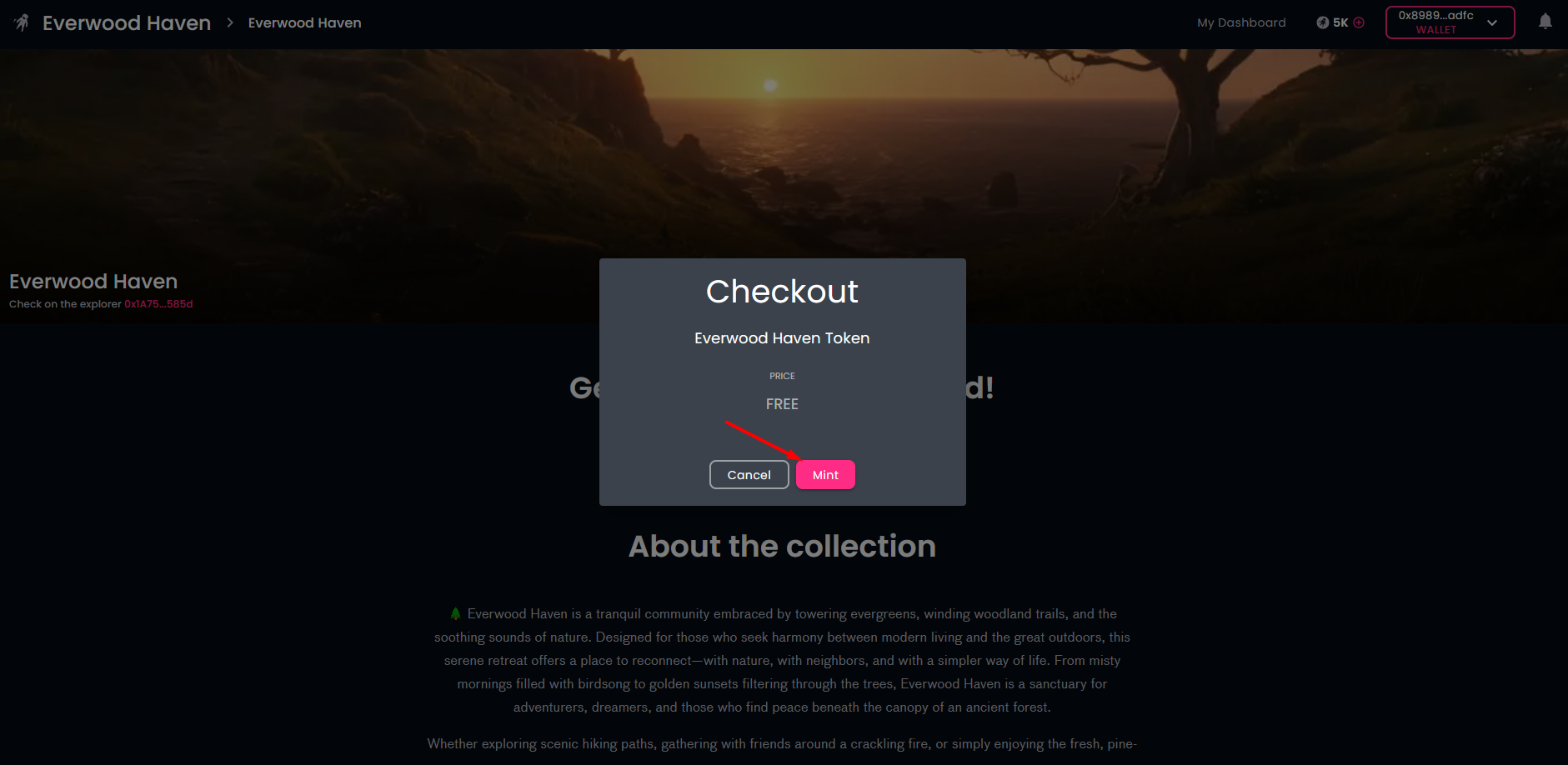
In order to become a member and obtain a membership card in the desired community, click on the "Join The Community" button on the community homepage. This is the Web3 world: you'll need to connect your crypto wallet (if you had not done so before) and click on the "Mint" button to create ("mint") the token representing your membership, i.e., your membership card. Of course, you need to approve this transaction in your wallet.
-
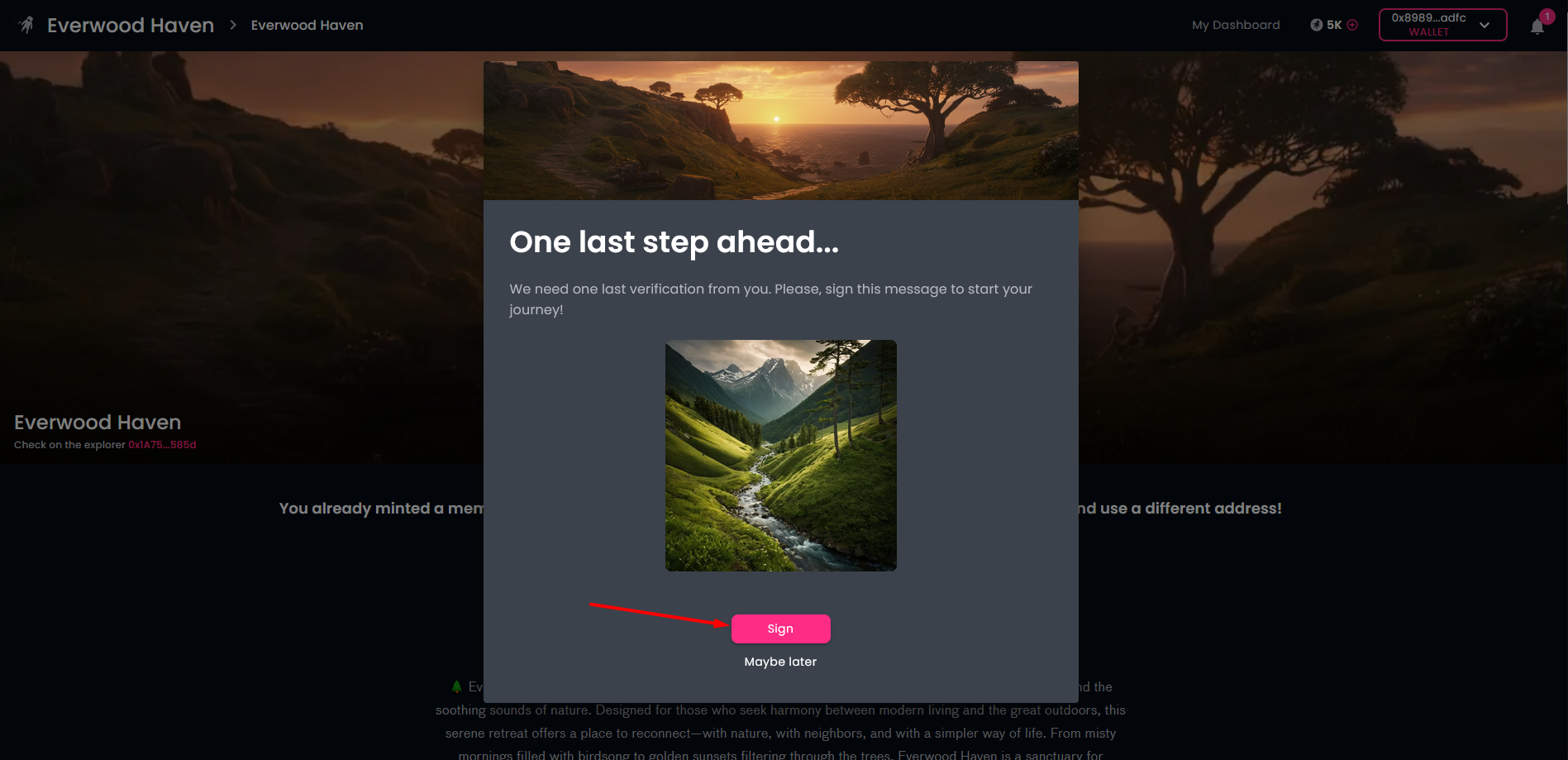
During the membership card minting process we ask you to sign an action. This step makes your membership card "primary". You can do that later, too, but as you must have a primary card to be an active member of the community, it is the best to do it right now. Please do not forget to approve the transaction is your wallet.
-
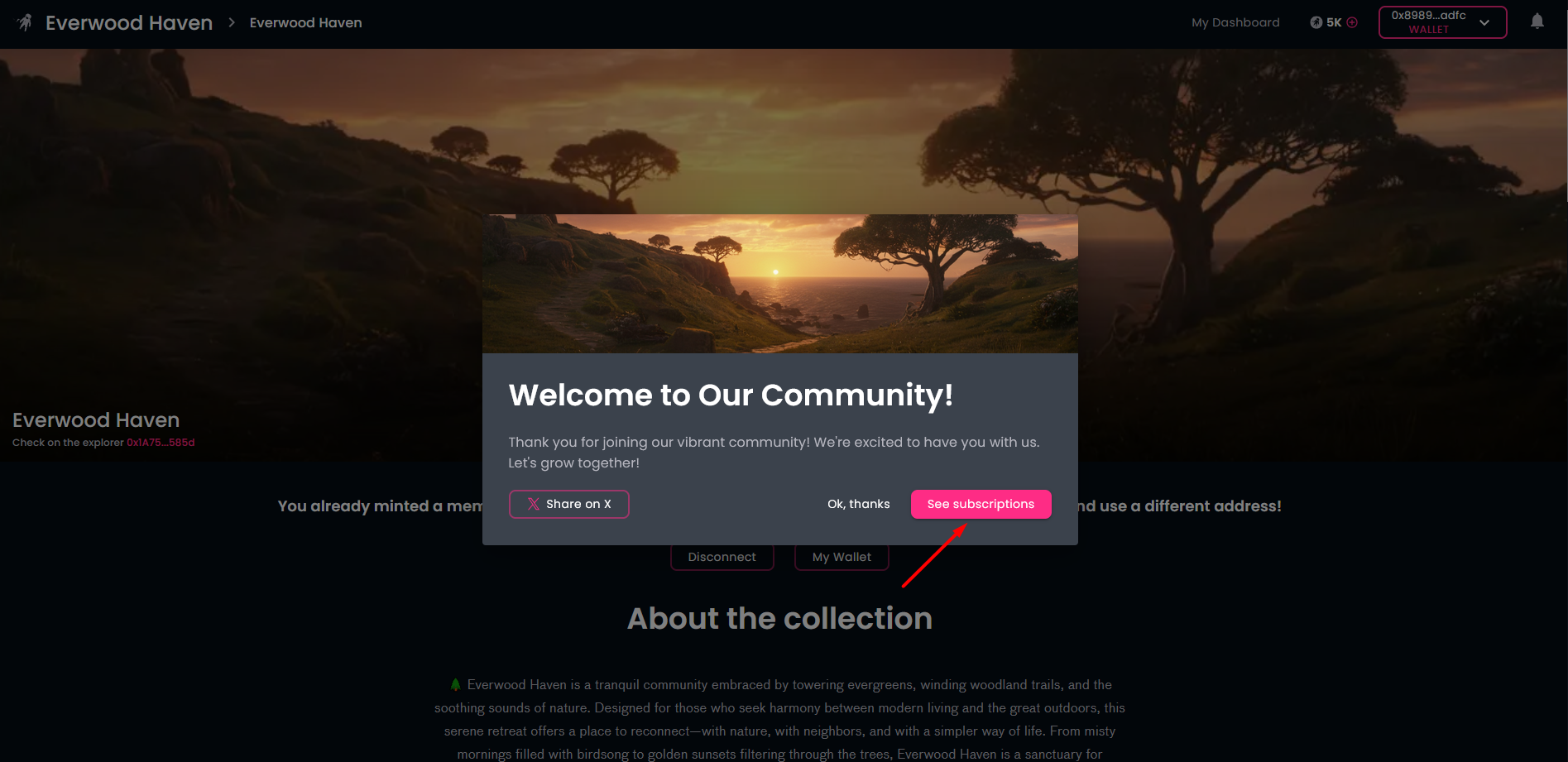
The the community greets you. You can post your freshly minted membership card on X using the button "Share on X". At this point, it is up to you if you continue immediately with the subscription or leave it to a later time.
¶ Participate in the Galaxis Loyalty Program
You are eligible to join the Galaxis Loyalty Program if you own a community membership card and have at least 100 GALAXIS Tokens in your wallet that you can use to transfer to your membership card.
-
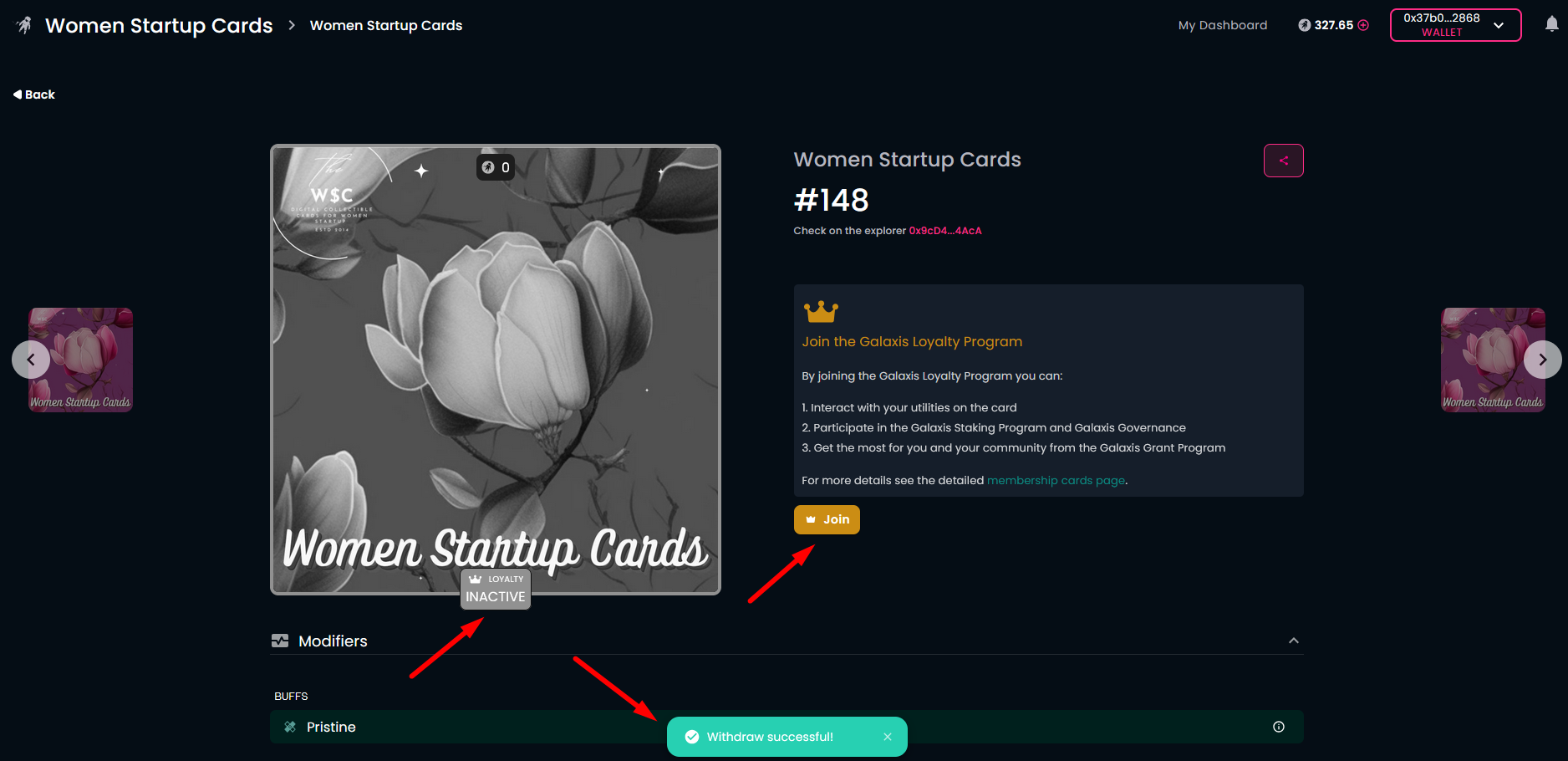
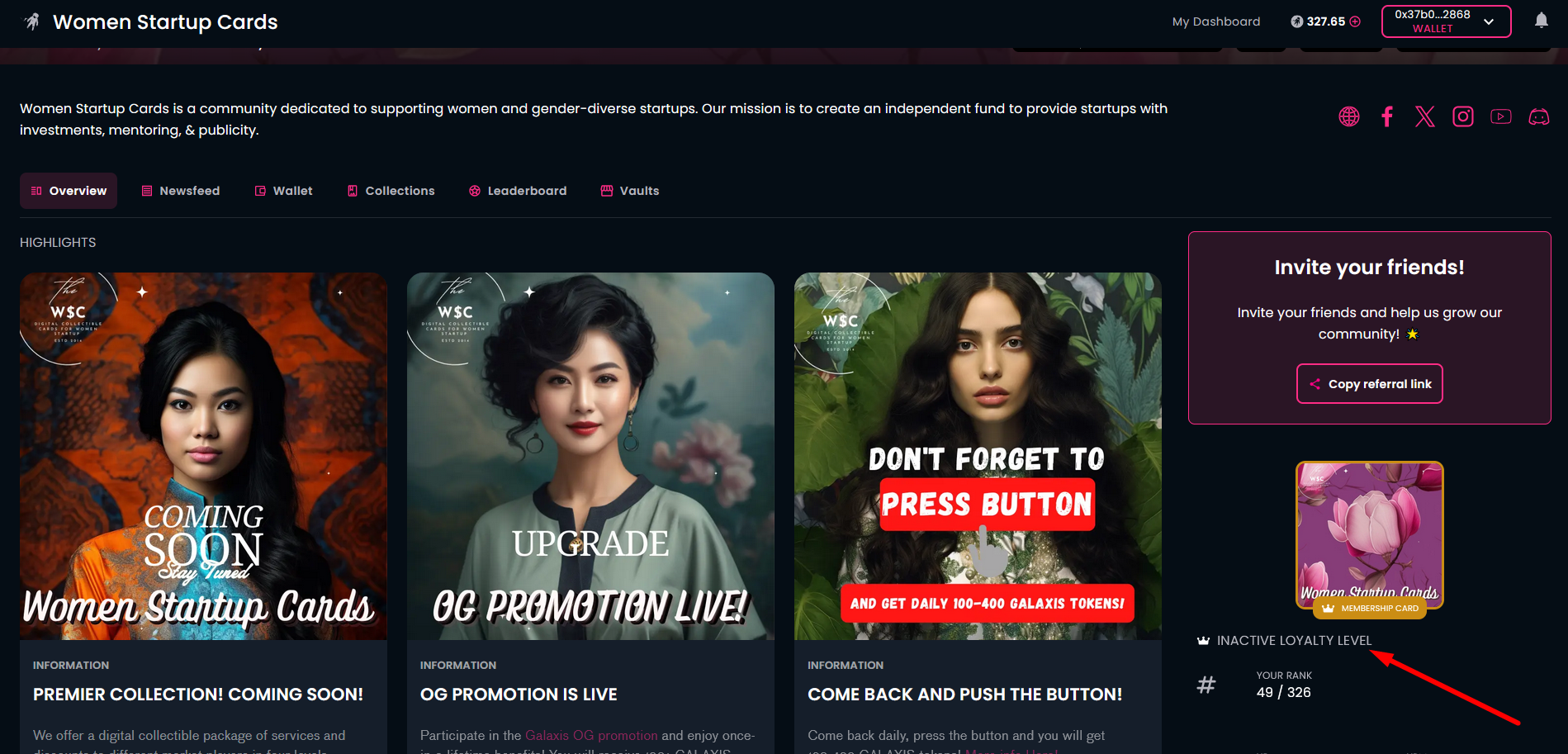
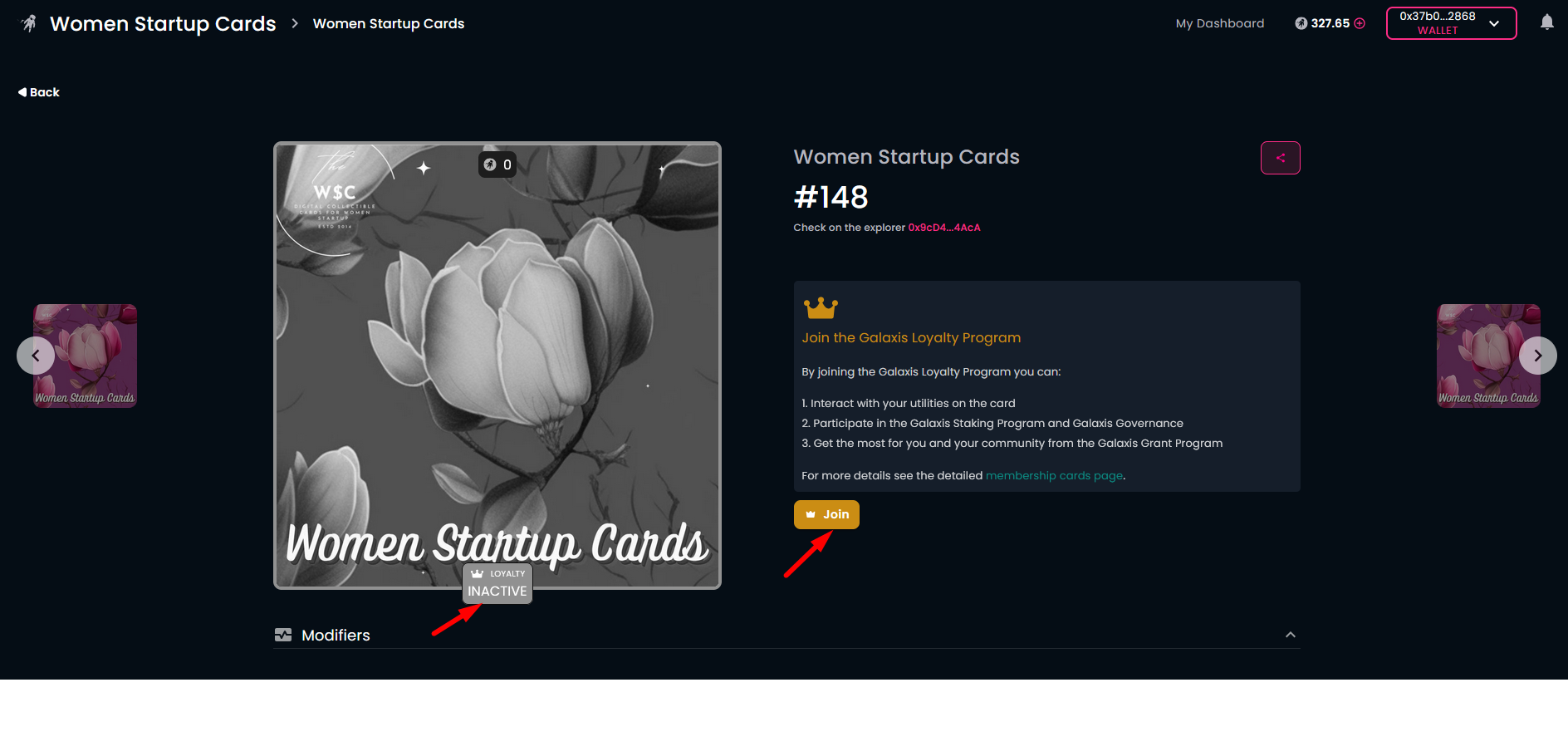
Open the community homepage and connect your wallet. The homepage will show your membership card, obtained earlier. You can also see the "INACTIVE LOYALTY LEVEL" subtitle below the membership card.
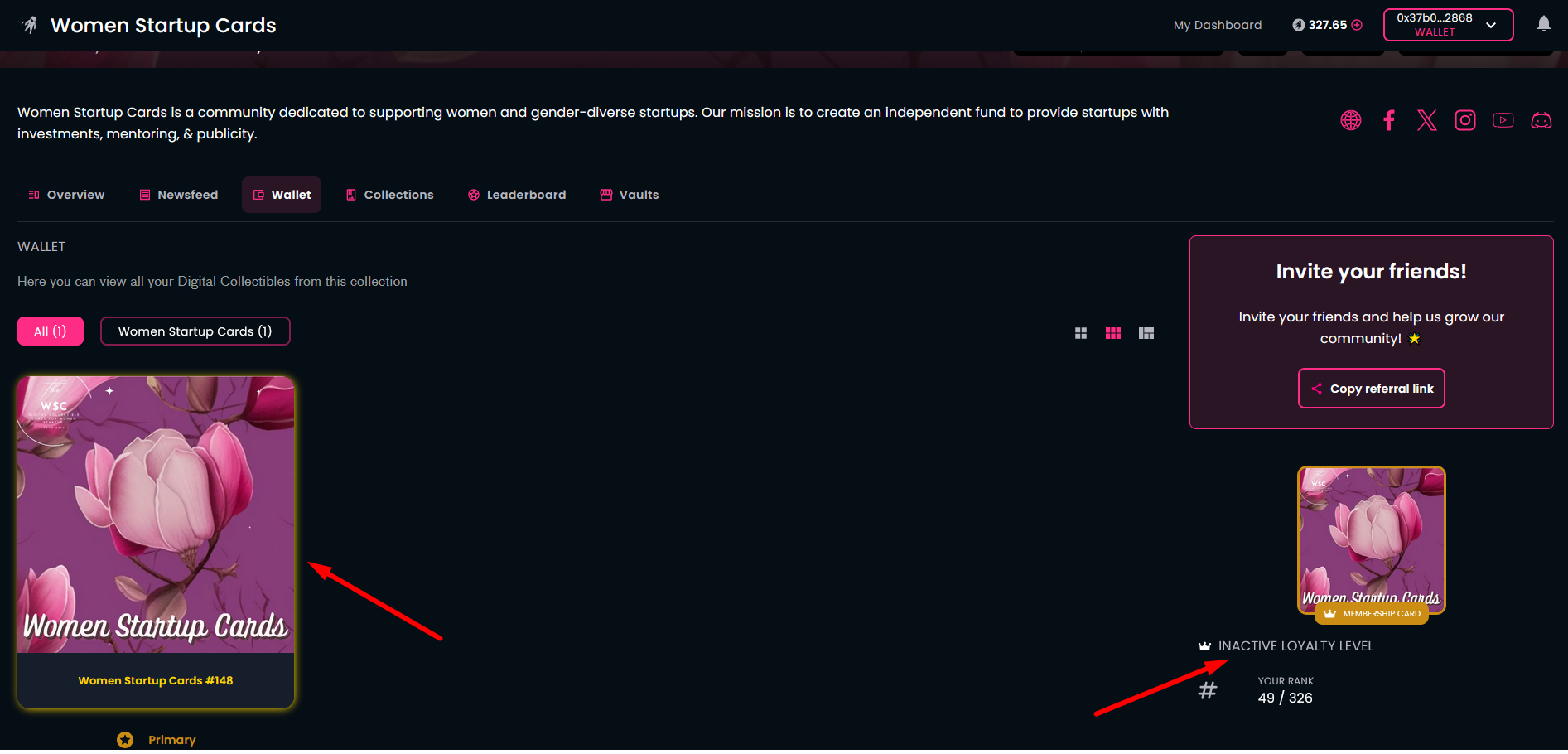
If you access your community wallet, you will find the same information beside your membership card.
-
Either way, to open the detailed card page, click on the membership card.
Next to your membership card, you can see a banner about the Galaxis Loyalty Program.
Click the "Join" button to start the process.
-
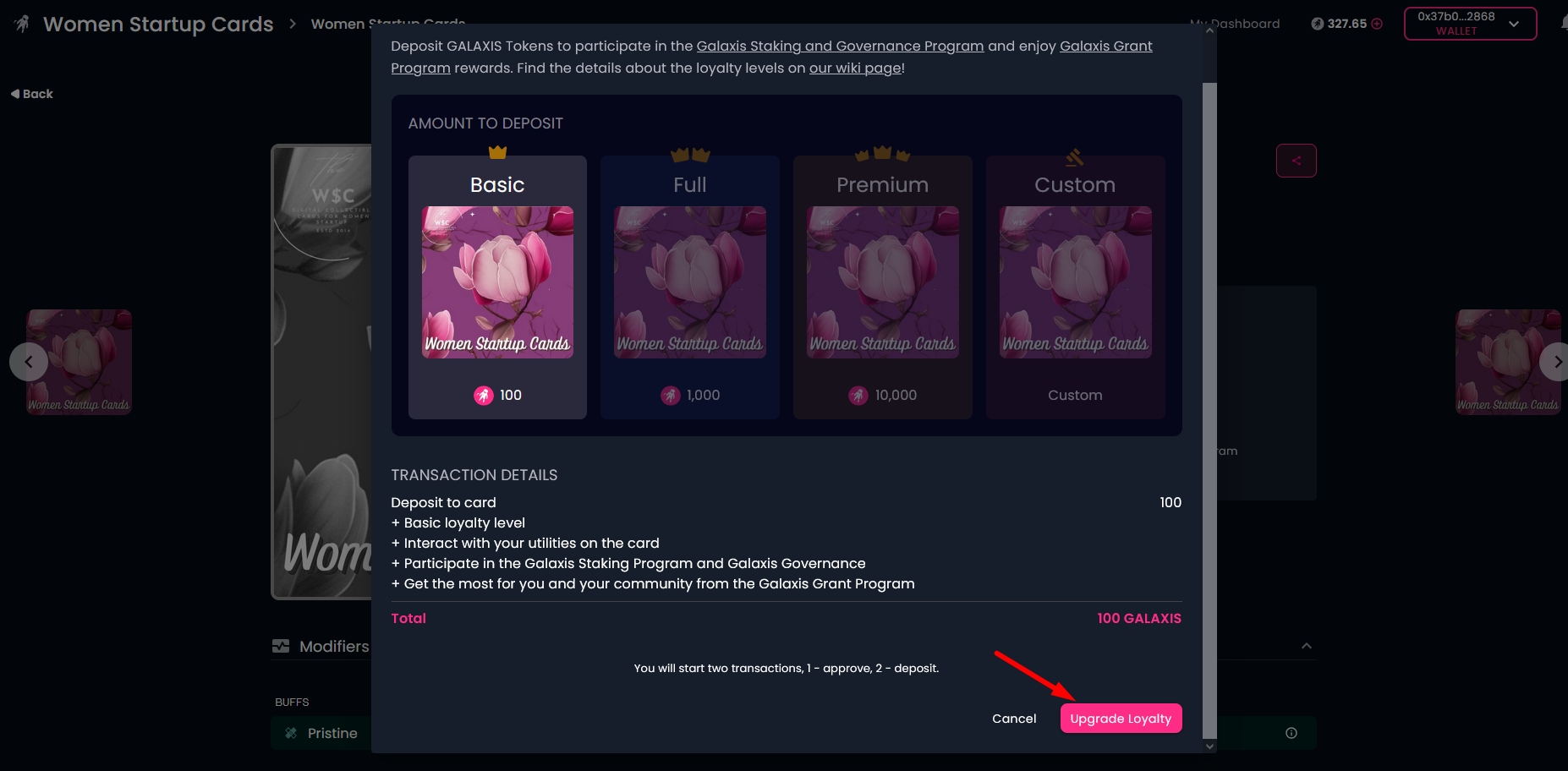
Select the loyalty level you wish to upgrade to (higher levels cost more but provide you with more benefits) and click on the "Upgrade Loyalty"" button. This will start two transactions in your wallet. One to approve the movement of your GALAXIS Tokens and the second for deposit.
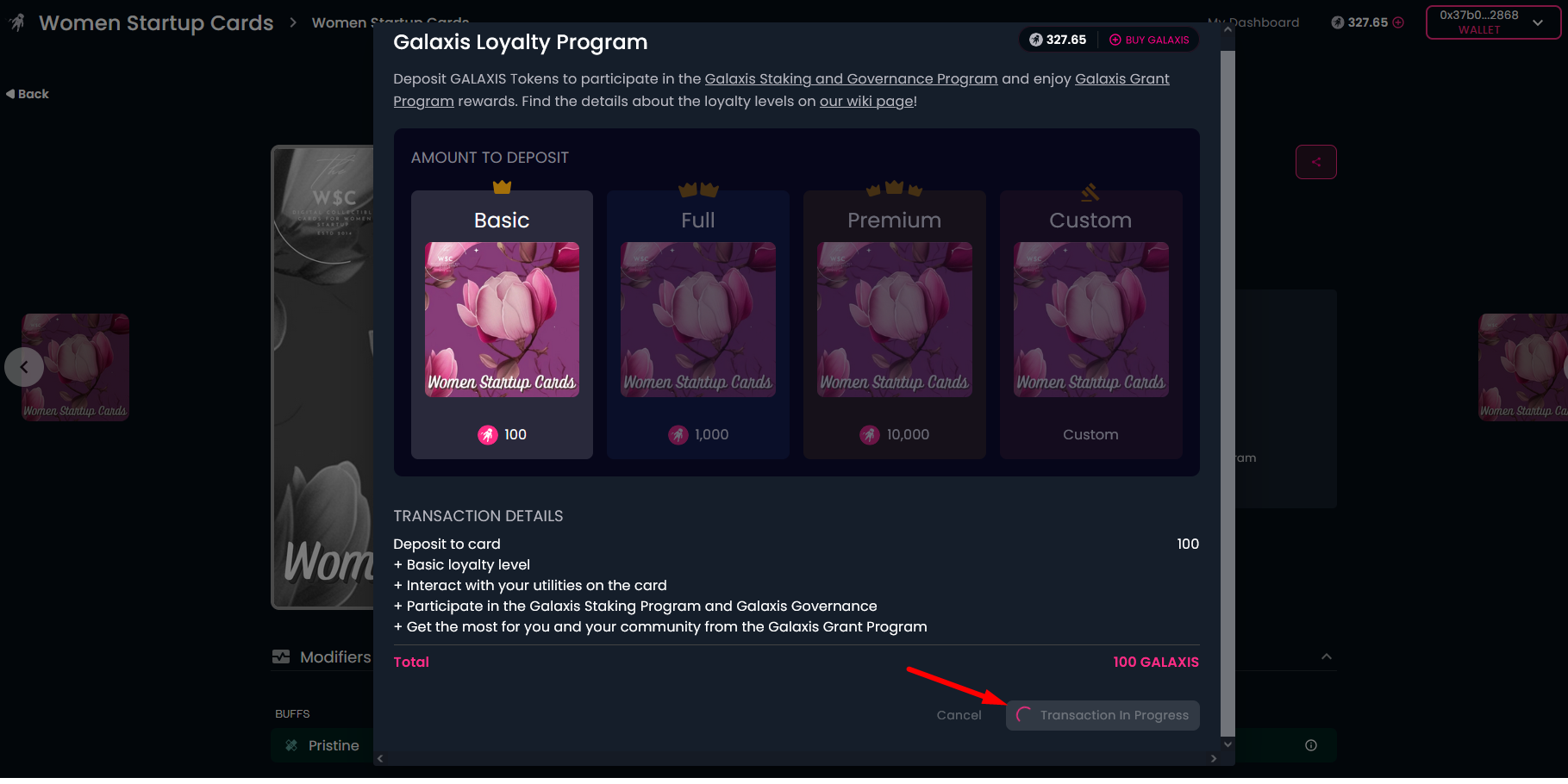
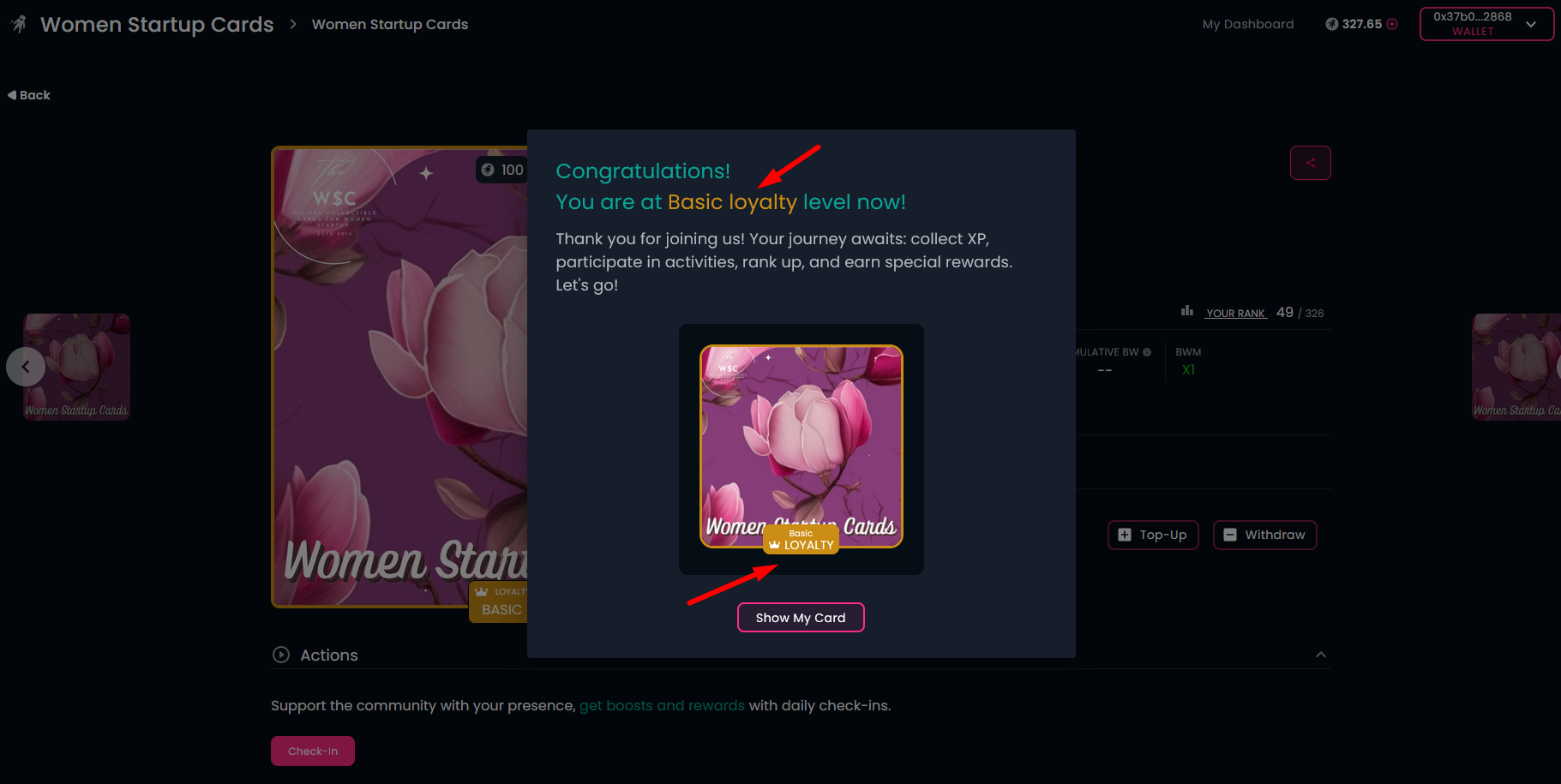
After the successful transactions, you will receive confirmation, showing your upgraded loyalty level.
-
If you click on the "Show My Card" button, you will see the detailed card page with the updated information.
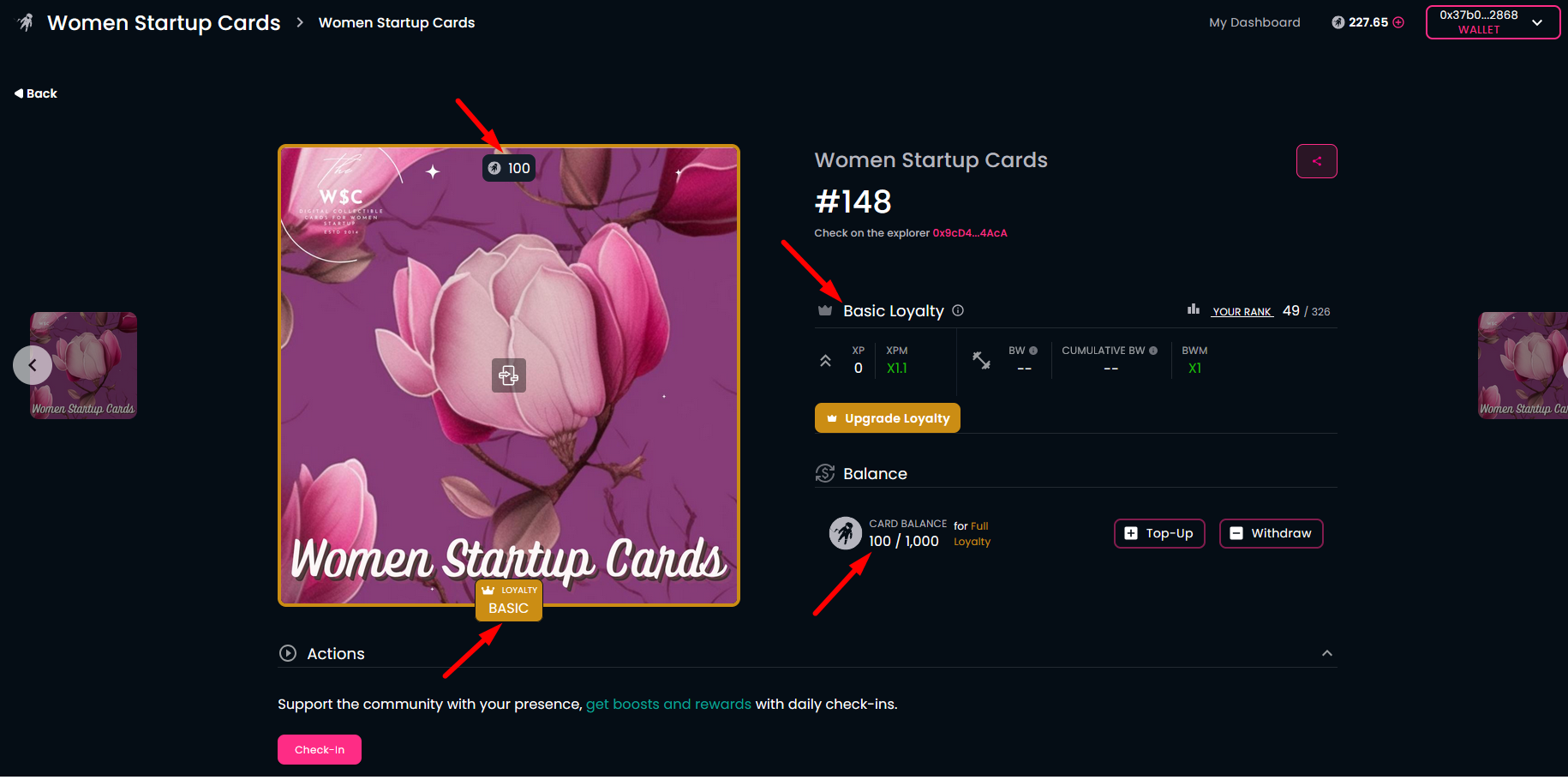
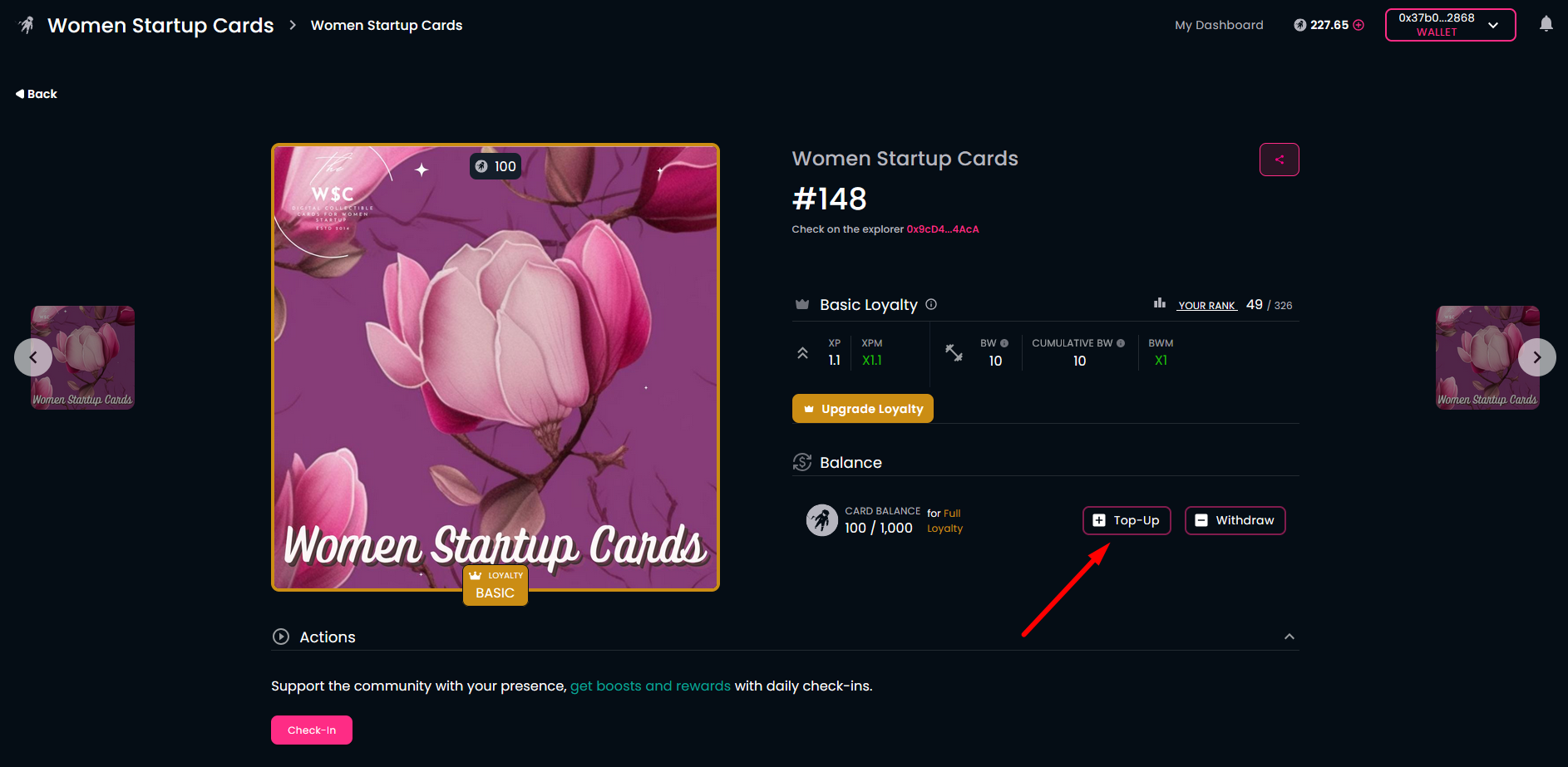
Here you can still place additional GALAXIS Tokens on your card with the "Top-Up" button. This starts the same process that you have already saw during the deposit.
¶ Withdraw GALAXIS Tokens from the card
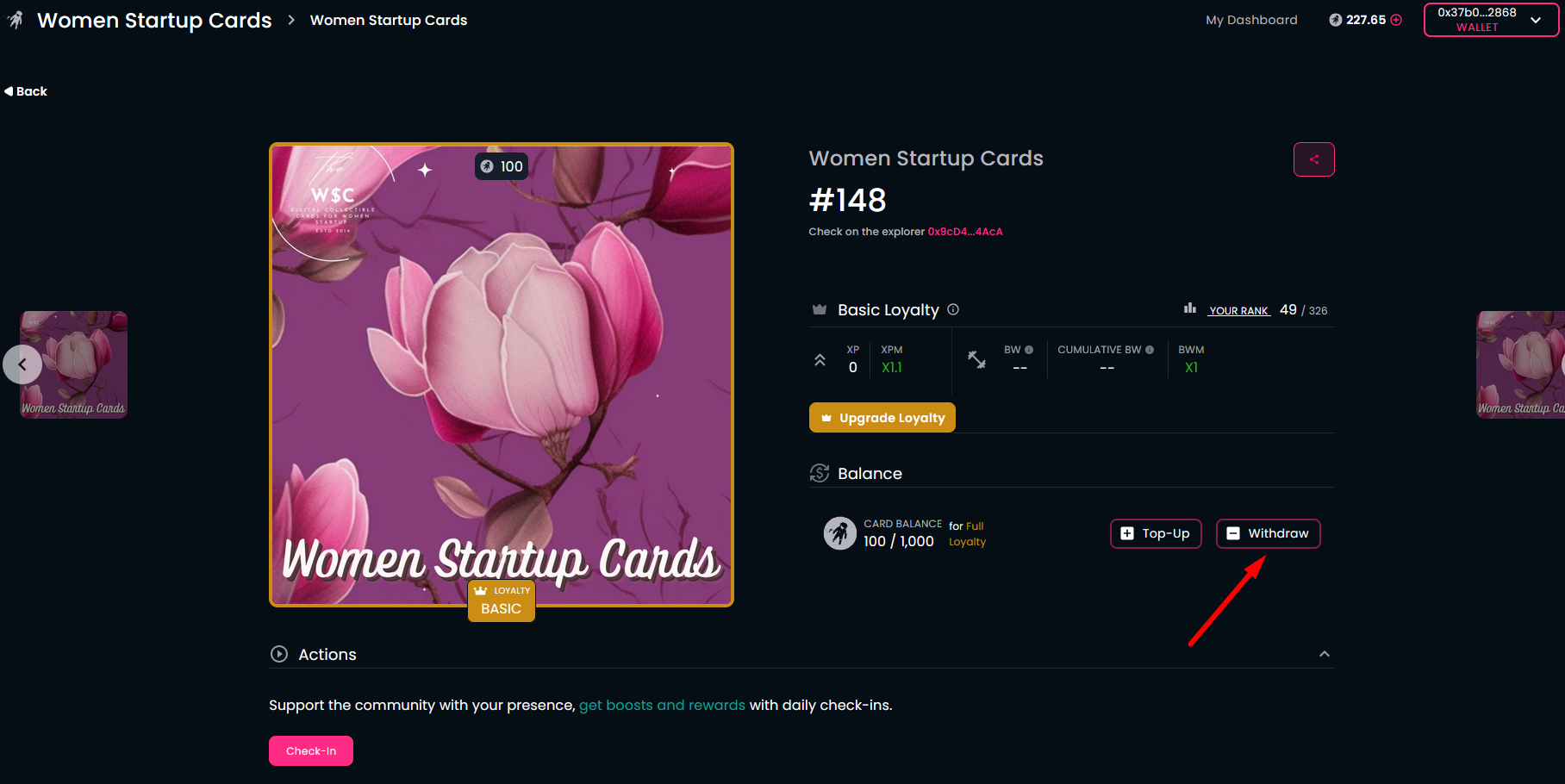
In case you do not want to keep your loyalty level, you can withdraw the deposited GALAXIS Tokens from your membership card.
- To do this, use the "Withdraw" button on the detailed crad page and set the GALAXIS amount you want to withdraw. This will launch a transaction that you'll need to approve.
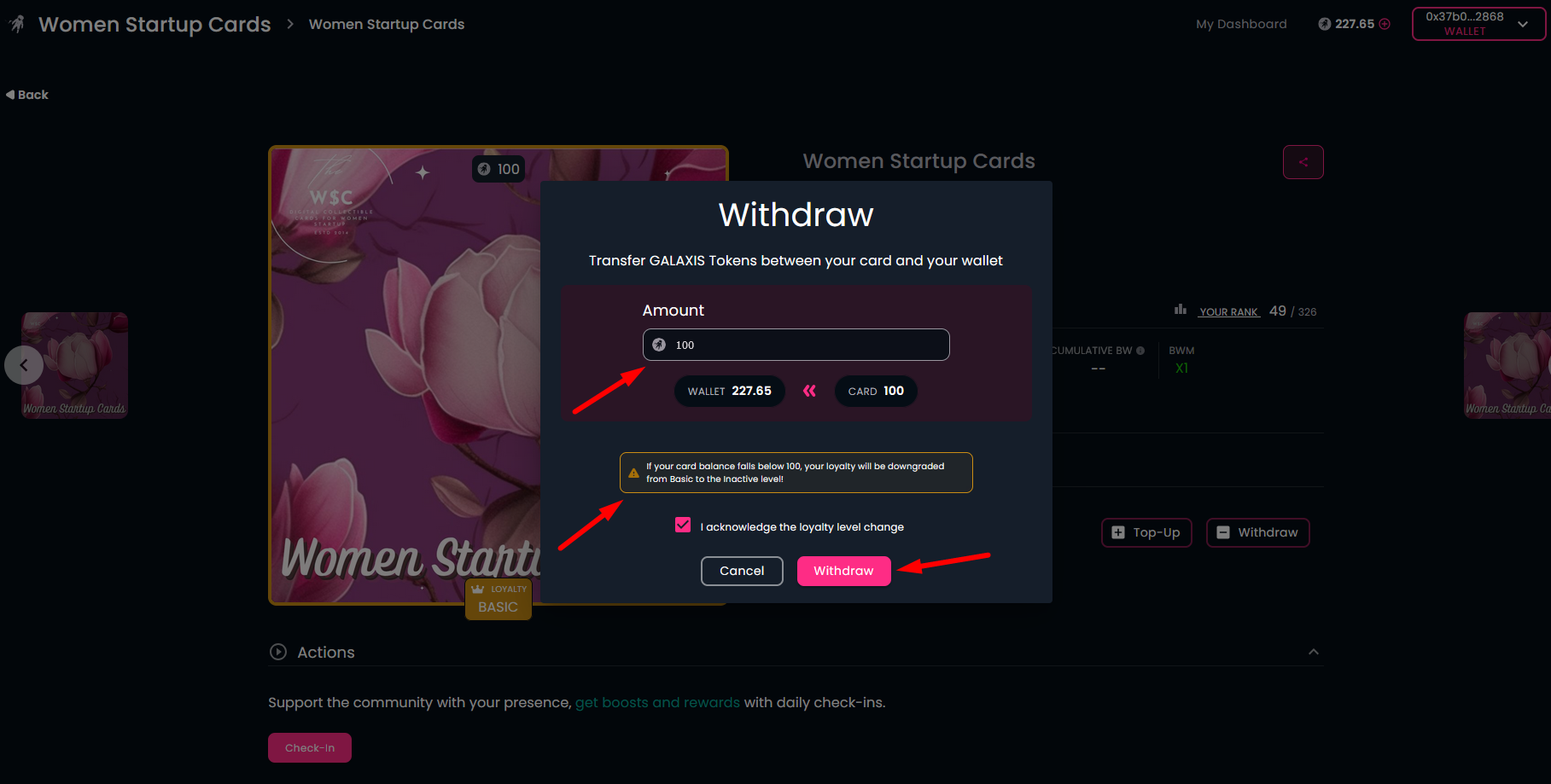
After the successful transaction you will see a confirmation message: "Withdraw successful!". Your loyalty Level will be downgraded, but you can rejoin the Program at any time.