¶ Galaxis Utilities
¶ Galaxis Token Dispenser, ERC721 Dispenser, ERC721 Minter
These three utility applications give helping hands for both community owners and members when minting or distributing more tokens at the same time.
Now, let us analyze them in detail!
¶ Galaxis Token Dispenser
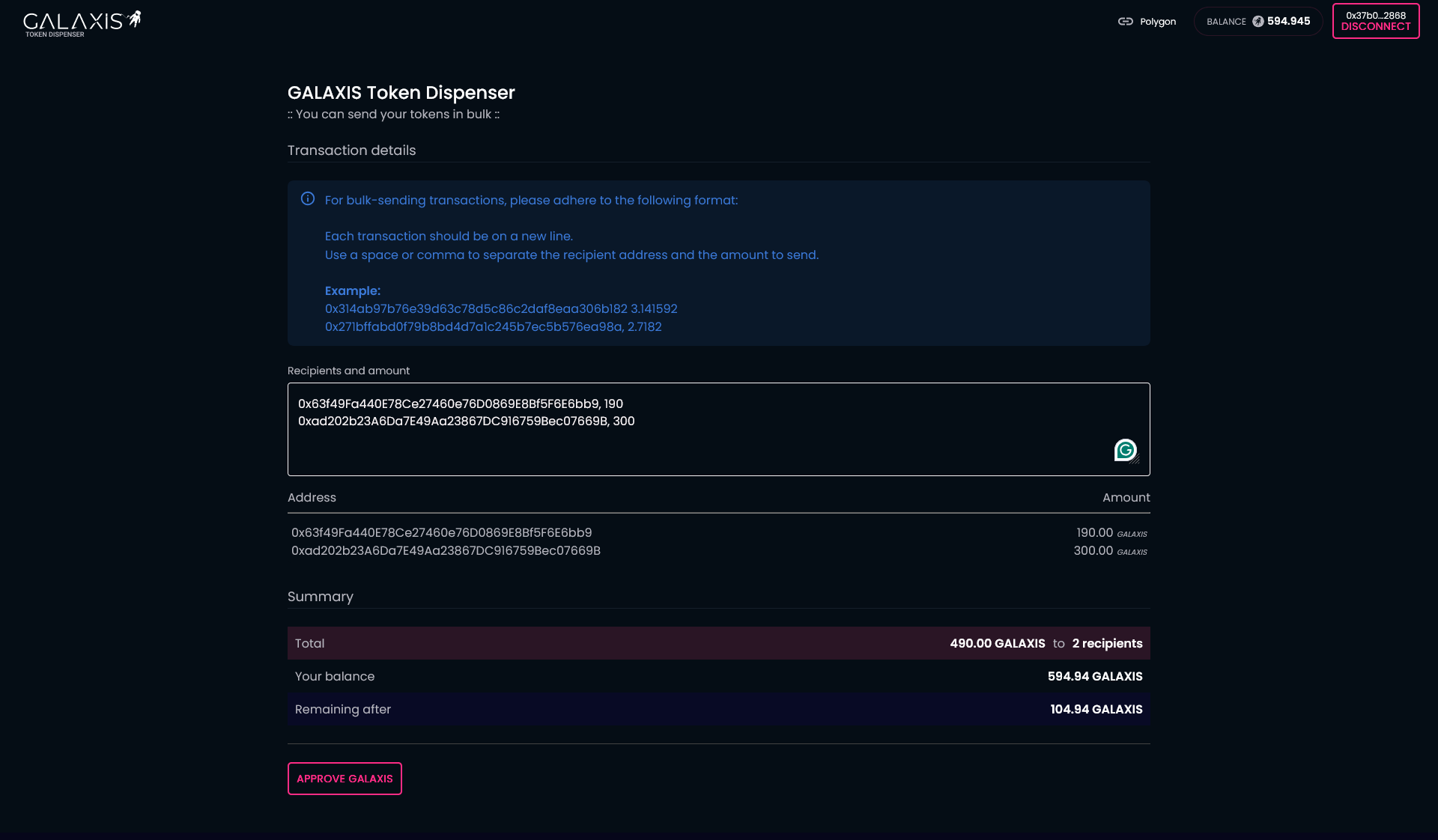
If you own GALAXIS Tokens that you wish to send as a reward or make a gift, you can accomplish these with the help of this tool regardless of being a community owner, community member or just a Galaxis fan. 
- Connect your wallet that contains GALAXIS Tokens.
- Paste the recipients' wallet addresses and the amount you wish to send to each address.
Note: Each address with the amount should be in a new line. - Start the operation with the Approve GALAXIS button.
- Finalize it with approving the transactions in your wallet.
¶ ERC721 Dispenser
This tool is very similar to the Galaxis Token Dispenser app, except that instead of GALAXIS Tokens you can distribute ERC721 type tokens, and it provides an extra feature - the possibility of sending specific tokens or random ones based on your choice.
It can be used by community owners, members, or Galaxis fans - as long as the ERC721 tokens intended for distribution are held in their wallet.
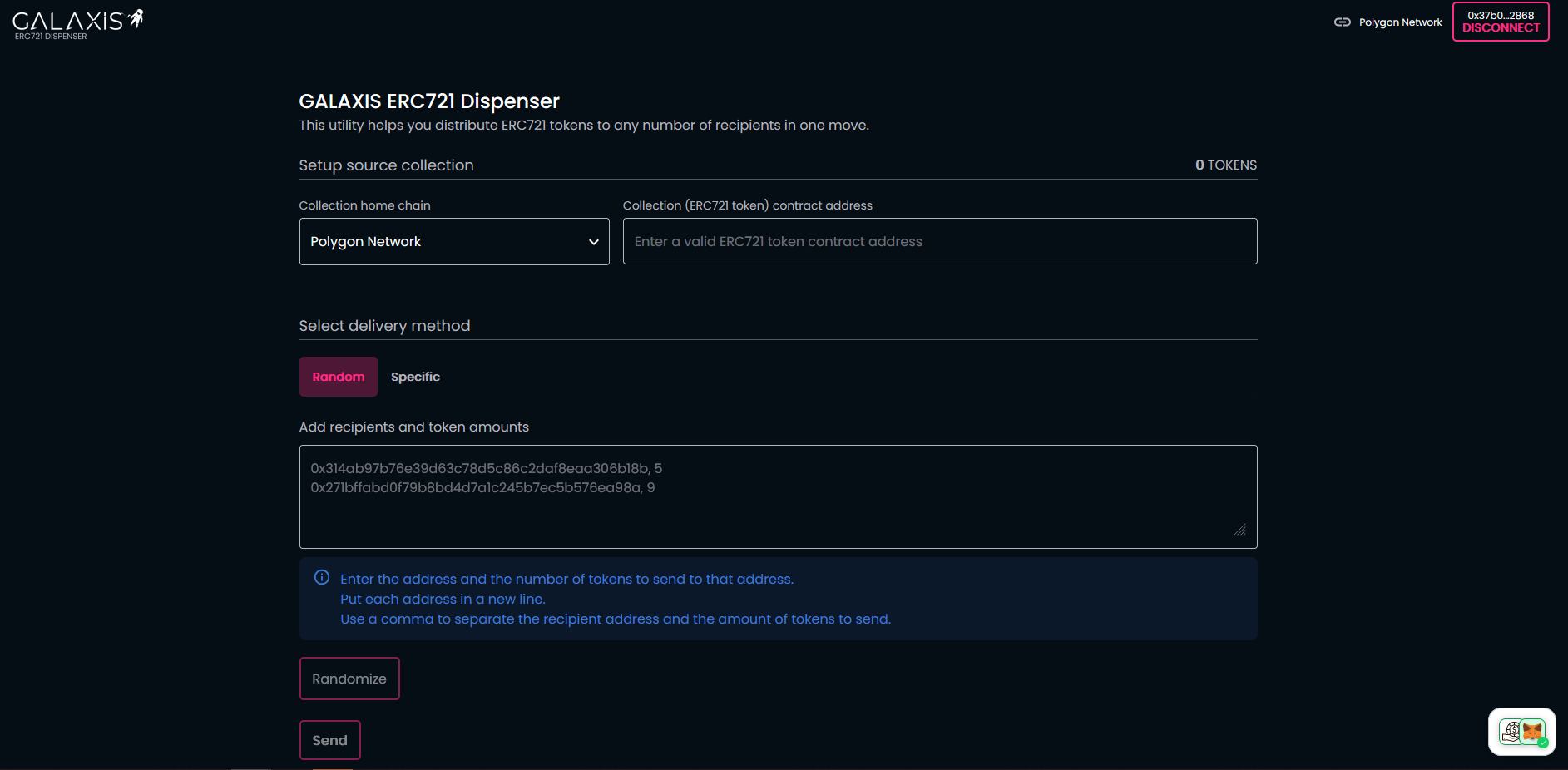
- Connect your wallet that contains the ERC721 tokens.
- Select the home chain of your tokens from the list.
- Enter the collection' token contract address of your tokens.
- Random delivery method - Paste the recipients' wallet addresses and the token amount you wish to send to each address.
Note: Each address with the amount should be in a new line. In this case you will only know that for example, you are sending 5 tokens to an address, but you will not know exactly which tokens.
Specific delivery method - Paste the recipients' wallet addresses and the token IDs you wish to send to each address.
Note: Each address with the token IDs should be in a new line.
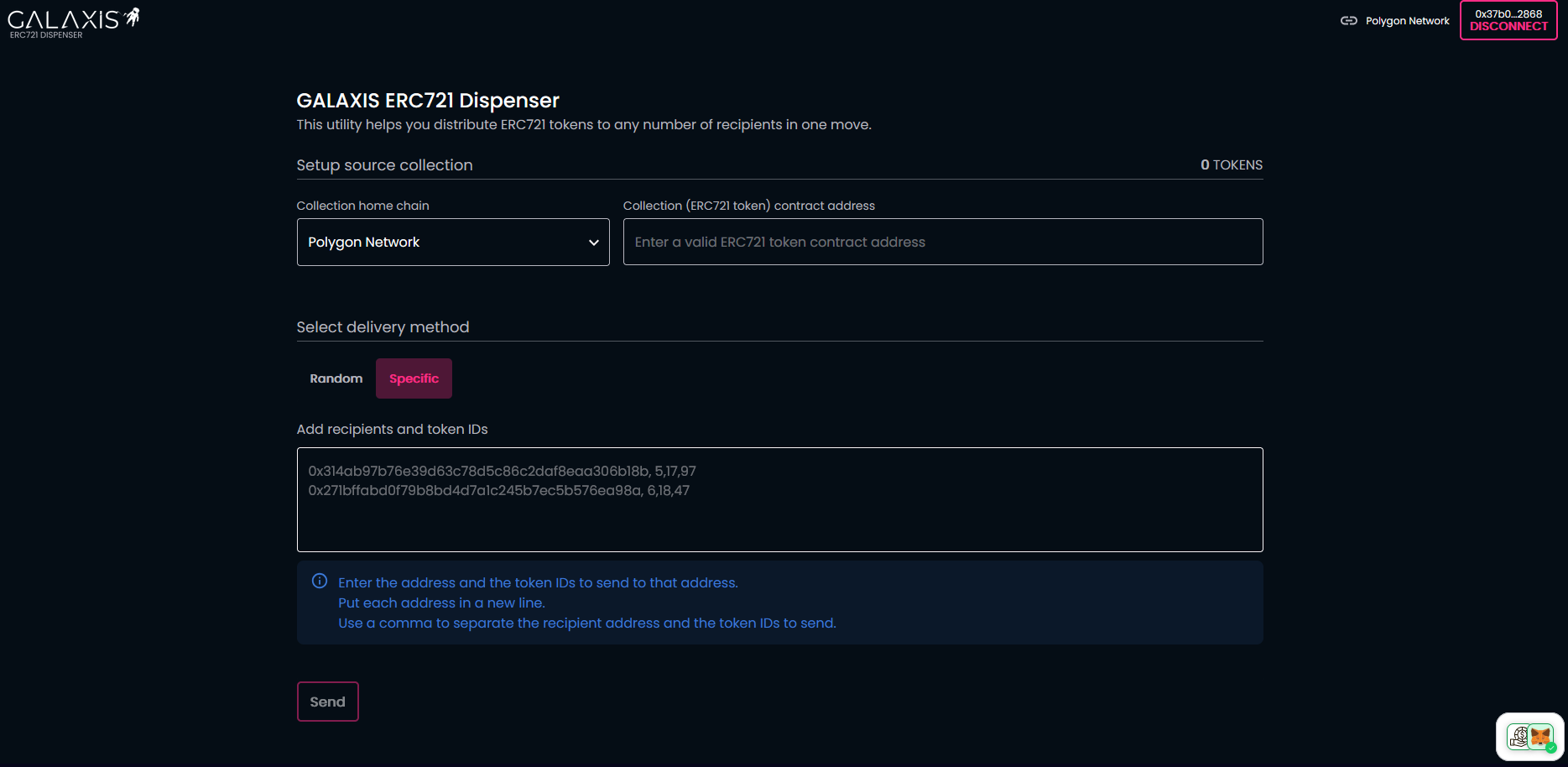
- Start the operation with the Send button.
- Finalize it with approving the transactions in your wallet.
¶ ERC721 Minter
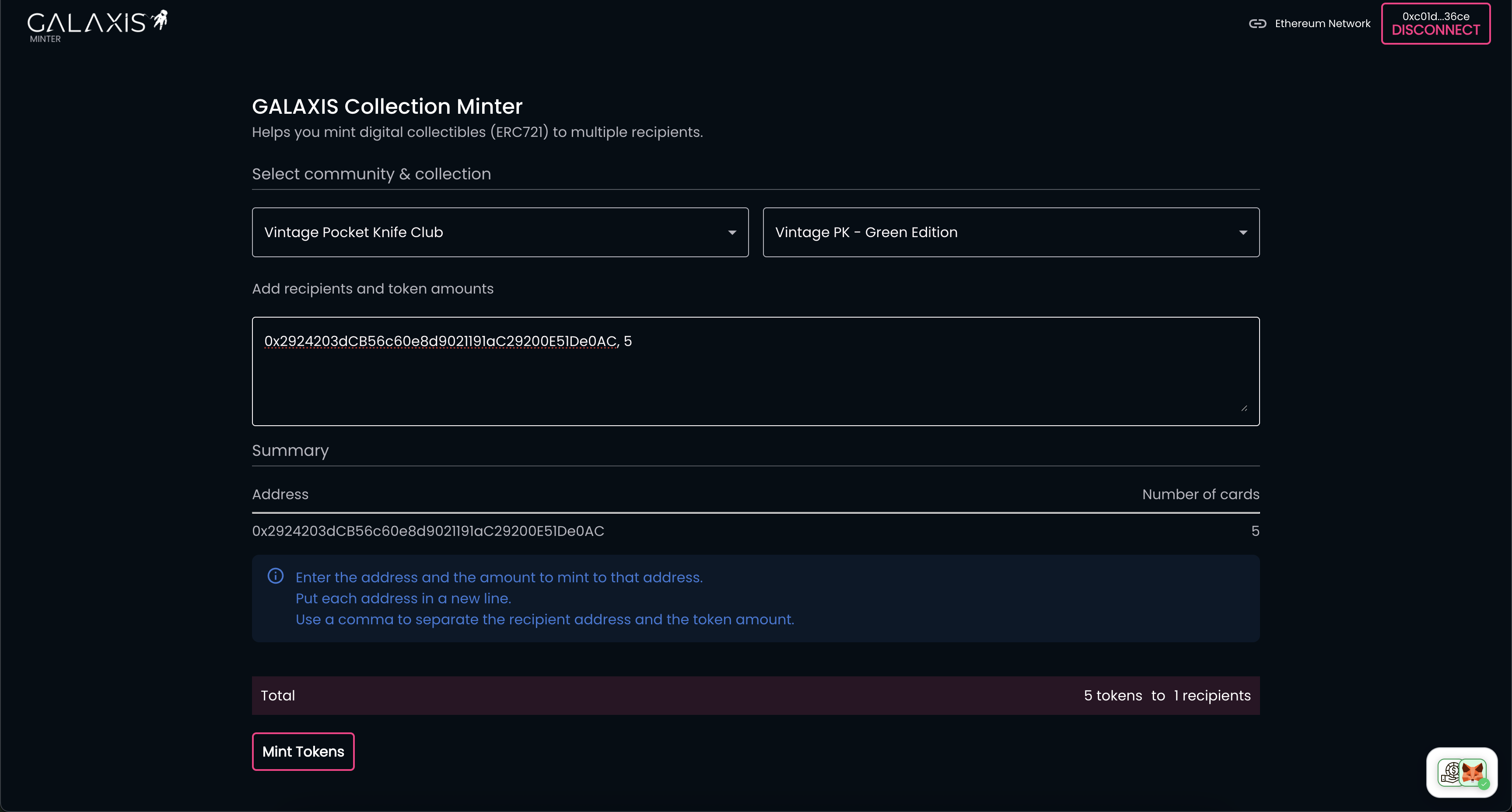
This tool is for the community owners only and it can be used to mint tokens in bulk for one or more addresses.
- Connect your wallet that you have used to create a community.
- Select the community and the collection inside the community from which you want to mint tokens.
- Paste the recipients' wallet addresses and the amount you wish to mint to each address.
Note: Each address with the amount should be in a new line. - Start the operation with the Mint Tokens button.
- Finalize it with approving the transactions in your wallet.